9
c) Loading the cards
The Tattoo printer works in three different modes for card loading which are selectable through
the printer driver in the « Main » tab :
•
Feeder The cards are taken automatically from the feeder.
•
Manual feed The cards are manually inserted one by one by the operator in the feeding mouth
at the front of the printer.
•
Auto select The cards are taken either from the feeder or manually inserted in the feeding
mouth whichever card the printer senses first.
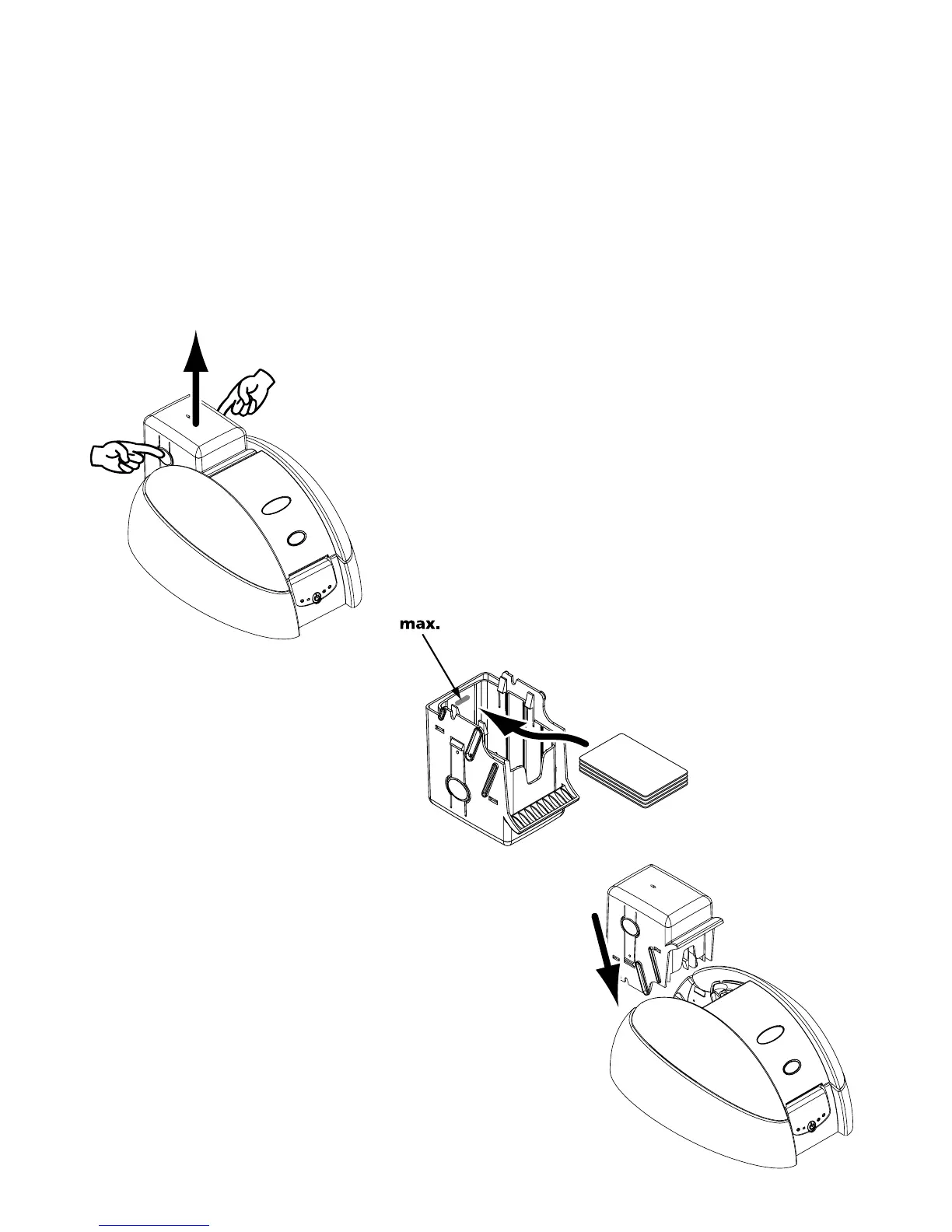
TO LOAD THE CARDS FROM THE FEEDER :
1. Remove the Card Feeder from the printer as shown.
2. Press down the spring system inside
the feeder and insert 100 cards as
shown (100 cards max. 0.76mm-
30mil).
3. Replace the feeder in the printer.



 To Next Page