/16
CHARGING THE BOARD
BEFORE USING the board, allow the battery to be FULLY
CHARGED.
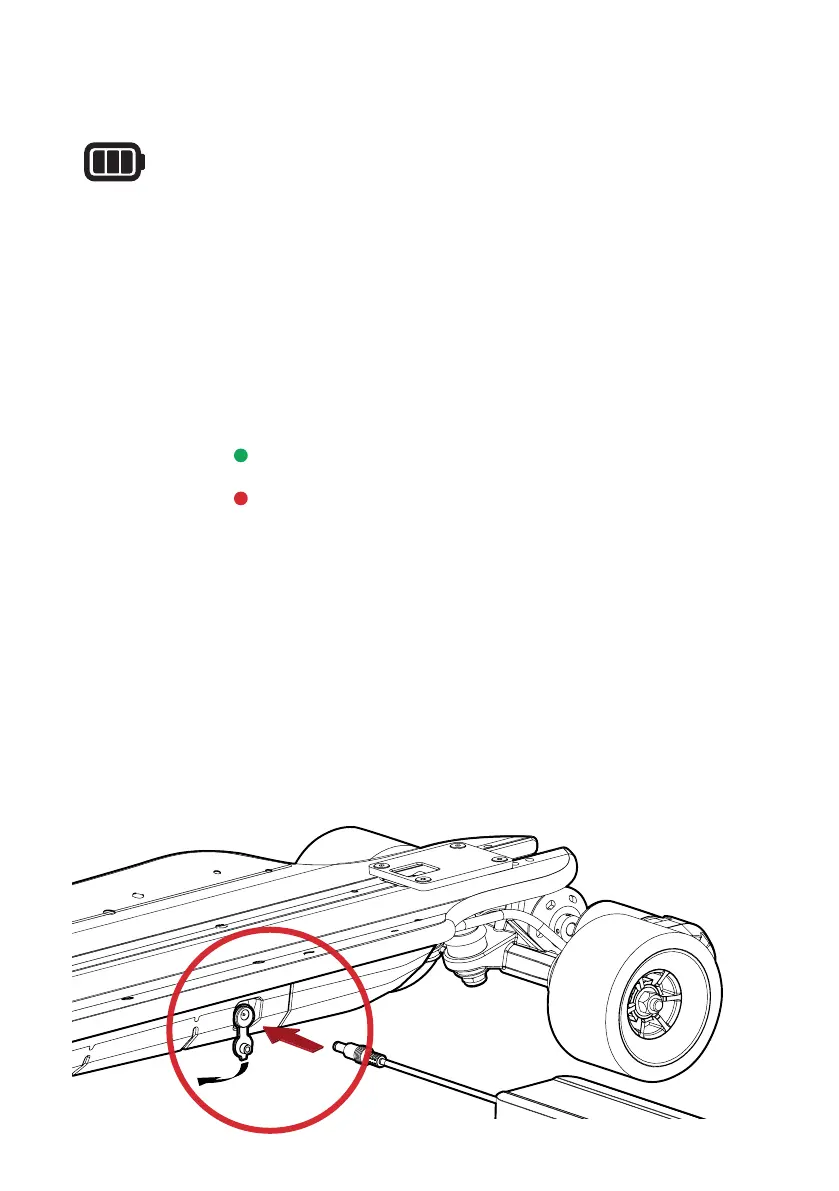
Connect power to the charger by inserting the charger plug
into a power point. Now remove the rubber grommet from the
charger port on the board and insert the charger plug.
The charger will show:
GREEN LIGHT = FULLY CHARGED
RED LIGHT = CHARGING
Once the board is fully charged (the light on the charger will
turn green) remove the charge plug from the board, re-install
the rubber grommet on the board and remove the plug from the
power point.


 To Next Page