Page
Evolve LED Indicator
When you turn on your refrigerator, verify that the LED indicator is working. The LED indicator
appears on the front control panel. The LED indicator illuminates green when the unit is on
and running. It illuminates red if there is a data log concern such as:
Low battery
Full memory
Data logging error
A power outage would result in a flashing red or green light every 15
seconds. Flashing green indicates continuous data logging. Flashing red
indicates a data logging error. See the troubleshooting guide for ways to
Checking the Glycol Sample Bottle
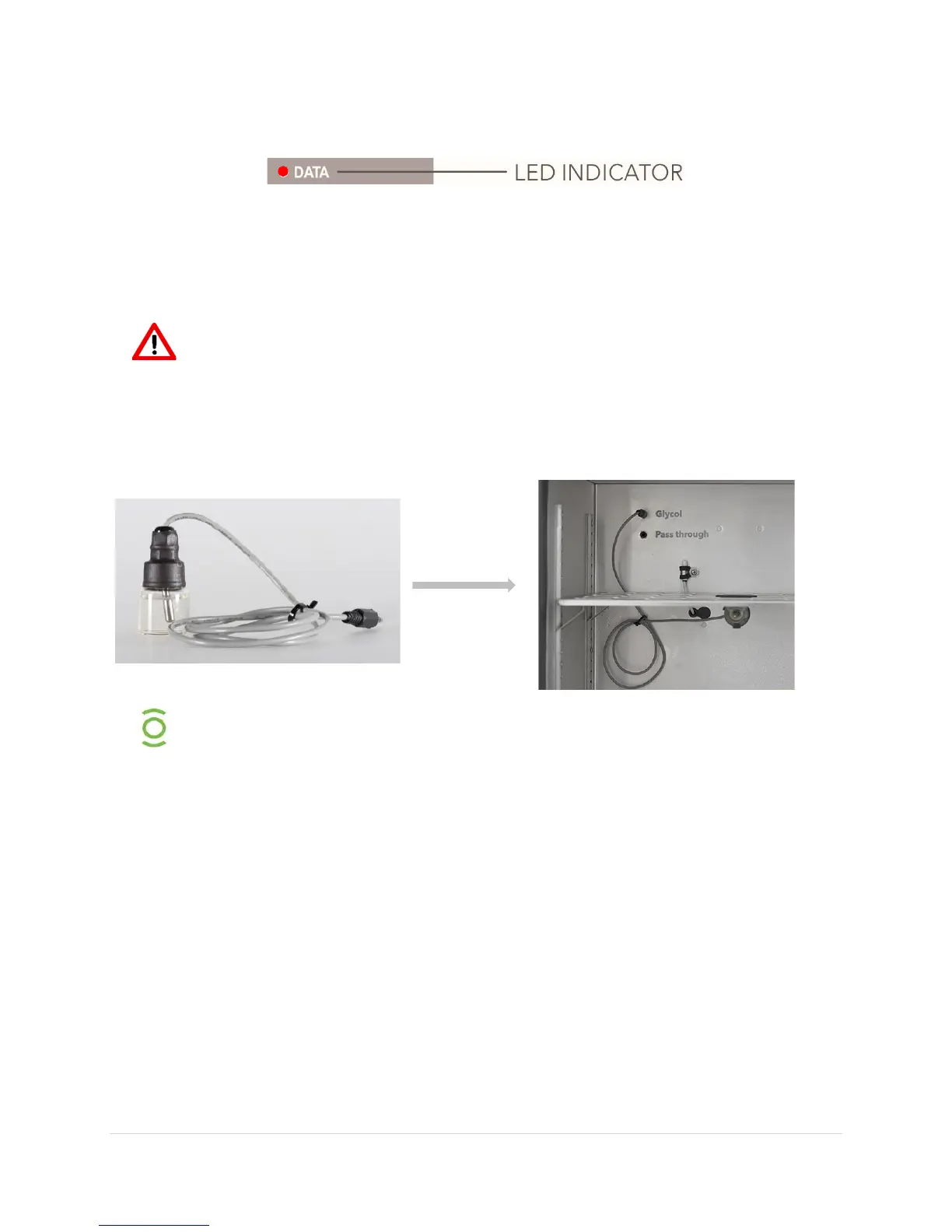
The glycol sample bottle is pre-installed inside your unit. The sample bottle
allows you to monitor the internal temperature of items being stored in the
Please verify:
1. The cord for the sample bottle is firmly plugged into the back wall of the interior of
your unit.
2. The sample bottle is securely mounted in the clip provided on the center shelf.
It is possible that the glycol bottle connection loosened during shipping. In the event that the
bottle has broken during shipping, you may contact our service department for a
replacement bottle. Additional replacement bottles and clips are also available.


 To Next Page