Page
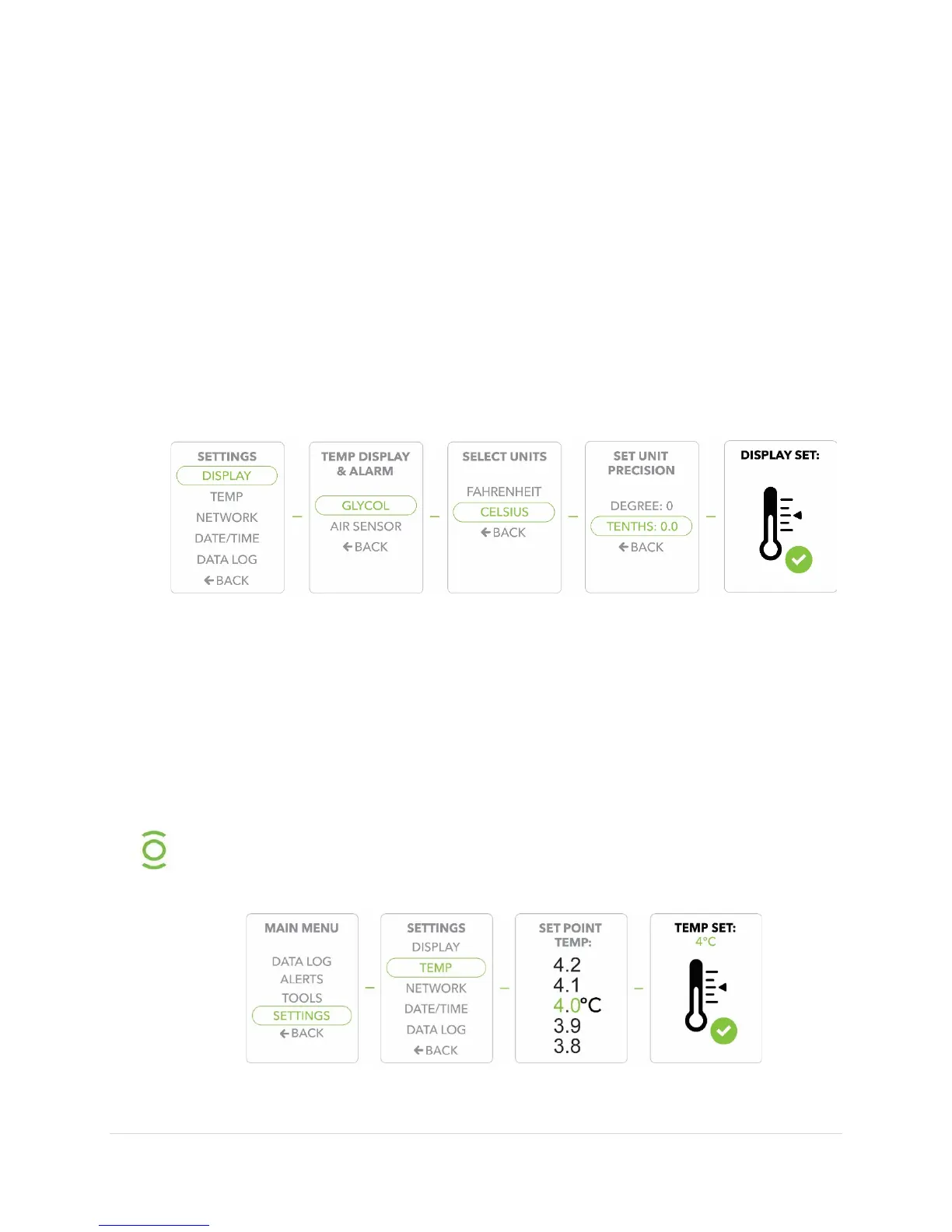
Adjusting the Display Settings
1) Press the
button to display the
2) Use the
buttons to move to the
option, Press the
button to confirm/select
.
3) Scroll to the
option, Press the
button to confirm/select
4) Determine whether you want to display
or
temperature readings.
to
the desired setting and press the
button to confirm.
5)
to select temperature readings in either
or
and press the
button to confirm.
6)
to select unit precision in single
or
and confirm selection.
Adjusting the Set Point Temperature
1) Press the
button to display the
.
2) Use the
buttons to move to the
option, Press the
button to confirm/select
.
3) Scroll to the
option, Press the
button to confirm/select
.
4)
to select the
and press the
button to
confirm.
5)
will display to confirm your selected
.
Setting the proper desired temperature is one of your most important
display settings. The Evolve Compact Refrigerator will hold your set
temperature to within 0.5 °C.


 To Next Page