Page
Activating the Data Monitoring Backup Battery
The included battery is shipped with a protective tab so that its power doesn’t drain. To
activate it you must remove the red tab from the access panel.
Replacing the Battery
1. Remove the 2 screws securing the pass through port and access panel.
2. Remove the panel.
3. Remove and replace with a CR123A or IEC16340 type battery.
4. Replace the panel and tighten the 2 screws.
We recommend that you keep spare batteries on-hand. This battery will
allow you to continue to monitor internal temperature even in the event of a
This battery will not power the refrigeration. You must ensure uninterrupted
power to the refrigerator and monitoring system at all times.
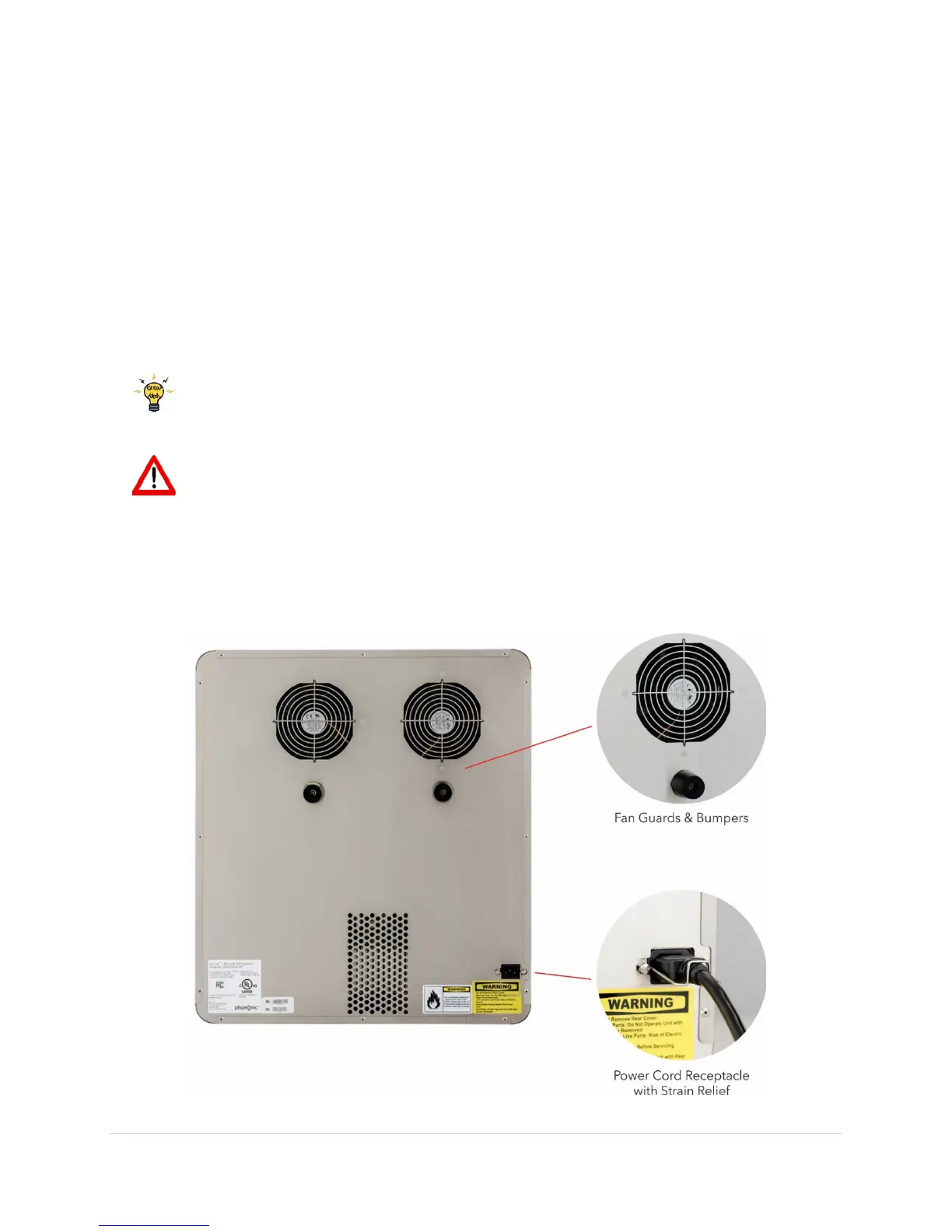
Product Exterior – Rear


 To Next Page