EasyManua.ls Logo

EWM Taurus 355 Basic TDM - Welding Data Display

EWM Taurus 355 Basic TDM
61 pages
Print Icon
To Next Page IconTo Next Page
To Previous Page IconTo Previous Page
Loading...
Design and function
Welding data display
099-005221-EW501
16.04.2014
35
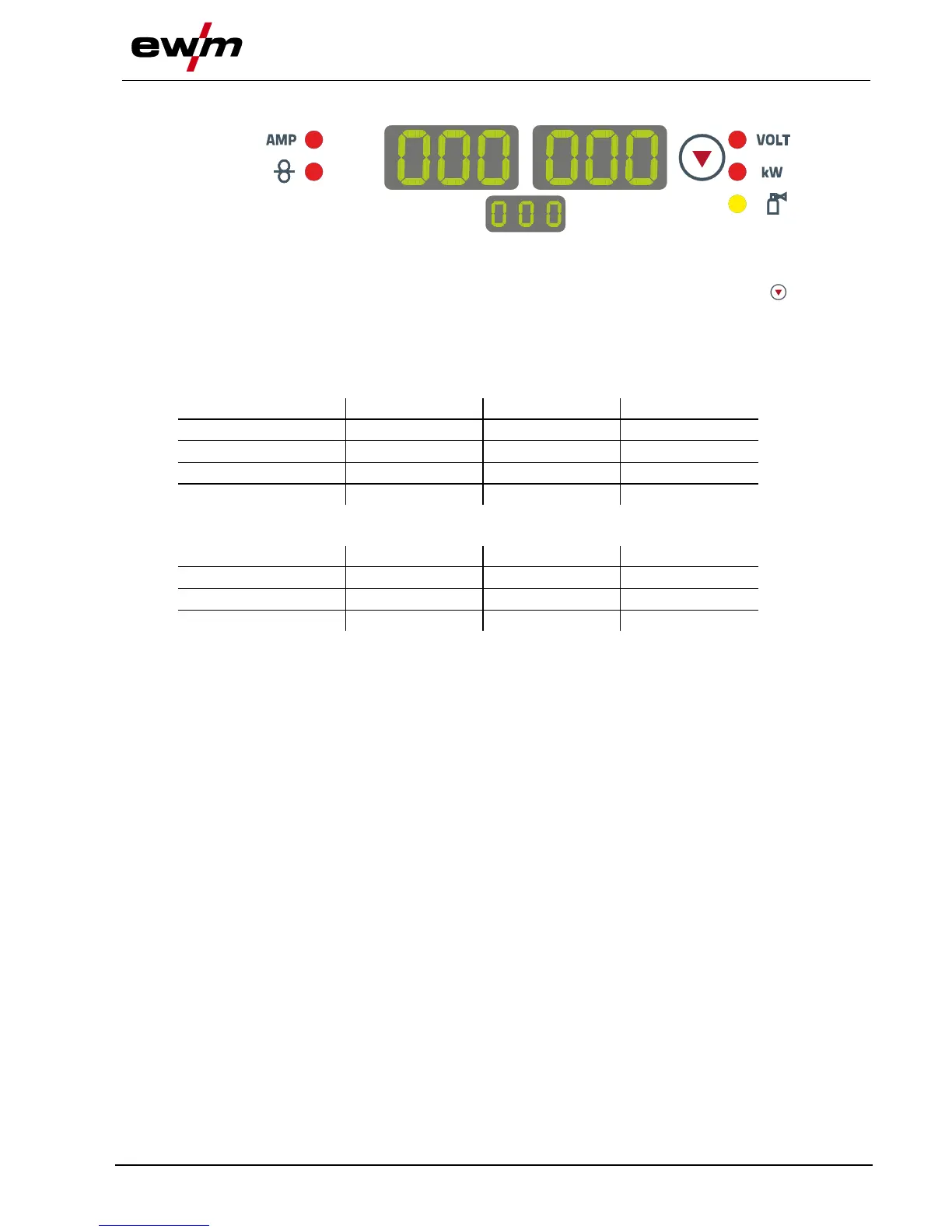
5.10 Welding data display
Figure 5-12
The machine control displays show all welding parameters that are required by the welder. The lower
centre display shows the selected welding task (JOB number). The "parameter selection" ( ) push-
button can be used to switch the display between welding voltage, welding performance and gas flow rate
(option).
What is shown on the displays depends, among other things, on the selected welding procedure and the
machine state (welding, power-saving mode, machine error).
MIG/MAG welding

Parameter
Nominal values
Actual values
Hold values
Welding current
Wire feed speed
Welding voltage
Welding performance
MMA welding
Parameter
Nominal values
Actual values
Hold values
Welding current
Welding voltage
Welding performance

Table of Contents

Other manuals for EWM Taurus 355 Basic TDM

Related product manuals