Managing Data
Compact Modular Platform 133
Using the USB to RS-232 Adapter
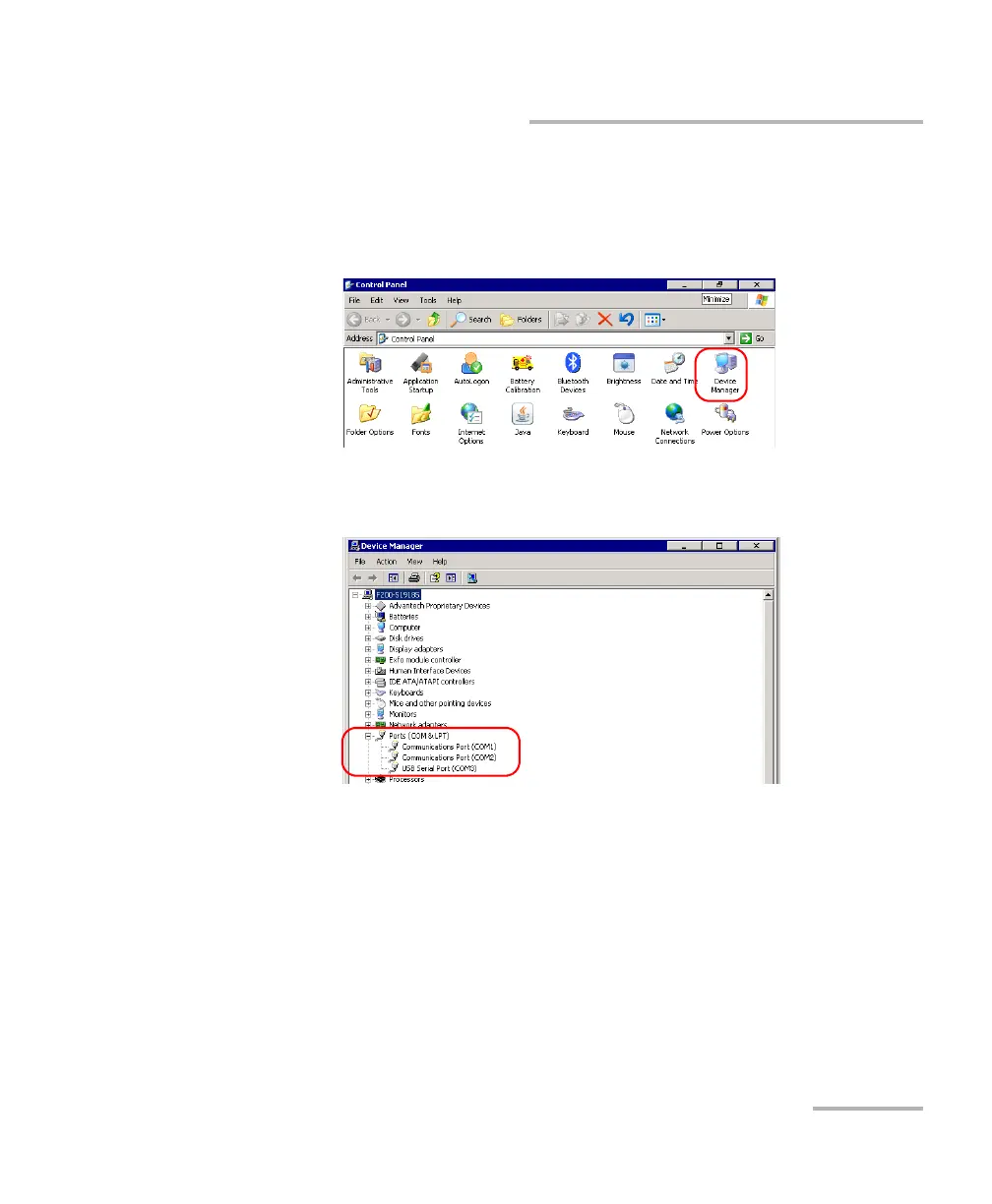
3. From your unit, retrieve the COM port of the adapter as follows:
3a. On your unit, from the Main Menu, select Setup.
3b. Double-tap Device Manager.
3c. Expand the Ports (COM & LPT) list to retrieve the COM port
number that has been assigned to the adapter and write it down.
3d. Close the Device Manager.












 To Next Page