Test Setup - Test Configurator, Timer, and System
MaxTester 173
Signal - Signal Configuration (DSn/PDH)
DS1 Loopback - for NI/CSU Emulation Test
The Loopback feature generates a code that is interpreted by the DUT. The
DUT interprets the command and implements the loopback.
Mode selects the loopback control Mode; Manual or Auto-Response.
Type
For Manual: Select the Type of loopback code that will be applied;
Line, or Payload. Payload is not available when the framing is
Unframed.
For Auto-Response: Select the Type of loopback code on which the
unit will respond; In-Band or Out-of-Band. Out-of-Band is only
available when the interface framing is set to ESF. The Loop-UP and
Loop-Down values are automatically updated to the In-Band or
Out-of-Band selection (Type).
Status indicates either Loopback Active with a green loopback icon or
No Loopback with a gray loopback icon.
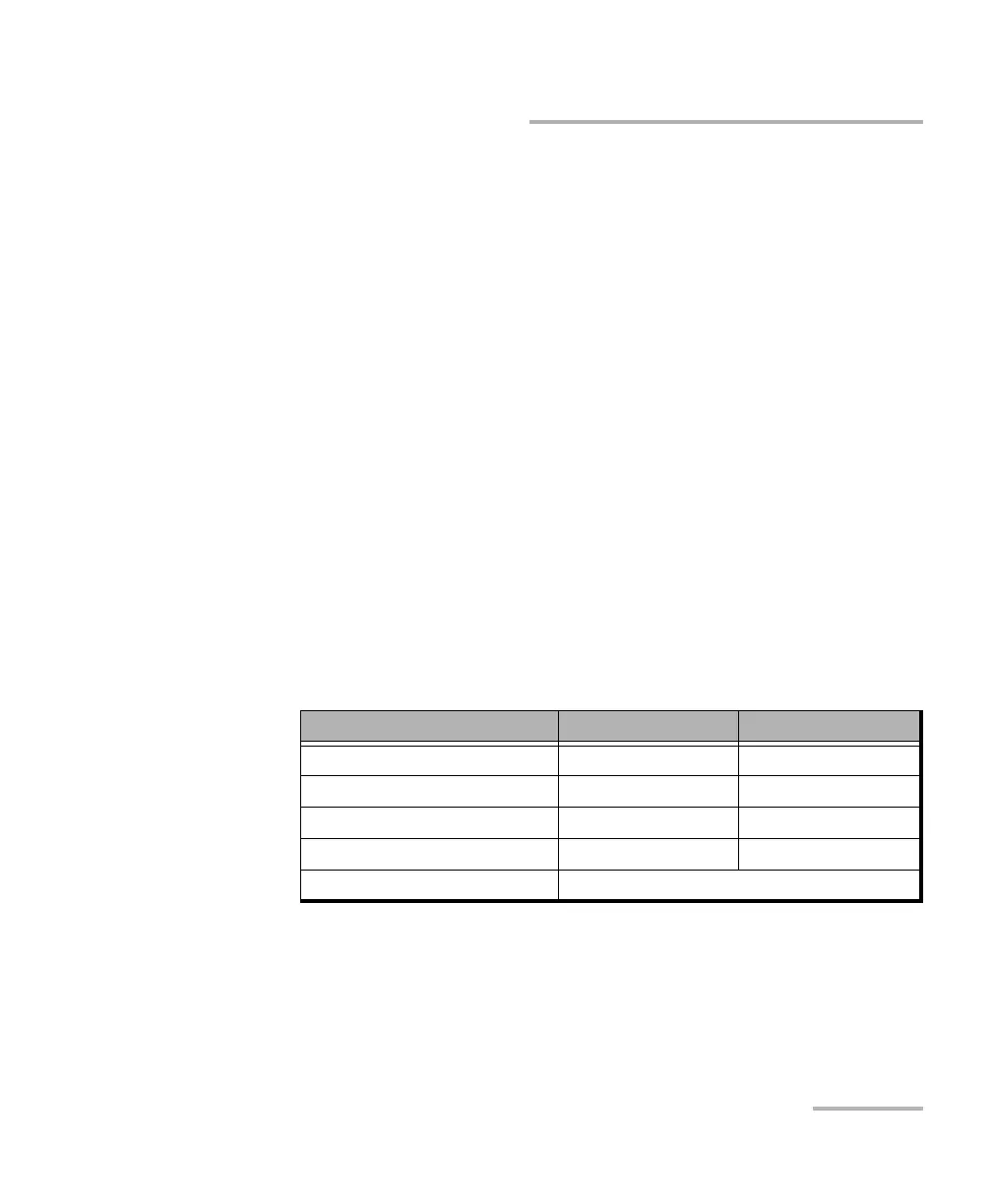
Loop Code selects the type of loopback that will be used to overwrite
the traffic that will be generated.
In-Band loop code Loop-UP Code Loop-Down Code
CSU (10000/100) 10000 100
NIU FAC1 (1100/1110) 1100 1110
NIU FAC2 (11000/11100) 11000 11100
NIU FAC3 (100000/100) 100000 100
Loop Code 1 to 10 Refer to Modify Loop Codes button on page 172.










 To Next Page