4.0 Deleting String Data and Editing Test Thresholds
4.1 Option 1: Using Winmeter 5.0 Software
(i) Connect the DLV50 to Winmeter 5.0 software via USB.
Once connected, the DLV50 will display “DLV50 <-> PC” and sync contained data and
settings with Winmeter 5.0.
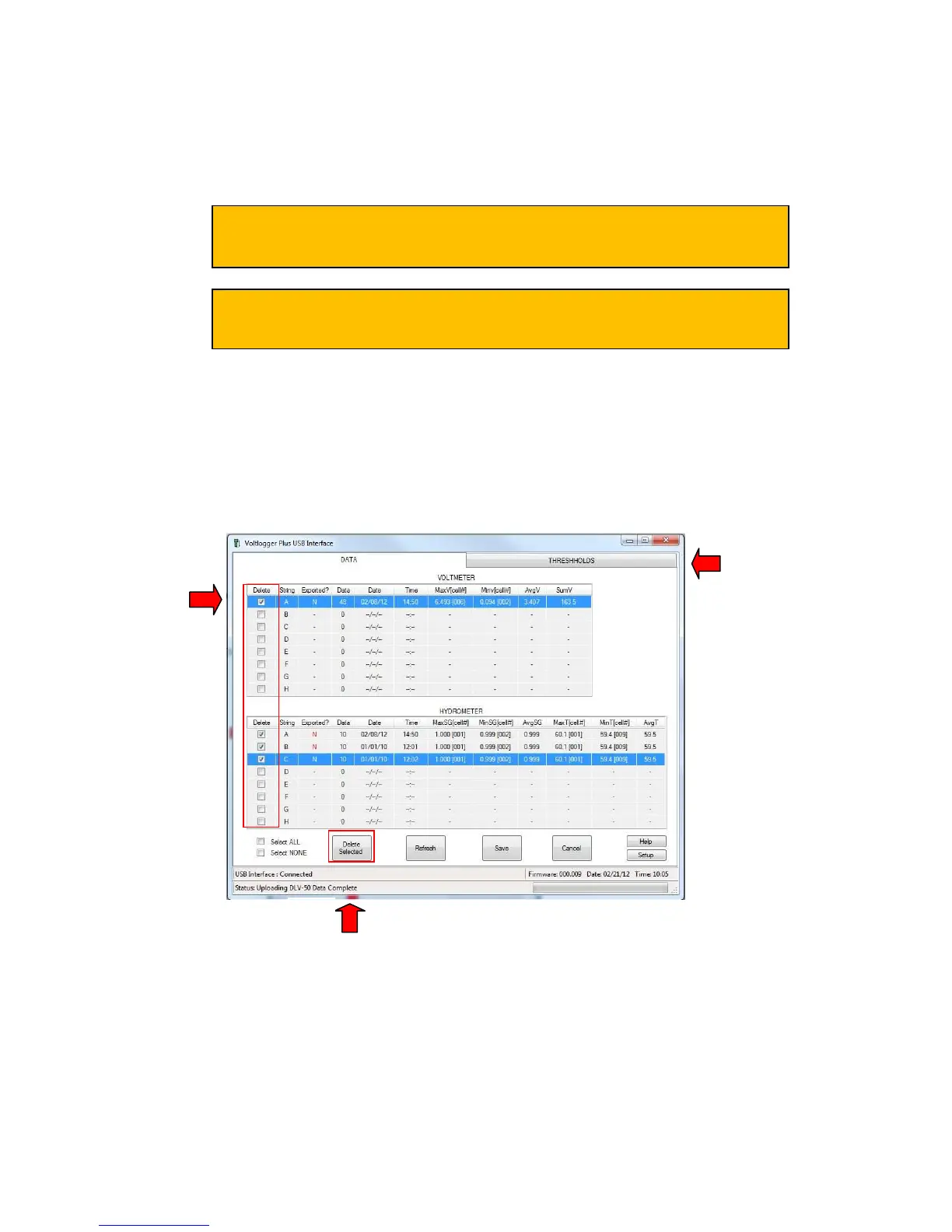
(ii) Once data transfer is complete:
(A) Select any/all strings that contain obsolete data.
(B) Click the “Delete” button.
The DLV50 will then delete all selected strings.
(C) Select the “THRESHOLDS” tab.
If the Winmeter 5.0 AutoStart software is not enabled, RUN the
Winmeter 5.0 software to initiate data transfer.
If the “DLV50 USB Interface” does not initiate automatically select
“Download Device” -> “Via USB (search for device)”



 To Next Page