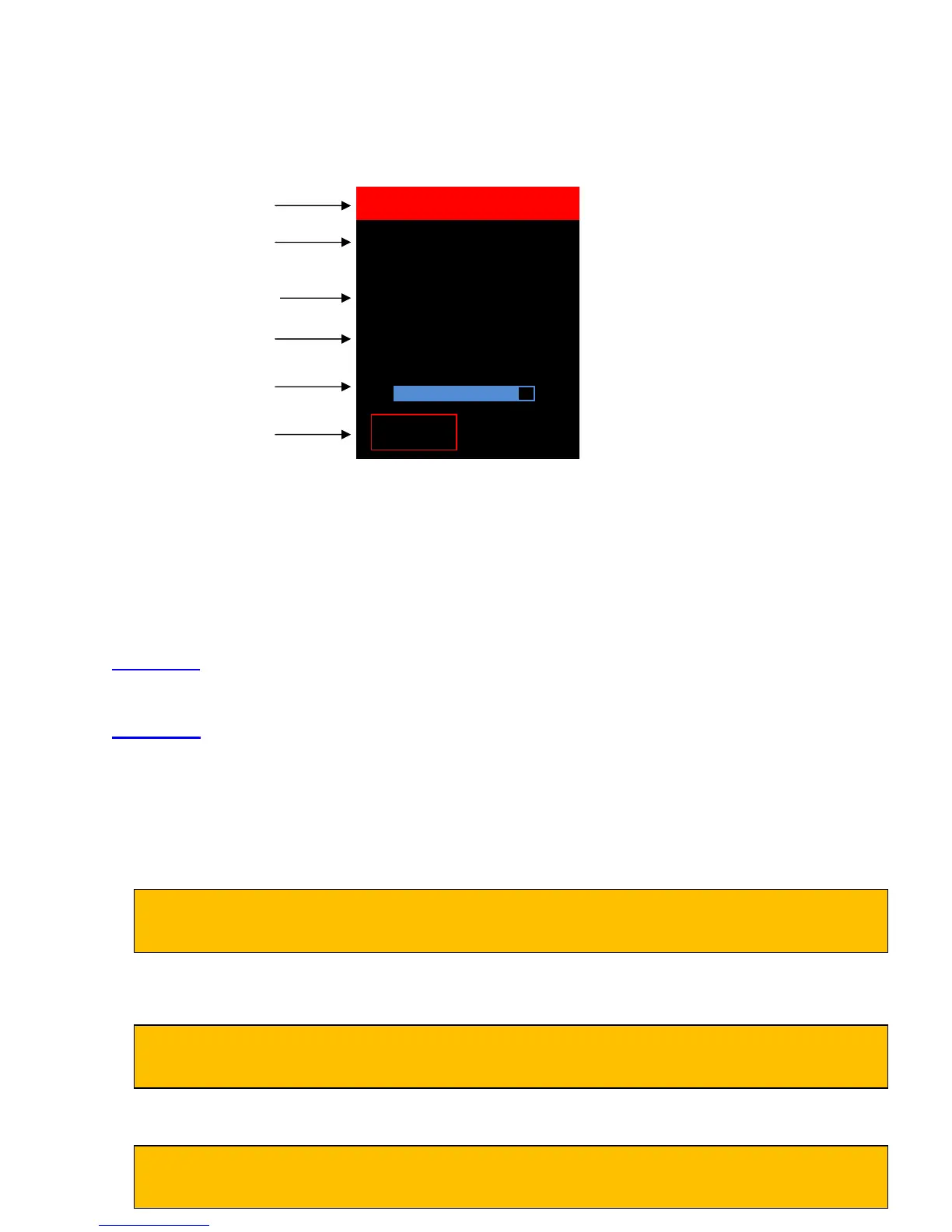
2.2 About Screen
Press the left soft key (below “ABOUT”) to display the “About DLV50” screen.
SELECT VDC STRING
2.3 Main Menu Options
From the “Main Menu”, use the up/down keys to highlight the appropriate option then push the right
soft key (below the “BACK” button) to select that option.
There are 6 options from the main menu:
VDC Mode: Select to view, analyze, edit or measure DC cell voltages. The DLV50 stores up to 8
strings of 256 readings stored in strings A through H.
HYD Mode: Select to view, analyze or upload additional strings of hydrometer reading from a
DMA35 hydrometer. The DLV50 stores up to 8 strings of 256 readings stored in strings A
through H. Both specific gravity and temperature are stored for each cell.
Export ALL: Select to export all strings of data (both voltage and hydrometer) to USB Flash drive.
Delete ALL: Select to delete all data in all strings (both voltage and hydrometer).
Reset Limits: Select to delete all high and low threshold alarm limits for voltage and hydrometer
readings.
Date & Time: Select to view and/or edit the DLV50 date and time setting.
02/14/2012 12:05:27
Firmware Rev:
000.009
Calibrated:
01/15/2012
Battery 85%
Current menu
Press left soft key to
return to the Main Menu
Firmware revision
Date last calibrated
State of internal battery
charge
Individual strings can be deleted by selecting the “Delete String” option of the VDC or HYD
mode sub-menu OR by connecting the unit to the Winmeter 5.0 software.
Individual limits for particular strings can also be deleted by selecting the “Limits” option of the
VDC or HYD mode sub-menu OR by connecting the unit to the Winmeter 5.0 software.
The date and time setting is automatically synced with the PC date and time whenever the
DLV50 is connected with the Winmeter 5.0 software



 To Next Page