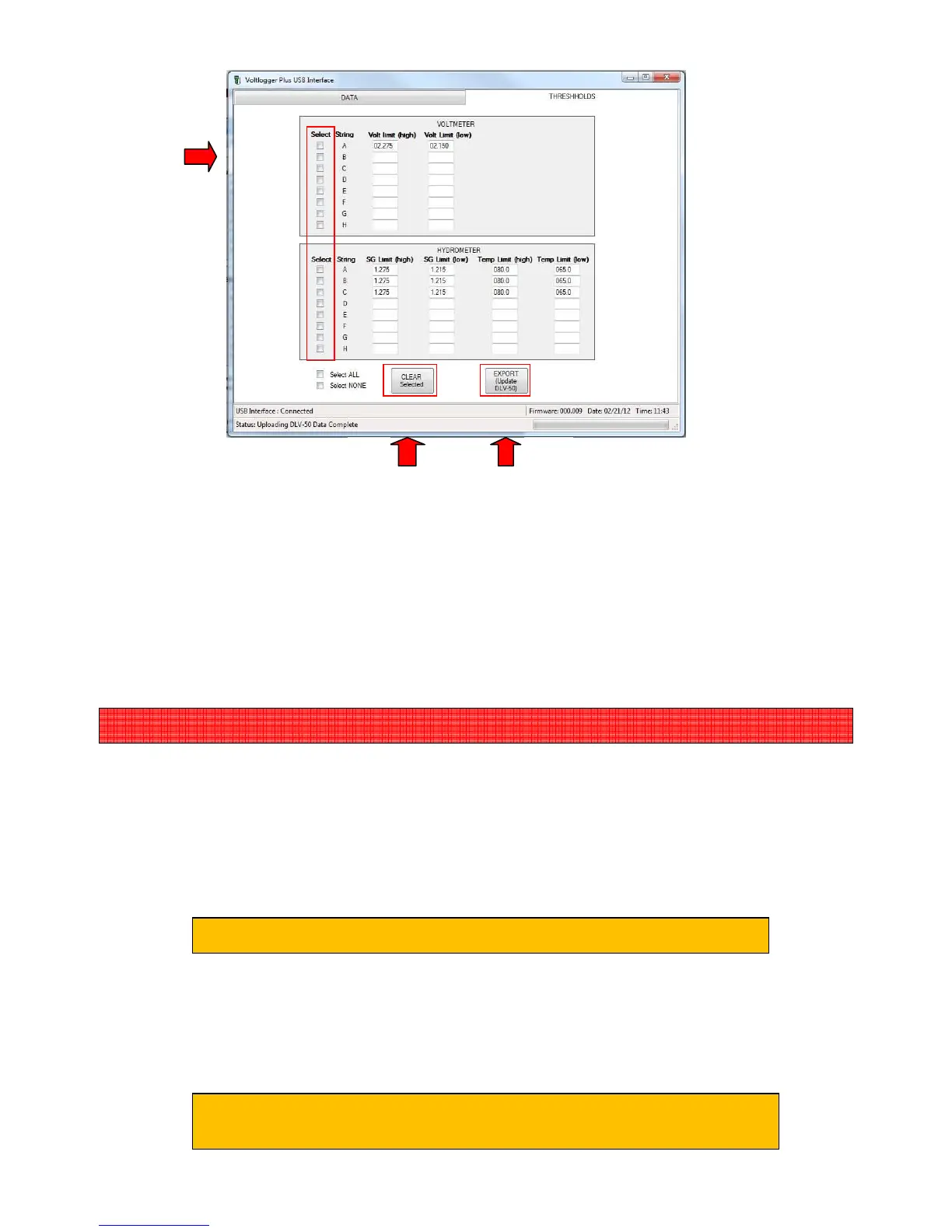
(D) Select ALL strings that you would like to remove limits for.
(E) Click “CLEAR Selected”.
(F) Edit all threshold limits you would like to change.
(G) Click “EXPORT (Update DLV50)” to send these changes to the attached DLV50.
(H) Disconnect the USB cable from the DLV50.
4.2 Option 2: Manually
4.2.1 Deleting Individual VDC/HYD Strings
(i) Turn the DLV50 ON & select “VDC Mode” or “HYD Mode”.
(ii) Select required VDC or HYD string to delete.
(iii) Press “Menu” to select the VDC sub-menu or HYD sub-menu and select “Delete
String”
(iv) Press “YES” to delete the VDC or HYD string.
be connected to the PC via USB!
The DLV50 will now delete the selected VDC/HYD string.
This process will take approximately 3 seconds.



 To Next Page