2.0 Menu System
2.1 Main Menu
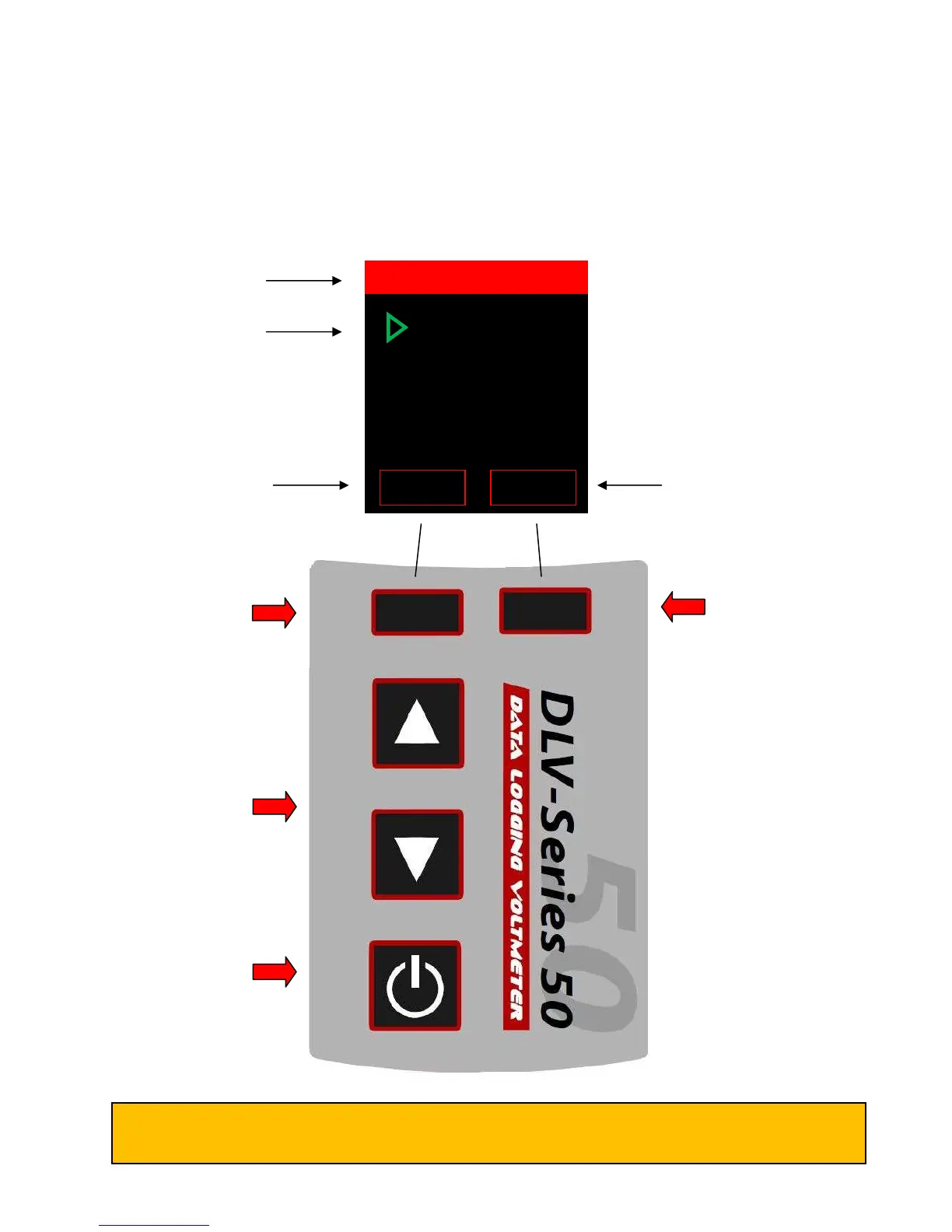
When turned ON, the DLV50 displays date, time and firmware revision for 3 seconds then displays the
“Main Menu”.
LEFT SOFT KEY
Push to accept the current
left soft key action.
Currently “ABOUT” to
select DLV50 “ABOUT”
screen.
ON/OFF:
“Short” push to turn ON
“Long” push to turn OFF.
UP & DOWN
Main or sub menu mode:
Push to change the current
selection.
Measurement mode: Push
to change selected
readings.
RIGHT SOFT KEY
Push to accept the current
right soft key action.
Currently “ENTER” to
select “VDC MODE”.
Green text and cursor
highlights selection
Left soft key description Right soft key description
Regardless of DLV50 status, repeatedly pressing the left soft key will return the unit to the Main
Menu (unless the DLV50 is connected to a PC via USB).
VDC Mode
HYD Mode
Export ALL
Delete ALL
Reset limits
Date & Time



 To Next Page