EasyManua.ls Logo

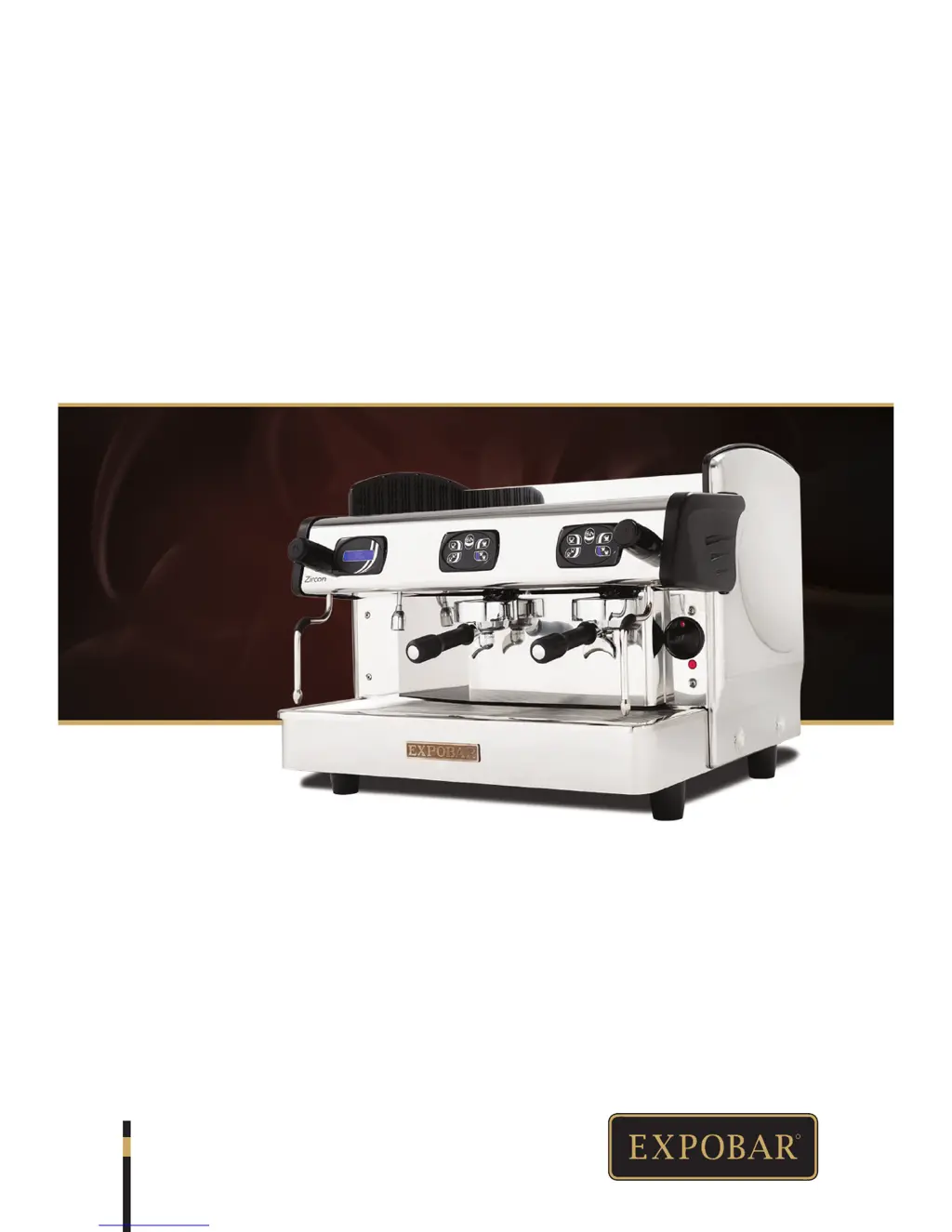
Expobar ZIRCON - User Manual

Expobar ZIRCON
36 pages
Print Icon
To Next Page IconTo Next Page
Loading...
R
ZIRCON
USER MANUAL
UM_EN
Date.: 140605

Table of Contents

Questions and Answers

  • C
    Corey SimonAug 17, 2025
    Why won't my Expobar ZIRCON Coffee Maker turn on?
    • A
      aguirrenatalieAug 18, 2025
      If your Expobar Coffee Maker isn't starting, there are a few potential reasons. First, check that the plug is correctly inserted into the power socket and that the power socket is working. Also, ensure that the circuit breaker and/or differential are connected. If the cable and/or plug are damaged, call service personnel to replace them.
  • A
    Amanda CrosbyAug 20, 2025
    What to do if my Expobar Coffee Maker does not start up?
    • C
      Crystal BrownAug 20, 2025
      If your Expobar Coffee Maker doesn't start, first check that the plug is correctly inserted into the power socket and that the power socket is operational. Also, verify that the circuit breaker and/or differential are connected. If the cable and/or plug are damaged, call service personnel to replace them.
  • K
    Kevin HarrisAug 23, 2025
    What to do if my Expobar ZIRCON dispenses coffee very slowly?
    • M
      Miranda CookAug 23, 2025
      If your Expobar Coffee Maker is dispensing coffee very slowly, it could be due to the coffee grinding being too fine. Try adjusting the coffee-grinding setting to a coarser grind.
  • M
    Mary RoachAug 25, 2025
    How to fix fast coffee dispensing on my Expobar ZIRCON Coffee Maker?
    • J
      Jessica HallAug 26, 2025
      If your Expobar Coffee Maker is dispensing coffee too quickly, the coffee grinding may be too coarse. Adjust the coffee-grinding setting to a finer grind.
  • S
    Sharon MooreAug 28, 2025
    How to unclog the steam wand on my Expobar ZIRCON Coffee Maker?
    • S
      Samuel WilsonAug 28, 2025
      If the steam wand on your Expobar Coffee Maker isn't dispensing steam, it might be clogged by milk. Clean the wand, and if necessary, remove the nozzle and unclog it using a pin or needle.
  • E
    Eric NelsonAug 30, 2025
    Why is my Expobar ZIRCON Coffee Maker coffee dispensing very slow?
    • H
      Harold HamiltonAug 30, 2025
      If coffee dispensing is very slow, the coffee grinding may be too fine. Adjust the coffee-grinding setting.
  • T
    tjohnsonSep 2, 2025
    Why is my Expobar Coffee Maker coffee dispensing very fast?
    • W
      wallaceshelleySep 2, 2025
      If the coffee dispensing is very fast, it may be due to the coffee grinding being too coarse. In this case, adjust the coffee-grinding setting.
  • B
    Brittany GonzalezSep 4, 2025
    What to do if the steam wand of my Expobar Coffee Maker does not dispense steam?
    • K
      Kyle CunninghamSep 4, 2025
      If the steam wand does not dispense steam, it might be clogged by milk. Clean the wand and, if necessary, remove the nozzle and unclog it using a pin or needle.
  • R
    Ryan KruegerSep 7, 2025
    What to do if I see water underneath my Expobar Coffee Maker?
    • K
      Kyle HarrisonSep 7, 2025
      If you find water underneath your Expobar Coffee Maker, the drainage tube may be blocked. Clean the drainage tube to resolve this issue.
  • J
    john86Sep 9, 2025
    Why aren't the brewing groups dispensing water on my Expobar ZIRCON?
    • J
      john60Sep 9, 2025
      If the brewing groups on your Expobar Coffee Maker aren't dispensing water, it could be because the water system is clogged by limescale.

Summary

Symbol Description

Hazard Intensity Levels

Defines the levels of hazard intensity used in the manual: DANGER, WARNING, IMPORTANT, and NOTE.

General Information

Introduction

Welcome message and instruction to read the manual before use.

General Instructions

Guidelines for safe installation, use, and maintenance by qualified personnel.

Warnings

Important safety precautions for installation and operation, including electrical safety.

Precautions

Safety measures to take before maintenance, during operation, and regarding children.

Intended Use

Specifies the intended purpose of the machine and limitations.

Technical Specifications

Zircon Mini Specifications

Details technical data and accessories for the Zircon Mini model.

Zircon 2 GR Specifications

Details technical data and accessories for the Zircon 2GR model.

Zircon 3 GR Specifications

Details technical data and accessories for the Zircon 3GR model.

Component Overview

Zircon Mini Front View Components

Identifies key components of the Zircon Mini model from the front view.

Zircon 2 GR Front View Components

Identifies key components of the Zircon 2GR model from the front view.

Zircon 3 GR Display Control Front View Components

Identifies key components of the Zircon 3GR Display Control model from the front view.

Dimension Sketches

Zircon Mini Control Dimensions

Provides dimensional drawings and measurements for Zircon Mini Control models.

Zircon 2 GR Display Control Dimensions

Provides dimensional drawings and measurements for Zircon 2GR Display Control models.

Zircon 3 GR Display Control Dimensions

Provides dimensional drawings and measurements for Zircon 3GR Display Control models.

Transport and Installation

Packaging and Delivery Inspection

Details how the machine is packed, shipped, and inspected upon delivery.

Positioning Requirements

Specifies the correct placement and environmental conditions for machine installation.

Electrical Installation Guidelines

Instructions for safe and correct electrical connection of the machine.

Connection Types Diagrams

Illustrates various electrical connection configurations based on power supply.

Water Connection Procedure

Details how to connect the machine to the water mains, including hardness requirements.

Pressure and Temperature

Explains the relationship between boiler pressure and temperature.

Starting the Machine

Step-by-step guide on how to start the espresso machine for the first time.

Porta-Filter Set Components

Identifies the parts of the porta-filter set for single and double espresso.

Inserting the Porta-Filter

Illustrates the correct method for inserting and locking the porta-filter into the group.

Operation Procedures

Espresso Brewing Guide

Step-by-step instructions for preparing espresso, including important safety notes.

Steaming and Frothing Milk

Instructions for steaming and frothing milk, with safety warnings.

Hot Water Dispensing

Guides on using the hot water dispenser, both manual and automatic types.

Built-in Grinder Operation

Grinder Start-up Operations

Steps to prepare the coffee grinder before use, including hopper and bean stop.

Obtaining a Ground Coffee Dose

Procedure for grinding coffee and compacting it in the porta-filter.

Adjusting Grinding Coarseness

How to adjust the grinder's coarseness setting for finer or coarser grinds.

Adjusting Coffee Dosing

Procedure for adjusting the amount of coffee dosed by the grinder.

Cleaning and Maintenance

General Machine Cleaning

Important notes and procedures for cleaning the exterior and internal water system.

Daily Cleaning Tasks

Routine cleaning steps to be performed daily for optimal performance.

Weekly Cleaning Tasks

Specific cleaning procedures recommended for weekly maintenance.

Brewing Group and Porta-Filter Cleaning

Detailed steps for cleaning the brewing group and porta-filter using special powder.

Gasket and Shower Plate Cleaning

Procedure for cleaning the group gasket and shower plate to remove coffee residue.

Additional Machine Handling

Tips on handling the porta-filter and avoiding damage from wet cups.

Machine Storage Procedures

Instructions on how to properly store the machine for extended periods.

Machine Disposal

Guidance on how to dispose of the machine responsibly and environmentally.

Programming Functions

Button Functions Overview

Explains the various functions controlled by the machine's buttons.

Additional Button Functions

Details special functions activated by pressing buttons during power-on.

Programming Coffee Dosage

How to program the automatic coffee dose dispensed by the drink buttons.

Display Programming

Machine Status Indicators

Describes the different operational statuses (On, Stand-by, Off) shown on the display.

Accessing Second Menu Level

Guide to navigating to the second menu level for advanced settings.

Setting Clock, Minutes, and Day

Instructions for setting the current time and day of the week.

Auto On;Off Settings

How to configure automatic power-on and power-off times and days for the machine.

Machine Counters

Details on the different counters available, such as water volume and coffee counts.

Messages and Alarms

Flow Meter and Time-out Alarms

Explanation of flow meter faults and boiler filling time-out alarms.

Probe Disconnect and Service Alarms

Information on temperature sensor faults and service/filter change notifications.

Troubleshooting

Machine Does Not Start Up

Troubleshooting steps for when the machine fails to power on.

Steam Wand No Steam Dispense

Solutions for when the steam wand is clogged or not dispensing steam.

Water Underneath Machine

Diagnosing and fixing leaks or water found underneath the machine.

Limescale Faults

Common issues caused by limescale and how to prevent them.

Coffee Grinding Problems

Solutions for issues related to coffee dispensing speed due to grind coarseness.

Expobar ZIRCON Specifications

General IconGeneral
TypeEspresso Machine
Steam WandYes
Hot Water DispenserYes
PID Temperature ControlYes
Pre-infusionYes
Boiler TypeHeat Exchange
Number of Groups2
PumpRotary
Voltage220-240 V

Related product manuals