
 Need help?
Do you have a question about the Expressive SAS Expressive E Touche and is the answer not in the manual?
Instructions for obtaining the latest versions of Lié and Touché firmware.
Steps to install the Lié software and update the Touché firmware.
Introduces Touché as a tactile instrument for synthesizers.
Defines Touché and its unique tactile approach to controlling synthesizers.
Explains the two usage modes for Touché: Slave (with Lié) and Standalone.
Details the default MIDI and CV mappings after firmware update.
Explains the core concept of Touché reacting to pressure on the 'Skin'.
Explains the core concept of Touché reacting to pressure on the 'Skin'.
Describes the four types of touch gestures (Shiftings) and their functionality.
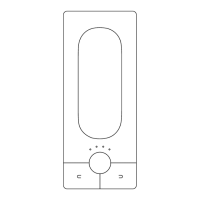
Details the wooden surface and its magnetic attachment for access to internal parts.
Explains the function of the cylinders for pressure feedback in Shiftings.
Describes the slider for adjusting the sensitivity of left and right Shiftings.
Covers the primary controls of Touché, including buttons, encoder, and LEDs.
Explains how to use the left and right buttons for preset navigation.
Details the Encoder's function for sensitivity adjustment and the 'Freeze' feature.
Explains the visual feedback provided by the LEDs for various states and modes.
Details the connection options for Touché, including USB, MIDI, and CV ports.
Covers USB power, recommended cables, and Ground Loop issues.
Explains MIDI and CV input/output data flow in Slave and Standalone modes.
Introduces Lié as a companion software for Touché, a plug-in host.
Defines Lié and its features like sensitivity curves, CV editing, and preset management.
Lists the minimum hardware and OS requirements to run Lié and UVI Workstation.
Explains Lié's compatibility with VST/AU plug-ins and hosting capabilities.
Overview of the four main parts of the Lié interface: Menu, Browser, Slot Center, Scope.
Details the functions available within the Menu, like creating presets and accessing settings.
Explains the different sections within the Settings window for configuration.
Describes the Browser for managing and filtering presets using categories, instruments, and tags.
Explains how to assign parameters to Shiftings and design curves for control.
Details how to select instruments and parameters for plug-in presets.
Covers MIDI page settings for hardware presets, including CC number assignment.
Explains how to save Hardware Presets to Touché's internal memory for standalone use.
Describes the Scope as a visual display of Touché's Shiftings and pressure.
Details how to adjust sensitivity curves for each slot to fine-tune parameter response.
Provides instructions for setting up Lié and Touché within DAWs.
Step-by-step guide for integrating Lié with Ableton Live.
Step-by-step guide for integrating Lié with Logic Pro.
Step-by-step guide for integrating Lié with Cubase.
Guides users through the process of creating new presets in Lié.
Explains various methods for fine-tuning Touché's sensitivity.
 General
| Brand | Expressive SAS |
|---|---|
| Model | Expressive E Touche |
| Category | Controller |
| Language | English |

 To Next Page