29
PRODUCT FUNCTIONING
Chapter 9
PRODUCT FUNCTIONING
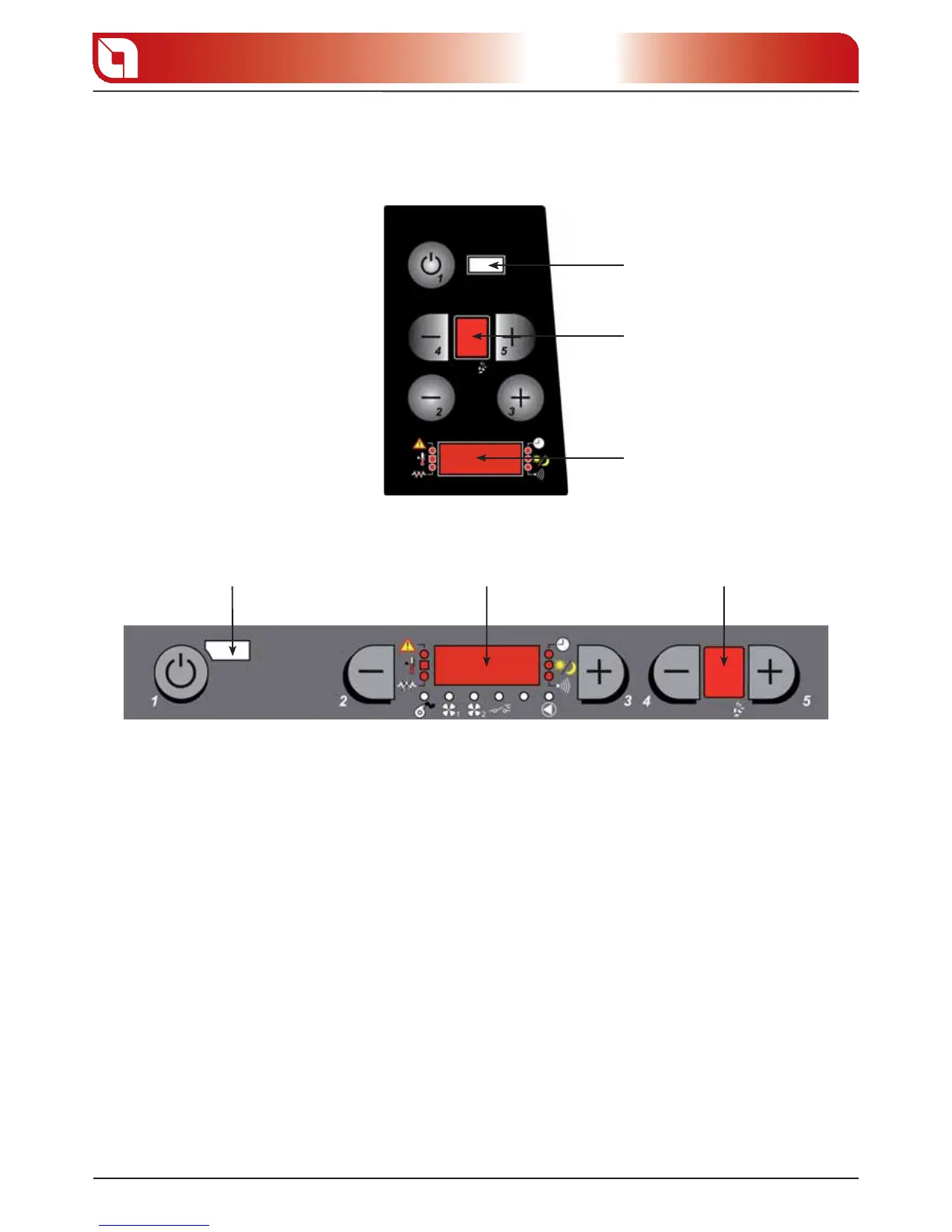
CONTROL PANEL
REMOTE CONTROL
SENSOR
D1 D2
1 D ON/OFF BUTTON
The stove can be turned on and o automatically by pressing button 1.
2-3 D AIR TEMPERATURE SETTING
Buttons 2 and 3 are used to adjust the room temperature inside the house.
4-5 D OPERATING POWER
Buttons 4 and 5 are used to adjust the heating power and warm air ventilation
D1 Display for showing the various messages
D2 Display for showing the heat setting.
D2
D1
REMOTE CONTROL
SENSOR
gure 9.1
gure 9.2





 To Next Page