DTP CrossPoint 4K Series Matrix Switchers • Operation 39
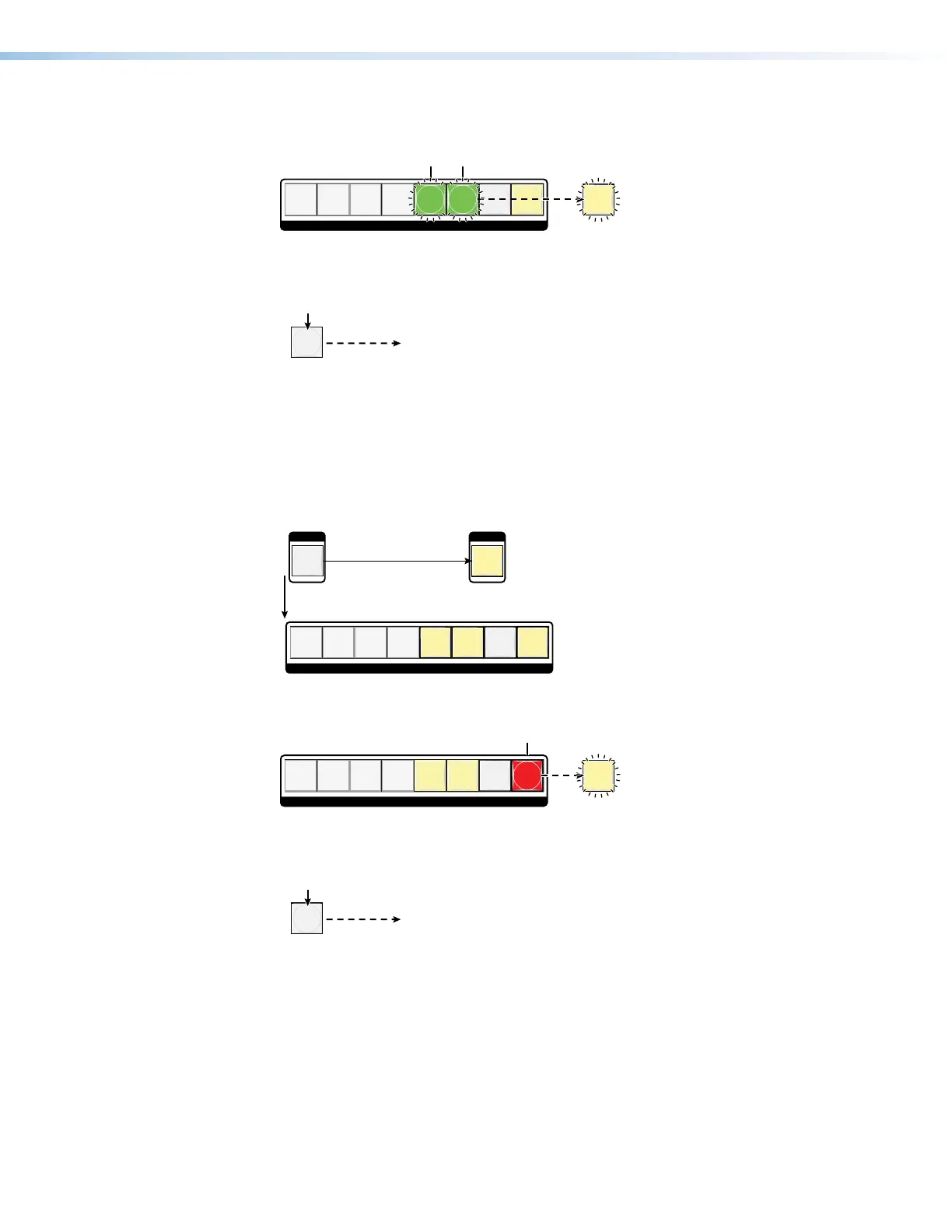
4. Assign the logo: Press and release one or more of output buttons to assign the logo
to those outputs.
ENTER
12345678
OUTPUTS
Push the desired output buttons.Outputs 1through 4 are
not selectable.
The buttons blink to indicate the selection.
Enter blinks to indicate the
need to confir
5. Confirm the change: Press and release the Enter button.
ENTER
All input buttons and output buttons
return to unlit or bac
kground illumination.
Press the Enter button
to confirm the change.
Enter button returns to
unlit or background illumination.
Example 7: Unassigning logos
Remove a displayed logo from one or more of scalable outputs 5 through 8 as follows:
1. Press the Esc button to clear any input button indications, output button indications, the
Logo button, or control button indications that may be lit.
2. Select Logo mode: Press and release the Logo Select button.
SELECT SELECT
LOGOLOGO
12345678
The button lights.Press and release.
A lit output b
utton identifies an output that has a logo assigned.
3. Unassign the logo: Press and release one or more output buttons to remove the logo
from those outputs.
ENTER
12345678
OUTPUTS
Push the desired output button.Outputs 1through 4 are
not selectable.
The button blinks to indicate the selection.
Enter blinks to indicates the
need to confir
4. Confirm the change: Press and release the Enter button.
ENTER
All input buttons and output buttons
return to unlit or bac
kground illumination.
Press the Enter button
to confirm the change.
Enter button returns to
unlit or background illumination.


 To Next Page