DTP CrossPoint 4K Series Matrix Switchers • Operation 38
4. Recall the preset: Press and release the Enter button. The configuration stored in
the selected memory location is now the current configuration and can be viewed in the
View-only mode (see example 4 on page 35).
C O N T R O L
PRESET
ENTER
ESCVIEW
1
2
3
4
OUTPUTS
The Enter and Preset
buttons return to unlit or
background illumination.
All input and output buttons retur
n
to unlit or background illumination.
Assigning and Unassigning Logos
A logo is a bitmapped image that can be superimposed on top of an output.
NOTES:
• The switcher has memory space for 16 bitmapped logos.
• Logos are created and saved using the Product Configuration Software (see the
PCS Help file).
Example 6: Assigning logos
Set the switcher to display a pre-saved logo on one or more of scalable outputs 5 through 8
as follows:
1. Press the Esc button to clear any input button indications, output button indications, the
Logo button, or control button indications that may be lit.
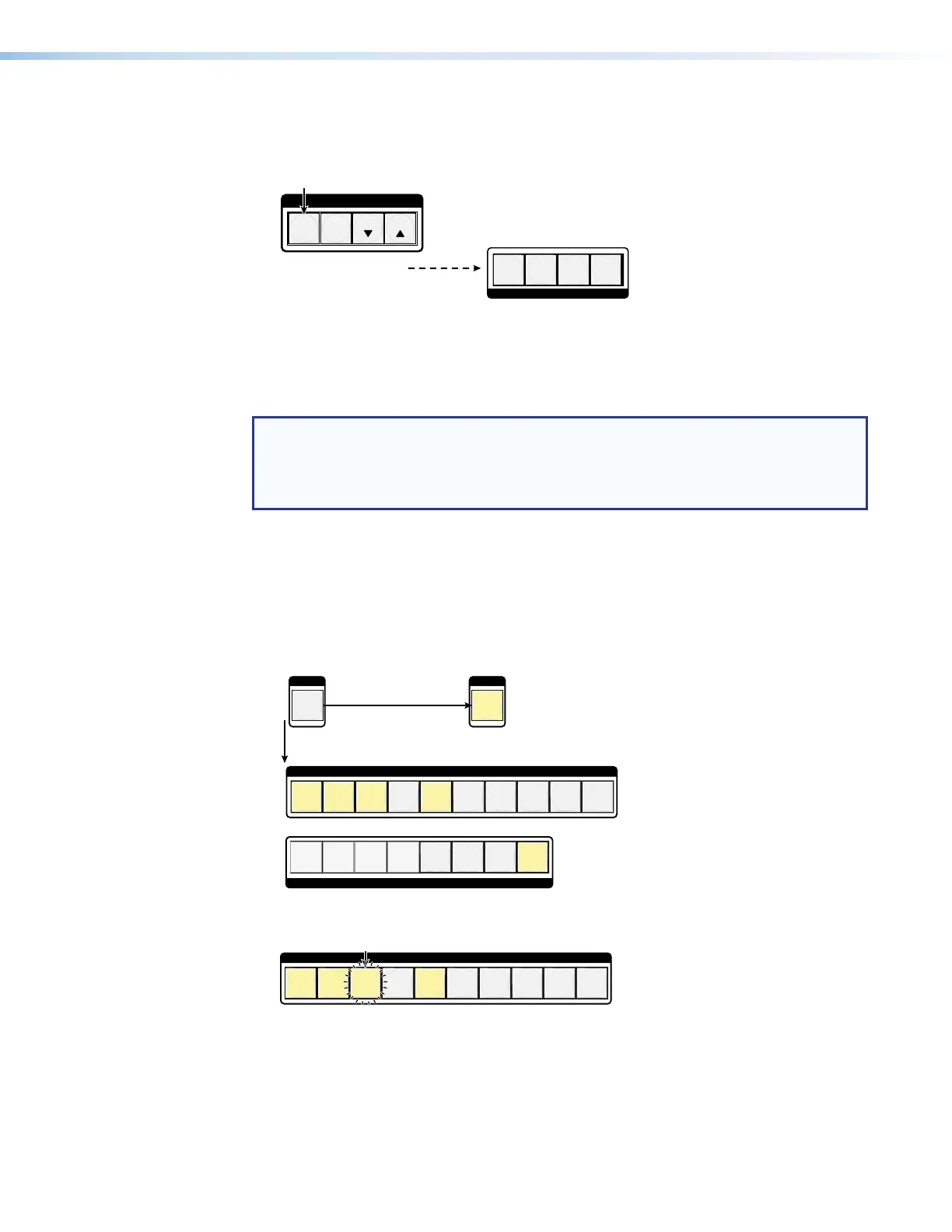
2. Select Logo mode: Press and release the Logo Select button.
SELECT SELECT
LOGOLOGO
123 4 567 8 9 10
INPUTS
12345678
OUTPUTS
The button lights.Press and release.
Lit input buttons identify the first 10 saved logo files.
A lit output button identifies an output that has a logo assigned.
3. Select the logo file: Press and release the input button for the desired logo.
123 4 567 8 9 10
INPUTS
Push the button.
The button blinks to indicate the selection.


 To Next Page