DTP CrossPoint 4K Series Matrix Switchers • Operation 48
Configuration Worksheets
Rather than trying to remember the configuration for each preset, use worksheets to record
this information. Make copies of the blank worksheet (see Configuration Worksheet on
page 50) and use one for each preset configuration. Cross out all unused or inactive inputs
and outputs. Use different colors for video and audio.
NOTE: All of the equipment in the following examples is connected through the
appropriate transmitter or receiver.
Worksheet Example 1: System Equipment
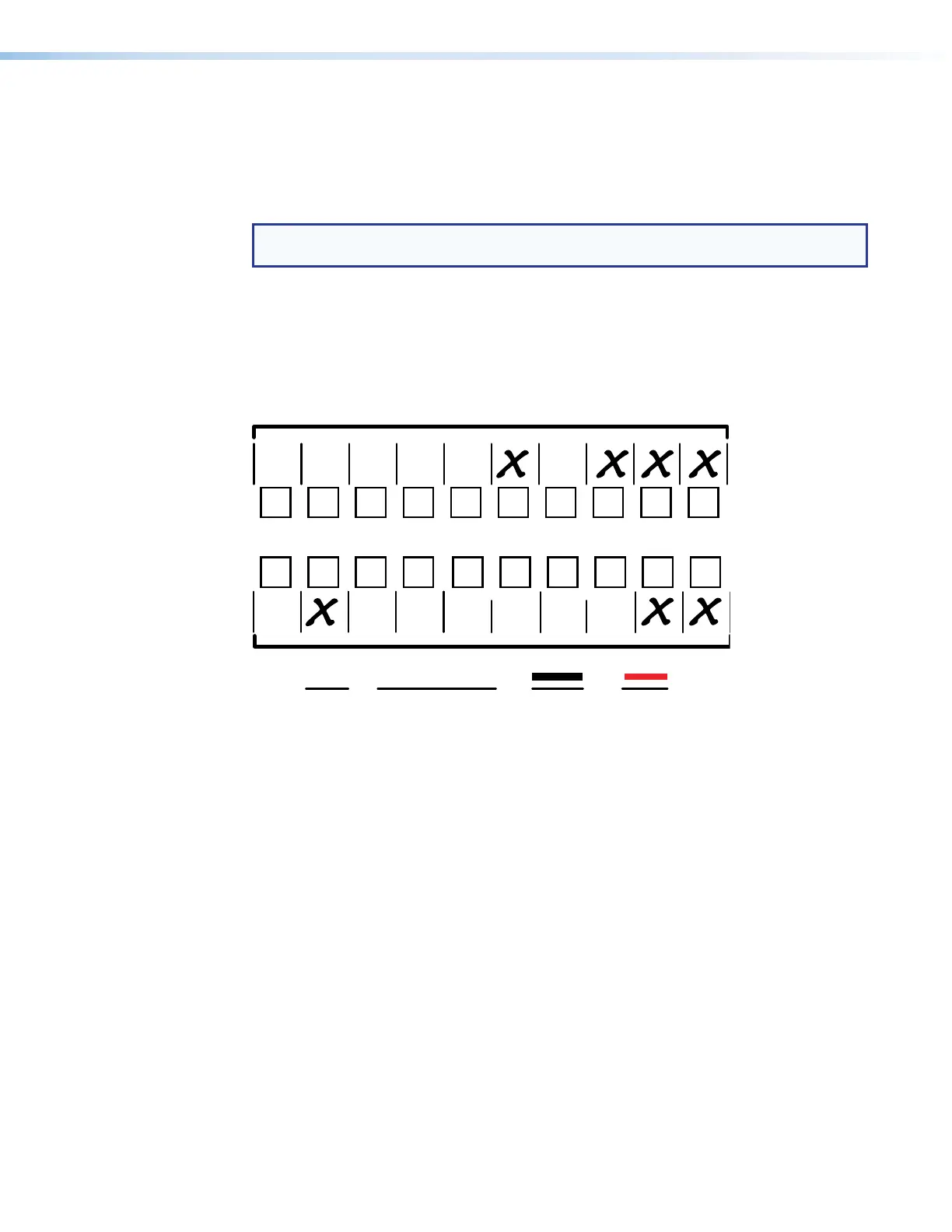
Figure 30 shows a portion of a worksheet for a DTP CrossPoint 4K Series switcher in a
fictional organization with the system hardware annotated. Inputs 6, 8, 9, and 10 have no
connection in this organization, so they are crossed out on the worksheet. Similarly, outputs
2, 7, and 8 are crossed out.
1 2345678
1234
Output destinations
Preset # Title: Video: Audio:
Fill in the preset number and use colors, dashes, etc., to make connecting lines.
Indicate if the configuration is for video, audio, or both.
91
0
5a 5b 6a 6b
VTG 400/
Audio
System
PC 2PC 1
Weekly status mtg 3
Camera
#2
Camera/
mic - Main
podium
Class 1
PJ #1
Class 2
PJ #1
HDMI
Class 3
DTP R
HDMI
330 PJ1
Class 2
PJ #2
HDMI
Class 3
DTP R
HDMI
330 PJ2
Class 1
PJ #2
DTP R
HDMI
330/
Audio
System
==
DTP T
USW 333
Figure 30. Worksheet Example 1: System Equipment
Inputs include cameras, PCs, an Extron VTG 400DVI test generator, an audio system, and
digital and analog inputs to an Extron DTP T USW 333 switcher. Output devices include
monitors, projectors, and a sound system.
The VTG 400DVI video test generator connected to input 5 enables a video test pattern
to be sent to one, several, or all output devices for problem isolation or adjustment
purposes. An audio test tape or CD can be used in a similar manner to check out the audio
components.


 To Next Page