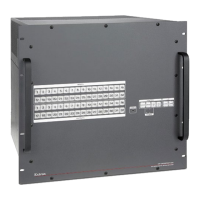
vDTP CrossPoint 4K Series Matrix Switchers • Contents
Contents
Introduction............................................................ 1
About this Guide ................................................. 1
About the DTP CrossPoint 4K Series Matrix
Switchers .......................................................... 1
DTP Input and Output Signals ........................ 3
Definitions ........................................................... 3
Features ............................................................. 4
Installation .............................................................. 9
Setup and Installation Checklist .......................... 9
Rear Panel Cabling and Features ...................... 10
Video and Twisted Pair Input and Output
Connections and Switches .......................... 11
Audio Input and Output Connections ............ 12
Serial and IR Insertion Connections .............. 14
Control Connections ..................................... 14
Switcher Reset ............................................. 15
Power ........................................................... 15
Detailed Pin Assignments, Wiring,
and Sample Applications ............................. 16
Front Panel Configuration Port .......................... 21
Operation .............................................................. 22
Front Panel Controls and Indicators .................. 22
Input and Output Buttons ............................. 23
Logo Button ................................................. 24
Control Buttons ............................................ 25
I/O Buttons ................................................... 27
Volume Controls ........................................... 27
Control Processor Indications ....................... 28
Button Icons ................................................. 28
Front Panel Operations ..................................... 29
Power ........................................................... 29
Front Panel Security Lockouts ...................... 29
Making Ties .................................................. 30
Viewing the Configuration ............................. 34
Recalling Presets .......................................... 37
Assigning and Unassigning Logos ................ 38
Configuring the Input Audio .......................... 40
Configuring the TP Insertion Ports ................ 41
Selecting the Remote Port Baud Rate .......... 42
Background Illumination................................ 42
Setting the Front Panel Locks
(Executive Modes) ....................................... 43
Performing a System Reset from
the Front Panel ............................................ 44
Rear Panel Operations ...................................... 45
Performing a Mode 1 Reset .......................... 46
Performing Mode 4 and Mode 5 Resets ....... 47
Troubleshooting ................................................ 47
Configuration Worksheets................................. 48
Worksheet Example 1: System Equipment ... 48
Worksheet Example 2: Daily Configuration .... 49
Worksheet Example 3: Test Configuration ..... 49
Configuration Worksheet .............................. 50
Programming Guide ........................................... 51
Host Control Ports ............................................ 51
Serial Port ..................................................... 51
USB Port ...................................................... 52
Ethernet (LAN) Ports ..................................... 52
Host-to-Switcher Instructions ........................... 54
Switcher-Initiated Messages ............................. 54
Switcher Error Responses ................................ 55
Using the Command and Response Tables ...... 55
General Matrix Switcher Commands ............. 56
Command and Response Table
for Matrix Switcher Commands ....................... 58
Port Specific and Communications
Protocol SIS Commands ............................. 70
Command and Response Table for Remote
and Communications Protocol Commands ..... 71
IPCP Pro 350 Information ............................. 71
Special Characters ........................................... 72


 To Next Page