SW HD 4K PLUS Series • Installation 5
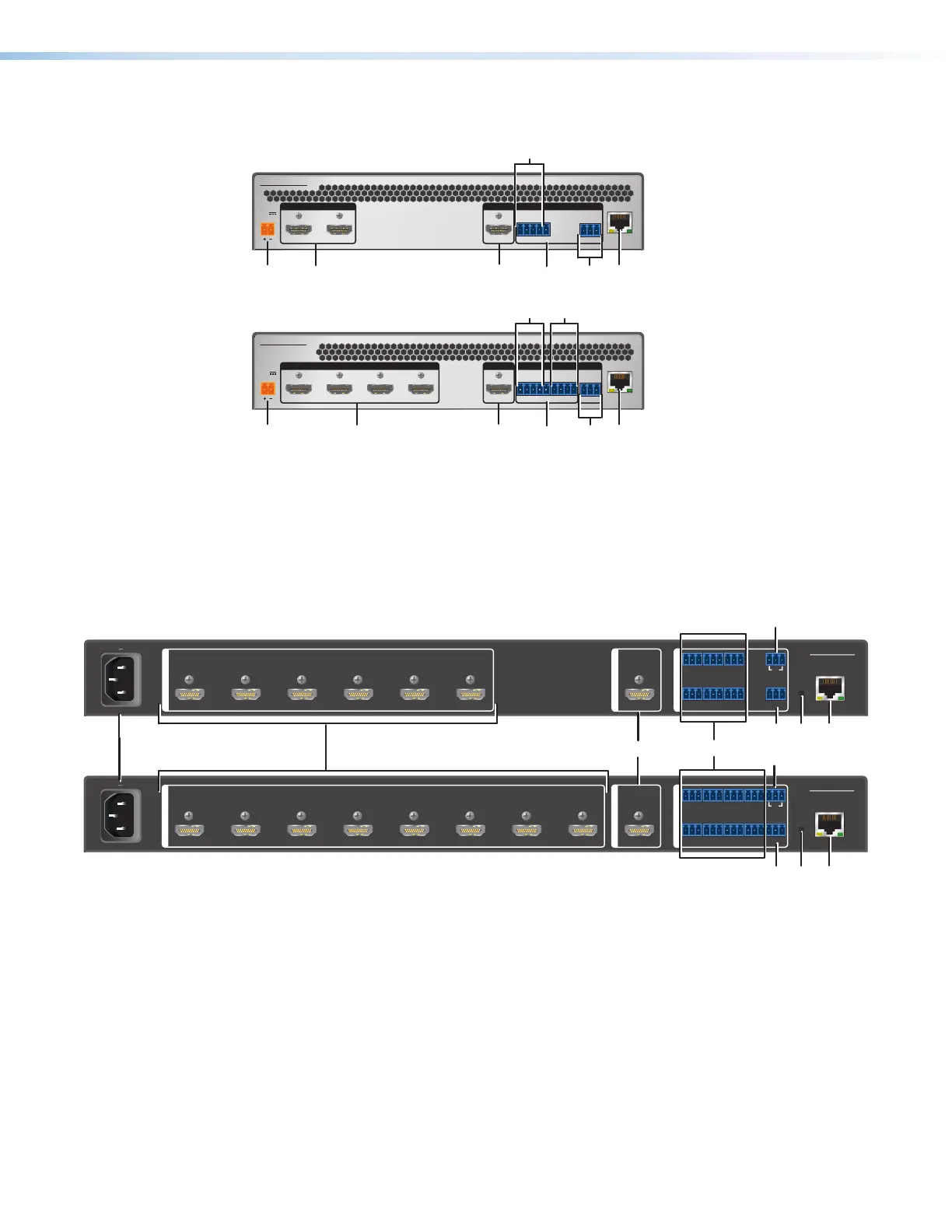
Rear Panel Features
SW2 HD 4K PLUS
-- A MAX
POWER
12V
1 2
LAN
CTCT+V
12
Tx Rx G
RS-232
INPUTS OUTPUT REMOTE
FB
A
C
E
G
D
SW4 HD 4K PLUS
-- A MAX
POWER
12V
1 2 3 4
LAN
CTCT
34
CTCT+V
12
Tx Rx G
RS-232
INPUTS OUTPUT REMOTECONTACT / TA LLY
G
G
A
Power connector
E
RS‑232 connector
B
Input connectors
F
LAN (Ethernet) connector
C
Output connector
G
Contact closure input and tally output ports
D
+V connector
Figure 2. SW2 and SW4 HD 4K PLUS Rear Panels
H
H
E
E
D
D
F
F
SW6 HD 4K PLUS
Tx Rx G
GCT GC
G
1
2
3
4
CT TGC
G
6
CT
T
GCT
5
+V
RS-232
CONTACT IN/TALLY OUT
INPUTS
1 2 3 4 5 6
100-240V 0.2A MAX
50/60 Hz
OUTPUT
REMOTE
LAN
RESET
SW8 HD 4K PLUS
Tx Rx G
GCT GC
G
1
2
3
4
CT TGC
G
68
CT TGC
T
GCT GC
57
T+V
RS-232
CONTACT IN/TALLY OUT
INPUTS
1 2 3 4 5 6 7
8
100-240V 0.2A MAX
50/60 Hz
OUTPUT
REMOTE
LAN
RESET
A
A
B
B
D
D
CC
H
H
E
E
F
F
GG
A
Power connector
E
RS‑232 connector
B
Input connectors
F
LAN (Ethernet) connector
C
Output connector
G
Contact closure input and tally output ports
D
+V connector
H
Reset button
Figure 3. SW6 and SW8 HD 4K PLUS Rear Panels
A
Power connector —
• SW2 and SW4 — Plug the provided external 12 VDC, 1.5 A power supply into this
2-pole, 3.5 mm captive screw connector and into an AC power outlet.
• SW6 and SW8 — Connect this male IEC connector to an AC power source.
2
3













 To Next Page