SW HD 4K PLUS Series • Installation 9
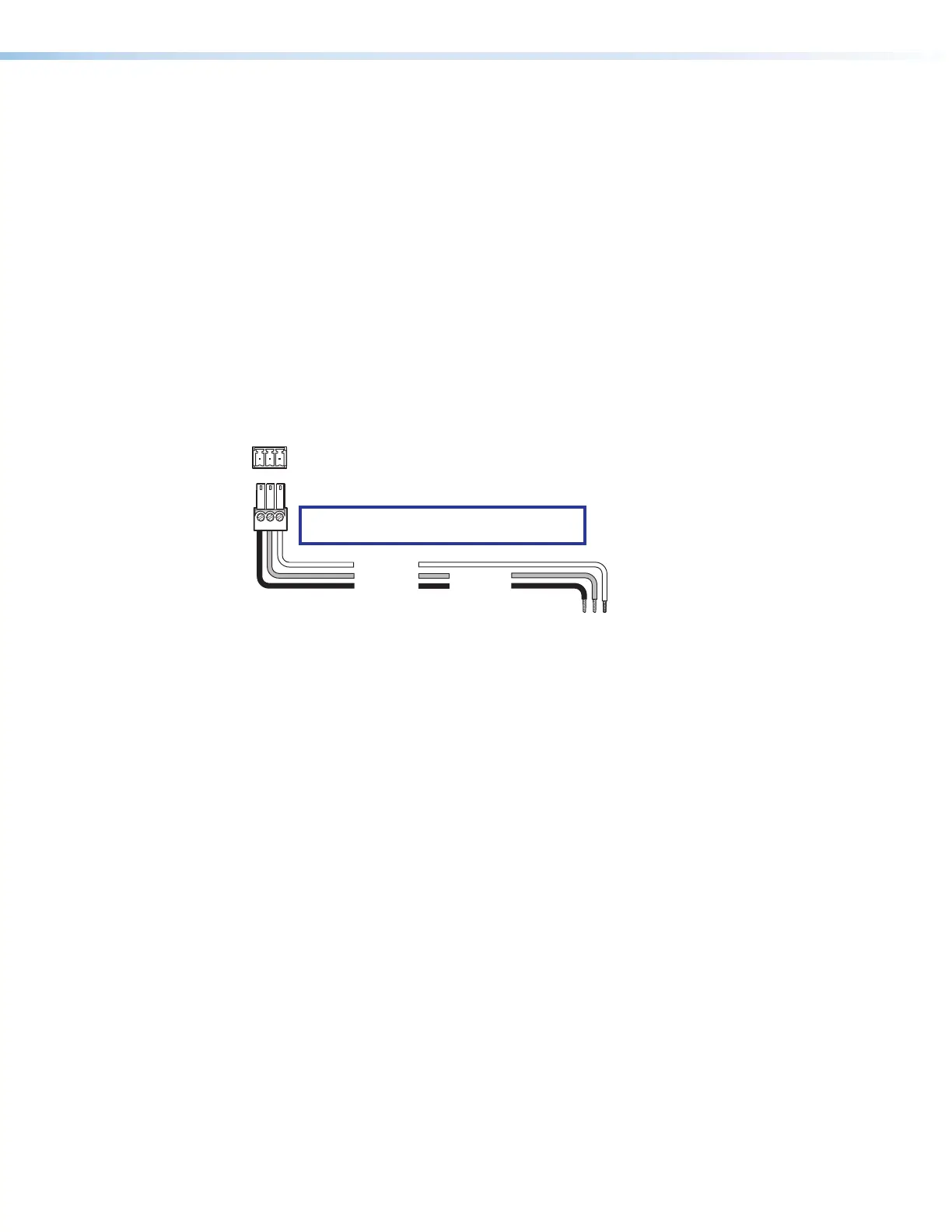
Wiring for RS-232 Control
Use a female 9-pin D-to-bare wire RS-232 cable or a universal control cable (UC50' or
UC100') to connect your computer or control system to the RS-232 pins of the Remote
connector.
1. Wire the unterminated end of the RS-232 cable to the provided 3-pole captive screw
plug as described below. Connect the transmit, receive, and ground wires of the cable
to the first three pins on the connector, starting at the left:
• Connect the transmit wire to pin 1 which plugs into the Tx (transmit) port.
• Connect the receive wire to pin 2 which plugs into the Rx (receive) port.
• Connect the ground wire to pin 3 which plugs into the G (ground) port.
2. Plug the 3-pole connector into the Remote receptacle on the rear panel of the switcher.
3. Connect the other end of the cable to the appropriate computer or control system
connector.
Figure 6 shows how to wire this shared connector for RS-232.
Computer or
Control Syste
SW HD 4K PLUS Series Switcher
Rear Panel
Remote Port
NOTE: If you use cable that has a drain
wire, tie the drain wire to ground at both ends.
Ground (G)
Transmit (Tx)
Receive (Rx)
Transmit (Tx)
Receive (Rx)
Tx Rx G
Figure 6. Remote Connector Pin Assignments
6













 To Next Page