SW HD 4K PLUS Series • Remote Configuration and Control 32
Downloading the SW HD 4K PLUS Firmware
Extron periodically updates product firmware in conjunction with the release of new software
revisions. Before updating any Extron product to the latest revision level, be sure to read
the supplied release notes or contact Extron Technical Support to determine if your product
requires a firmware update. To obtain the latest version of firmware for the SW HD 4K PLUS:
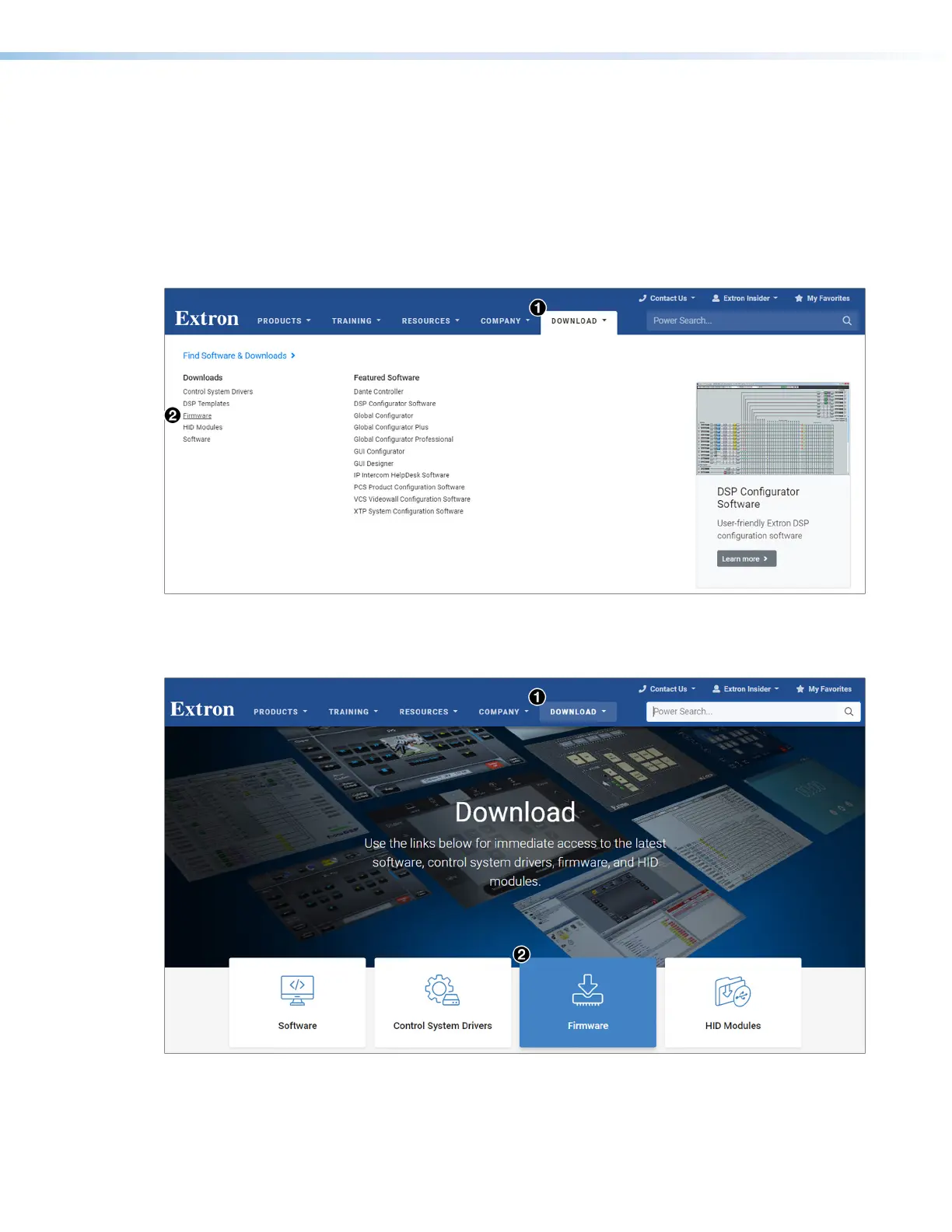
1. Go to www.extron.com, hover the mouse pointer over the Download tab at the top of
the page, then slide the pointer to the Downloads column, and click the Firmware link
(see figure 14,
1
).
Figure 14. Firmware Link on the Download Tab
Alternatively, click the Downloads tab (see figure 15,
1
), then click the Firmware
button (
2
).
Figure 15. Firmware Button on Download Screen
14
15













 To Next Page