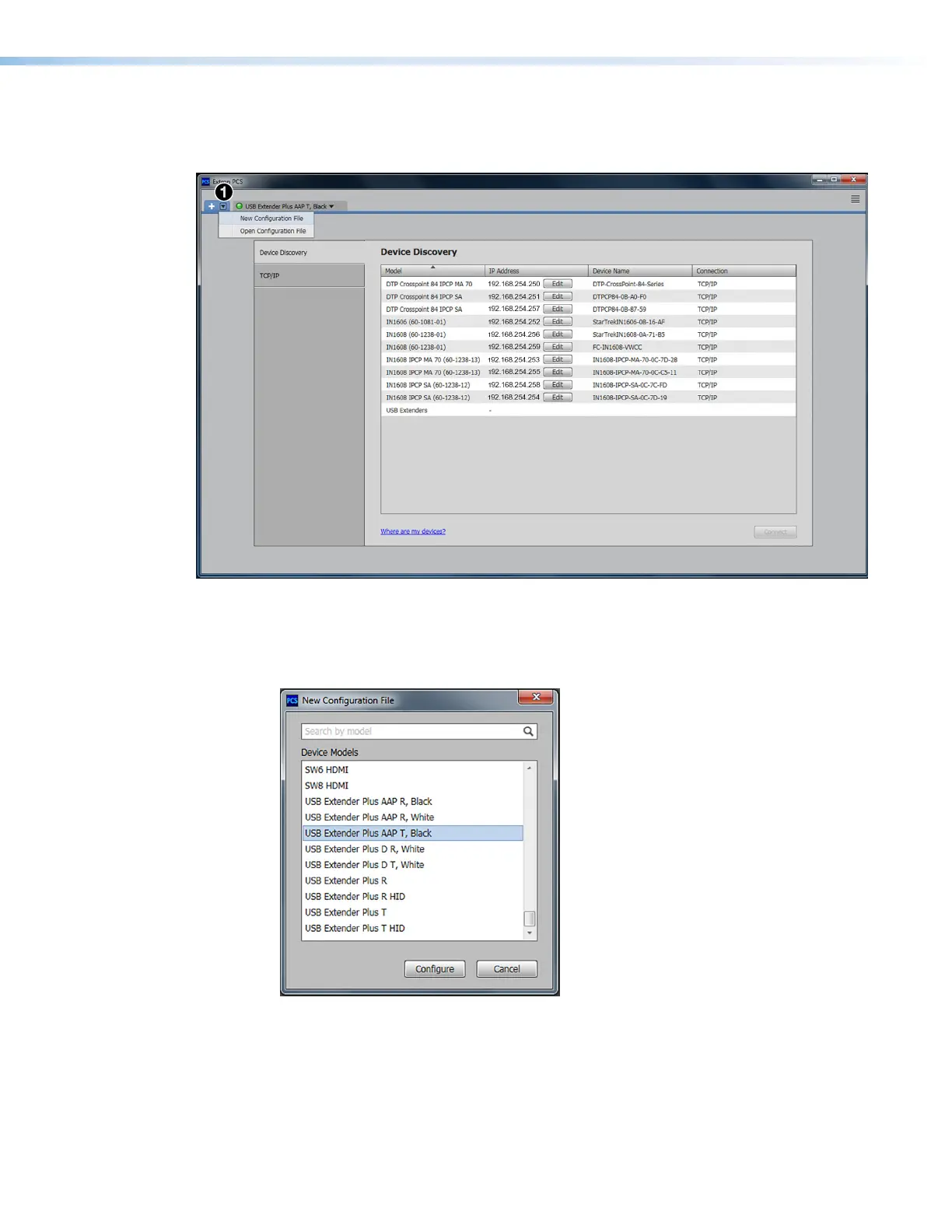
4. On the Extron PCS window, click the down arrow button in the upper-left corner (see
figure 25,
1
) to display the configuration drop-down menu. Select New Configuration
File from this menu.
Figure 25. Selecting New Configuration File on the PCS Window
The New Configuration File dialog box opens, displaying a list of all USB Extender
Plus devices on your network.
5. On this list, click the name of the USB extender to be configured.
Figure 26. Selecting an Extender from the New Configuration File List
USB Extender Plus Series • Remote Configuration and Control 31


 To Next Page