Pairing a transmitter with receivers (creating ties)
To tie a transmitter to receivers using the PCS software:
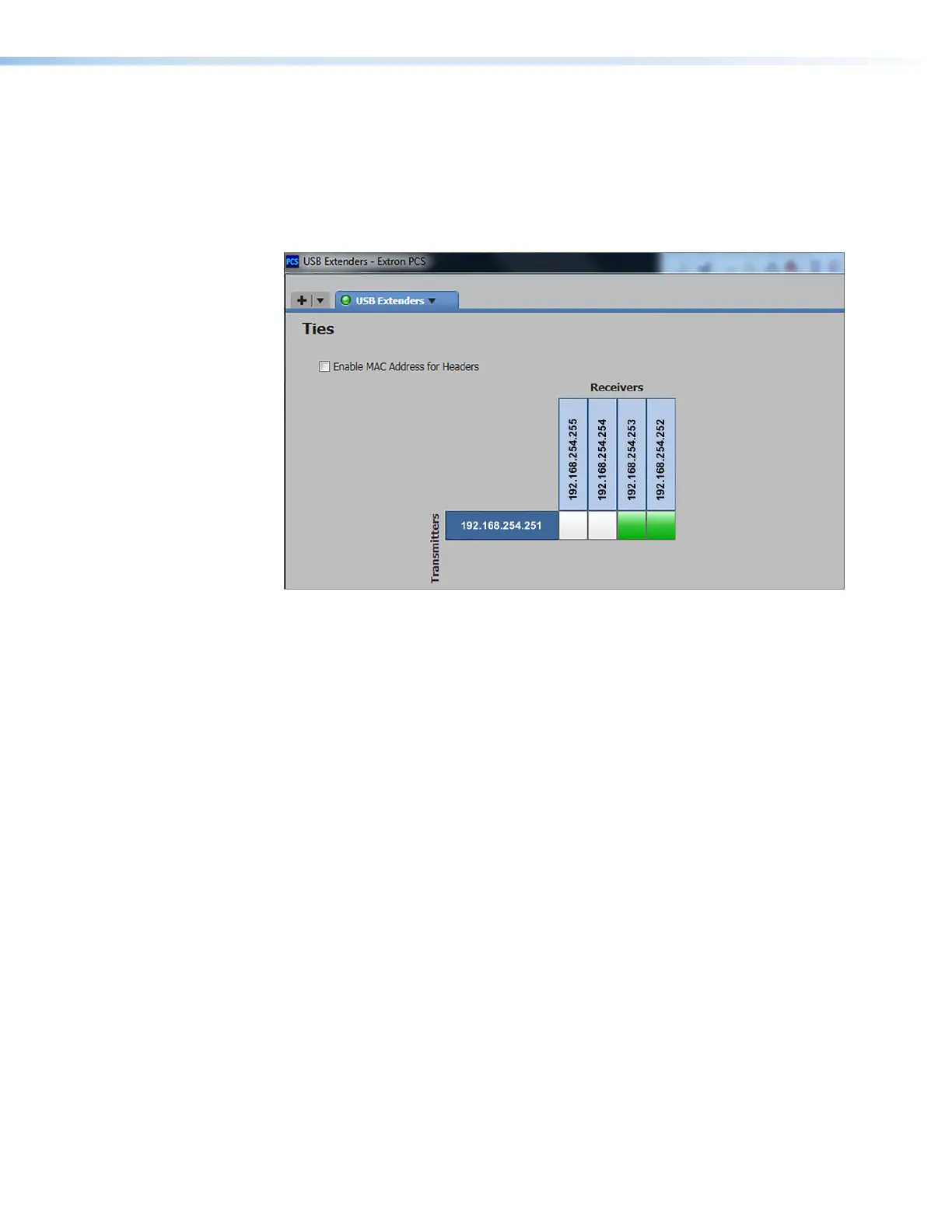
1. In the matrix in the center of the screen, locate the connection box beside the desired
transmitter address and below the desired receiver address.
2. If the box is white, click it. When the box becomes green, the transmitter and receiver
are paired. Figure 33 shows a transmitter paired with two receivers.
Figure 33. Tying a Transmitter to Two Receivers
3. Repeat step 2 for any additional receivers in the same row that you want to pair with the
selected transmitter.
4. Repeat steps 1 through 3 for any additional transmitters to which receivers will be
paired.
USB Extender Plus Series • Remote Configuration and Control 36


 To Next Page