EasyManua.ls Logo

EZ-ACCESS PASSPORT - User Manual

EZ-ACCESS PASSPORT
23 pages
Print Icon
To Next Page IconTo Next Page
Loading...
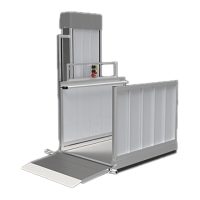
PASSPORT® Vertical Platform Lift (VPL)
User Manual
Manufactured in the USA
© EZ-ACCESS
®
, a division of Homecare Products, Inc. All rights reserved.
All text and images contained in this document are proprietary and may not be shared, modified, distributed,
reproduced, or reused without the express written permission of EZ-ACCESS.
12273 01-24-2023

Other manuals for EZ-ACCESS PASSPORT

Questions and Answers

  • H
    Hannah VelazquezAug 14, 2025
    What to do if the EMERGENCY STOP indicator light is illuminated on my EZ-ACCESS PASSPORT Lifting Systems?
    • J
      joshuaperezAug 14, 2025
      If the EMERGENCY STOP indicator light is illuminated on your EZ-ACCESS Lifting System, it means the EMERGENCY STOP button has been activated. To resolve this, pull the EMERGENCY STOP button out to deactivate it and energize the unit. Remember, pressing the emergency stop button does not disconnect power to the AC side of the battery charger; you must unplug the VPL from the AC outlet to do that.
  • A
    Aaron DuranAug 17, 2025
    What to do if EZ-ACCESS Lifting Systems VPL stops during downward travel and the Obstruction light is illuminated?
    • J
      Jeremy LeeAug 17, 2025
      If your EZ-ACCESS Lifting System VPL stops during downward travel and the Obstruction light is illuminated when the ‘DOWN’ button is pushed, it indicates there's an object underneath the platform contacting the safety pan. To fix this, run the VPL upward, remove the obstruction, and then resume normal operation.
  • A
    Amber DuncanAug 20, 2025
    What to do if EZ-ACCESS PASSPORT Lifting Systems VPL will not operate and the overload indicator is illuminated?
    • S
      sherribanksAug 20, 2025
      If the EZ-ACCESS Lifting System VPL will not operate and the power indicator light is on but the overload indicator is illuminated, the auto reset breaker has tripped. Allow the unit to sit for 1-10 minutes so the breaker can reset itself. If it doesn't reset, or continues to trip after several attempts, contact an EZ-ACCESS approved technician for service through your dealer.
  • A
    allison41Aug 25, 2025
    What to do if EZ-ACCESS Lifting Systems VPL will not travel upward and service indicator light is illuminated?
    • J
      Jason AcostaAug 25, 2025
      If your EZ-ACCESS Lifting System VPL will not travel upward and the service indicator light is illuminated, it means there's a failure of the primary Hi-Lead® Screw nut. Immediately run the VPL to the bottom of its travel, exit the platform, and contact your dealer for service. Do not attempt to operate the VPL until an EZ-ACCESS approved technician completes the repairs.
  • M
    Michael RomeroAug 27, 2025
    Why EZ-ACCESS PASSPORT Lifting Systems VPL will not operate and the power indicator light does not illuminate?
    • C
      Cynthia KnoxAug 27, 2025
      If your EZ-ACCESS Lifting System VPL will not operate, and the power indicator light on the control panel doesn't illuminate when you turn the keyed power switch to the 'Power On' position, it could be due to discharged batteries or a blown control panel power fuse. For discharged batteries, see “Batteries Discharged”. If it's a blown fuse, remove the power head cover, locate fuse #1, and replace it with a similar 5-amp fuse.
  • E
    emorrisonAug 30, 2025
    Why is my EZ-ACCESS PASSPORT operating slowly with buzzing sounds?
    • I
      inovakAug 31, 2025
      If your EZ-ACCESS Lifting System is operating slowly and erratically, and you hear buzzing or chattering sounds, it's likely the batteries have discharged. Refer to the “Batteries Discharged” section for solutions.
  • S
    Sarah CarrollSep 2, 2025
    What to do if EZ-ACCESS PASSPORT Lifting Systems VPL travels a short distance and the top landing gate light is on?
    • E
      Elijah Rodriguez MDSep 2, 2025
      If your EZ-ACCESS Lifting System VPL only travels a short distance down from the upper landing and the top landing gate indicator light is illuminated when you push the ‘UP’ or ‘DOWN’ button, it's likely the top landing gate latch isn't rotating to the fully closed position. Ensure the latch rotates freely, check for any damage that might be preventing it from operating, and verify that the catch rod on the top landing gate aligns properly with the latch. If either the latch or catch rod is damaged, they may need replacement. Contact your dealer for service. Warning: Do not touch the latch while operating the VPL.
  • H
    hnortonSep 6, 2025
    Why is my EZ-ACCESS PASSPORT operating slowly?
    • G
      Gregory HicksSep 6, 2025
      If your EZ-ACCESS Lifting System displays slow, erratic operation, it could be due to several reasons: * Very cold temperatures: Limit the number of uses per day. * Overuse: Limit the number of uses per day. * Lack of lubrication: Clean and lubricate the Hi-Lead® Screw.
  • A
    Anna MccoySep 9, 2025
    Why EZ-ACCESS PASSPORT Lifting Systems VPL only travels a few inches and the top landing gate light is on?
    • M
      Melissa SmithSep 9, 2025
      If your EZ-ACCESS Lifting System VPL only travels 1-5 inches down from the upper landing and the top landing gate indicator light is illuminated when the Up or Down button is pushed, it indicates that the top landing gate is not fully closed. Make sure the top landing gate swings freely and that the hinge spring tension is sufficient to fully close the gate. Adjust hinge spring tension as needed. Check that the gate’s latching mechanism is in the correct position so that latch fully closes around the catch rod. Refer to the top landing gate section in the PASSPORT® Vertical Platform Lift (VPL) Installation Manual for adjusting the height of latching mechanism and top landing gate.

Summary

SYMBOLS

GENERAL WARNINGS AND SAFETY PRECAUTIONS

VPL LABELING AND IDENTIFICATION

DEALER AND OWNER INFORMATION

OPTIONAL EQUIPMENT NOTICE

WIRELESS REMOTE OPERATION AND PROGRAMMING

PROGRAMMING WIRELESS REMOTE TRANSMITTERS

Step-by-step guide on how to program or re-program wireless remote transmitters to the VPL receiver.

TOP LANDING GATE INSTALLATION AND USE

TOP LANDING GATE CONNECTOR KIT

TOP LANDING GATE CONNECTOR TO WOOD DECK

PLATFORM SAFETY RAIL DESCRIPTION

PLATFORM SAFETY PAN WEATHER GUARD

INTERLOCK SYSTEM FOR DOORS

CALL;SEND CONTROL SYSTEM

CALL;SEND CONTROL MOUNTING KIT

PLATFORM GATE OPERATION AND ADJUSTMENT

VPL FEATURES OVERVIEW

POWER SYSTEM DETAILS

Explains the VPL's 24VDC motor, battery system, AC power cord, and emergency power operation.

CONTROL PANEL FUNCTIONS

Describes the control panel layout, keyed power switch, and push-button controls for VPL operation.

INDICATOR LIGHTS AND MEANINGS

Details the blue LED indicator lights on the control panel and their meanings for normal and fault conditions.

GUARD RAMP OPERATION

Explains the automatic folding guard ramp that provides safety during VPL travel.

OBSTRUCTION DETECTION SYSTEM

Describes the safety pan that detects objects and stops downward travel if obstructed.

EMERGENCY HAND CRANK OPERATION

Details how to use the emergency hand crank for manual VPL movement during power loss.

OPERATING INSTRUCTIONS

UPWARD TRAVEL PROCEDURES

Step-by-step guide for safely operating the VPL to travel upward to the landing.

DOWNWARD TRAVEL PROCEDURES

Step-by-step guide for safely operating the VPL to travel downward to the landing.

EMERGENCY OPERATION WITH HAND CRANK

TECHNICAL SPECIFICATIONS OVERVIEW

DIAGNOSTIC PLUG FOR AC POWER CHECK

HOOD SAFETY SERVICE SWITCH FUNCTION

PRODUCT WARRANTY INFORMATION

MAINTENANCE AND SERVICE REQUIREMENTS

BATTERY CARE IN COLD WEATHER

NOTES AND WARNINGS ON VPL BATTERY FUNCTION AND EXTREME TEMPERATURES

Details how extreme temperatures affect batteries, emphasizing the need for a full charge to prevent damage.

VPL BATTERY SPECIFICATIONS

Lists technical specifications for the VPL's 12V AGM battery, including dimensions and capacity.

BATTERY CROSS REFERENCE GUIDE

Provides a guide for battery manufacturers' cross-referencing and notes on obtaining equivalents.

RECOMMENDED BATTERY SUBSTITUTES;EQUIVALENTS

Lists equivalent battery models from various manufacturers for replacement purposes.

VPL TROUBLESHOOTING

CONTROL PANEL DISPLAY SYMPTOMS

Lists control panel display symptoms, potential causes, and solutions for common VPL operational issues.

GENERAL TROUBLESHOOTING GUIDELINES

Covers general VPL troubleshooting for issues like slow operation, battery discharge, and charger problems.

Overview

The PASSPORT® Vertical Platform Lift (VPL) is a personal residential mobility device designed to lift individuals and personal mobility devices. It is manufactured in the USA by EZ-ACCESS®, a division of Homecare Products, Inc. The VPL conforms to ASME A17.5:2019 Ed.6 and ASME A18.1:2017 Ed.7 standards.

Important Technical Specifications:

  • Rated Load: 750 lbs. (340 kg.)
  • Suspension: 1-in. HI-LEAD® SCREW
  • Drive Motor: .58 HP 24VDC 25 AMPS
  • AC Input: 120 VAC .6 AMPS
  • Speed: 10 FPM
  • Platform Weight: 170 LBS.
  • Batteries: Two 12VDC, 12AH (amp hour) batteries connected in series. The VPL control voltage uses 12 volts DC supplied by one of these two batteries.
  • Battery Type: AGM (MK ES12-12)
  • Battery Dimensions: Length 5.94" (151 mm), Width 3.86" (98 mm), Height 3.8" (98 mm)
  • Battery Weight: 7.96 lbs. approx. (3.6 kg)
  • Battery Charging: Built-in smart charger, household power (120VAC) supplied via an outdoor rated 12' (standard) power cord. Approximately 6 hours to fully charge if totally discharged.
  • Emergency Operation: Operates approximately 20 cycles on battery power before recharging is required in case of power failure. Can also be manually operated with an emergency hand crank (speed handle wrench with 5/16" socket).

Usage Features:

  • Control Panel: Features a keyed power switch ('Power On'/'Power Off'), 'UP' and 'DOWN' push buttons, and an 'Emergency Stop' button.
  • Indicator Lights: Blue LED indicator lights on the control panel provide operational status and alert to potential problems.
    • Green Background: 'ON' (power), 'UP', 'DOWN', 'ENTER/EXIT' (platform reached landing).
    • Yellow Background: 'EMERGENCY STOP', 'TOP LANDING GATE' (open or unlatched), 'OBSTRUCTION' (object under platform).
    • Red Background: 'OVERLOAD', 'SERVICE REQUIRED'.
  • Guard Ramp: A 24" guard ramp allows access from either side of the platform. It automatically folds upward when the VPL rises for safety.
  • Obstruction Detection: A safety pan detects objects or obstructions under the platform, stopping downward travel. Upward travel remains operational.
  • Emergency Hand Crank: Allows manual operation (up or down) in case of AC power loss and fully discharged batteries. Clockwise rotation raises the platform, counterclockwise lowers it.
  • Optional Equipment:
    • Wireless Remote: Allows VPL operation from remote locations using a two-button keyfob transmitter. Up to twelve keyfobs can be programmed.
    • Top Landing Gate: Controls access between the VPL and the upper landing. Factory assembled with hinges on the right or left. May be required by local codes. Features a 'PINCH POINT' warning label.
    • Top Landing Gate Connector Kit: Connects the top landing gate to a PATHWAY® platform or to handrails/posts on an existing wood porch/deck.
    • Platform Safety Rail: Provides additional personal stability for individuals standing on the VPL. Required for standing users.
    • Platform Safety Pan Weather Guard: Durable rubber guard that clips onto the safety pan to keep debris out.
    • Interlock: Prevents an existing door from opening when the lift is in the down position. Handed (left or right) depending on the door swing. Door must swing away from the VPL.
    • Call/Send Control: Allows calling the VPL up or down from various locations. Multiple controls can be used. Requires the keyed power switch to be in the 'Power ON' position.
    • Call/Send Control Mounting Kit: Attaches the call/send control to the top landing gate post.

Maintenance Features:

  • Annual Inspections: Required by an EZ-ACCESS approved technician (more frequent in harsher environments).
  • Battery Care:
    • Keep batteries 100% charged, especially in cold temperatures, to prevent damage and reduced functionality.
    • Cold weather significantly impacts battery performance and charging time.
    • Battery blankets are recommended for cold-weather environments. Consult battery blanket manufacturer's recommendations.
    • Regularly check battery charge rate to prevent damage from discharge.
  • Safety Pan Inspection: Weekly test to ensure the safety pan moves freely and illuminates the 'OBSTRUCTION' lamp when pushed up.
  • Cleaning: Remove ice, snow, leaves, and other unsafe materials from the VPL and landings before each use. Do not use caustics or high alkaline detergents on aluminum.
  • Fastener Check: Annually (more often in harsher environments), check all fasteners (nuts, bolts, screws) for damage and security.
  • Troubleshooting Guide: Provides solutions for common issues like VPL not operating, indicator lights illuminated, and battery problems.
  • Diagnostic Plug (120 VAC): Detects AC supply line issues.
    • Green LED: Proper ground continuity and power status (okay to use VPL).
    • Red LED: Ground continuity loss or reversed polarity (do not use VPL, contact dealer).
    • No LED: Open hot, open neutral, or hot to ground cross (do not use VPL, contact dealer).
  • Control Voltage Safety Service Switch ("Hood Switch"): A magnetic reed switch under the power head cover that disables control voltage when the hood is removed. Can be bypassed by technicians for servicing.

Warranty:

  • 2-year Limited Warranty.
  • Warranty is not transferable.
  • Tampering with or modifying any portion of the VPL will void the warranty.

EZ-ACCESS PASSPORT Specifications

General IconGeneral
BrandEZ-ACCESS
ModelPASSPORT
CategoryLifting Systems
LanguageEnglish

Related product manuals