EasyManua.ls Logo

EZ EM PROTOCO2L 6400 - Page 30

EZ EM PROTOCO2L 6400
40 pages
Print Icon
To Next Page IconTo Next Page
To Previous Page IconTo Previous Page
Loading...
PROTOCO
2
L
Colon Insufflator User Manual
Page
29
Condition
Possible Causes
Field Checkout
My
PROTOCO
2
L Colon
Insufflator
does not deliver
CO
2
.
What
could be the problem?
PROTOCO
2
L Colon
Insufflator
flow rate
incorrect
To check the
PROTOCO
2
L Colon Insufflator
’s ability to
deliver CO
2
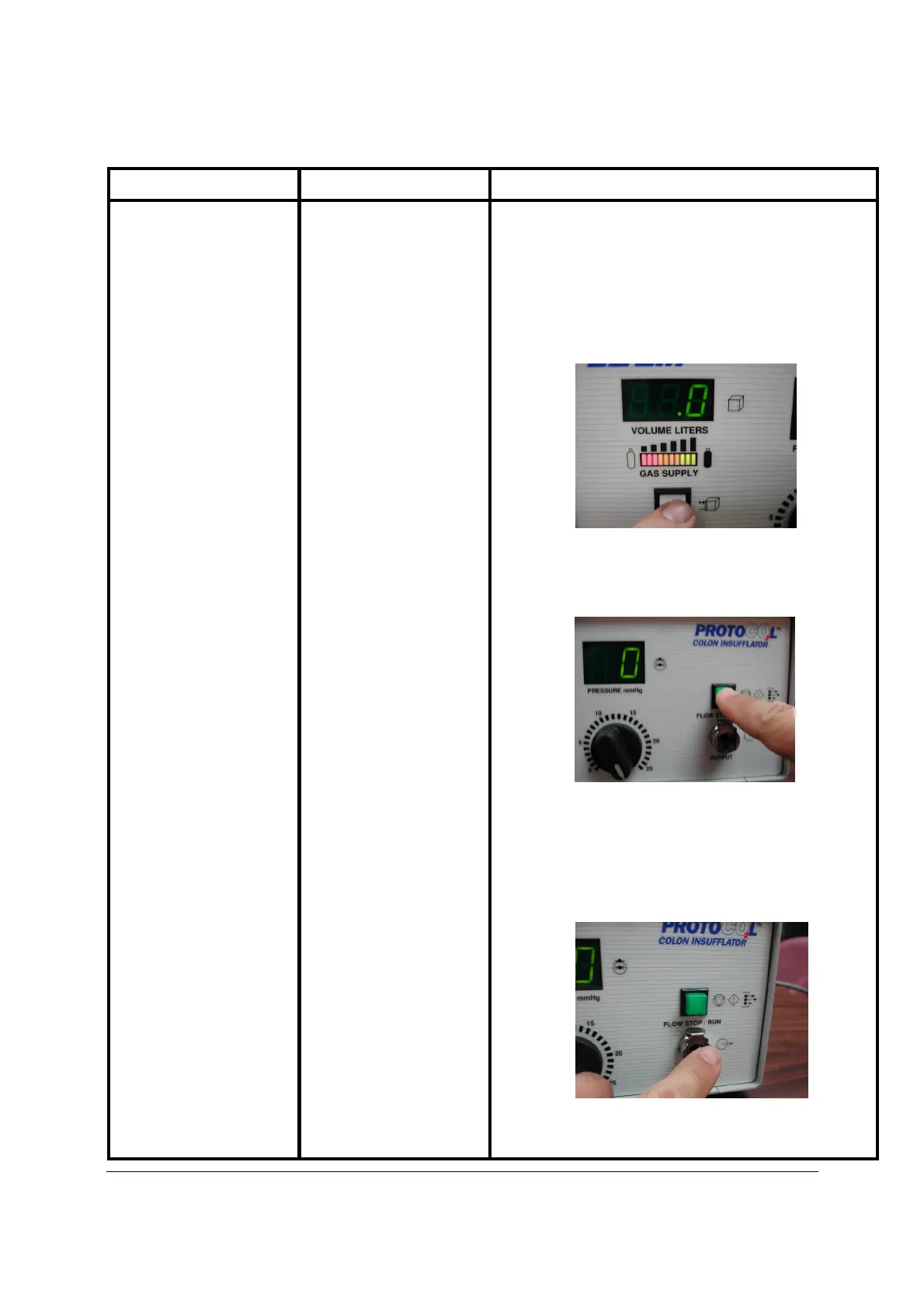
to the patient, follow these verification steps:
After Powering
-
up and making sure that your
PROTOCO
2
L Colon In
sufflator
is connected to the CO
2
supply tank, depress the VOLUME RESET button, zero will
appear in the VOLUME LITERS display.
Rotate the Pressure Adjustment Dial to 25 mm Hg.
Disconnect the Administration Set if connected.
Press the FLOW STOP/RUN
button to start.
Using a wrist watch with a second hand or a stop watch,
allow the unit to deliver 4.0 liters of CO
2
. The unit should
reach this volume and automatically return to stop between
90 and 120 seconds. During this time interval, place y
our
finger near the Gas OUTPUT. You should feel gentle pulses

of CO
2
exiting from the
PROTOCO
2
L Colon Insufflator
.