TM2 ERY 38 A4518_6G40_Rev.A
COMMAND MANAGEMENT FROM WHITE OR BLACK WIRE
NB: The default function provided in the motors leaving the factory is UP-STOP-
DOWN-STOP for singular UP/DOWN button switch. (Not for the switch with two
independent UP-DOWN buttons!)
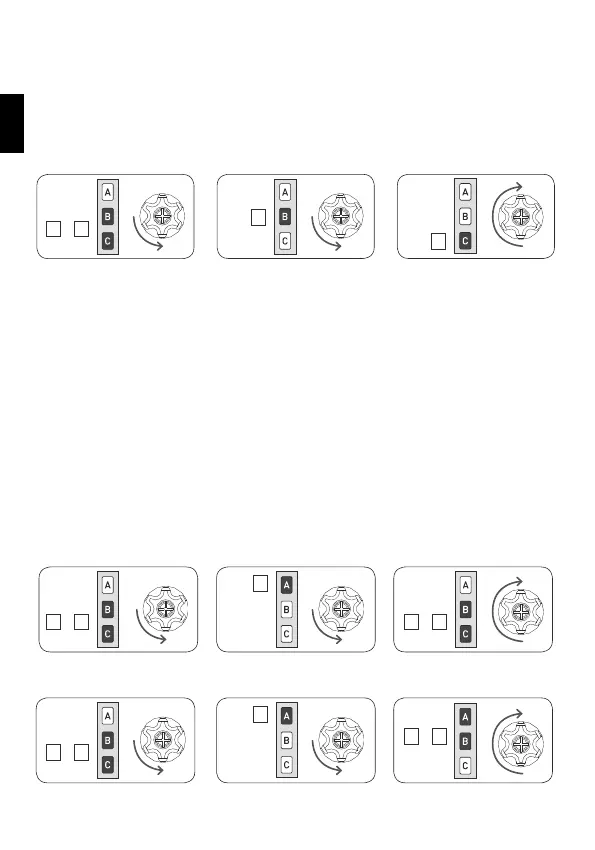
PROCEDURE TO CHANGE THE CONTROL MODE:
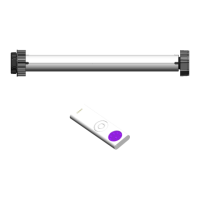
Tn: Already programmed remote control
Tn
Tn
Tn (2 sec)
SUPERSENSITIVITY OBSTACLE DETECTION MANAGEMENT
DURING DOWNWARDS MOVEMENT
- only for motors up to 25 Nm
Where required - for example for window screens or screen fabric with a tensioner
weight attached - it is possible to activate/deactivate a high level of obstacle de-
tection sensitivity during downwards movement.
ACTIVATING THE SUPER-SENSITIVITY FUNCTION
Tn Tn (2 sec)
Tn
DEACTIVATING THE SUPER-SENSITIVITY FUNCTION
Tn
Tn
Tn (2 sec)
The possible settings are 3 and are available in the following order:
- UP-STOP-DOWN-STOP (factory setting)
- UP-DOWN (for 2 independent buttons)
- UP-DOWN “Dead Man” (for 2 independent buttons)
To switch from one setting to the following, perform the sequence as many times
as necessary to reach the desired setting.
+
B C
B
C
+
B C
+
B C
A
+
B C
A
+
A B
EN


 To Next Page