EasyManua.ls Logo

Fanimation MA7966 - User Manual

Fanimation MA7966
40 pages
Print Icon
To Next Page IconTo Next Page
Loading...
Suitable for use with Solid State Speed Controls
WARNING: Support Directly From Building Structure For Fan Head Assembly
HA7966 Net Weight 2.4 kg (5.29 lbs)
B7966 Net Weight 0.60 kg (1.32 lbs)
MA7966 Net Weight 9.3 kg (20.48 lbs)
OWNER’S MANUAL
READ AND SAVE THESE INSTRUCTIONS
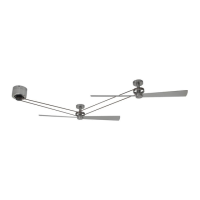
The Kellan
Belt-Driven Ceiling Fans
Model No. MA7966 Motor Series
Model No. HA7966 Fan Series
Model No. B7966 Fan Blade
FP7966

Questions and Answers

  • K
    Kelsey BlackAug 1, 2025
    What to do if my Fanimation MA7966 will not start?
    • J
      Jennifer KingAug 1, 2025
      If your Fanimation Fan isn't starting, here are a few things to check: * First, examine the main and branch circuit fuses or circuit breakers. * Second, check the line wire connections to the fan and switch wire connections in the switch housings, remembering to turn off the main power before you do! * Third, replace the remote control battery with a fresh one. * Finally, ensure the reversing switch is fully to one side.
  • J
    Joel AdamsAug 12, 2025
    Why is my Fanimation MA7966 so noisy?
    • C
      charlesmooreAug 12, 2025
      A noisy Fanimation Fan can be caused by several factors: * Loose screws in the motor housing: Ensure all screws are snug (not over-tight). * Loose screws securing the fan blade: Check that the screws attaching the fan blade are tight. * Motor noise from solid-state variable speed control: These controls are not recommended; choose an alternative control method. Remember to turn off the main power before you do! * Loose pulley set screw: Tighten the set screw securely. * Rivets on the belt making a clicking sound: This is not considered a defect.
  • T
    Tracy HunterAug 21, 2025
    How to fix a Fanimation MA7966 Fan that wobbles excessively?
    • A
      andrea43Aug 22, 2025
      Excessive wobbling in your Fanimation Fan can be due to: * Loose fan or motor base lag bolts on the ceiling: Tighten these bolts securely. * Improperly seated blade holders: Ensure the fan blade holders seat firmly and uniformly to the surface of the hub; if seated incorrectly, loosen and retighten the screws.

Summary

Important Safety Instructions

Additional Safety Instructions

Limited Lifetime Warranty

Motor Assembly Unpacking and Parts Identification

Head Assembly Unpacking and Parts Identification

Electrical and Structural Requirements

Motor Assembly Hanging and Wiring

Head Assembly Hanging

Belt Splicing Instructions

Fan Blade Mounting

TR33 WH Remote Control Setup

TR33 WH Remote Control Operation

Remote Control Mounting Options

Option #1

Mounting instructions for the remote control using wall switch plate.

Option #2

Mounting instructions for the remote control using wall switch plate.

Option #3

Mounting instructions for the remote control using wall anchors.

Troubleshooting

Fanimation MA7966 Specifications

General IconGeneral
BrandFanimation
ModelMA7966
CategoryFan
LanguageEnglish

Related product manuals