13
ThawSpaceTab
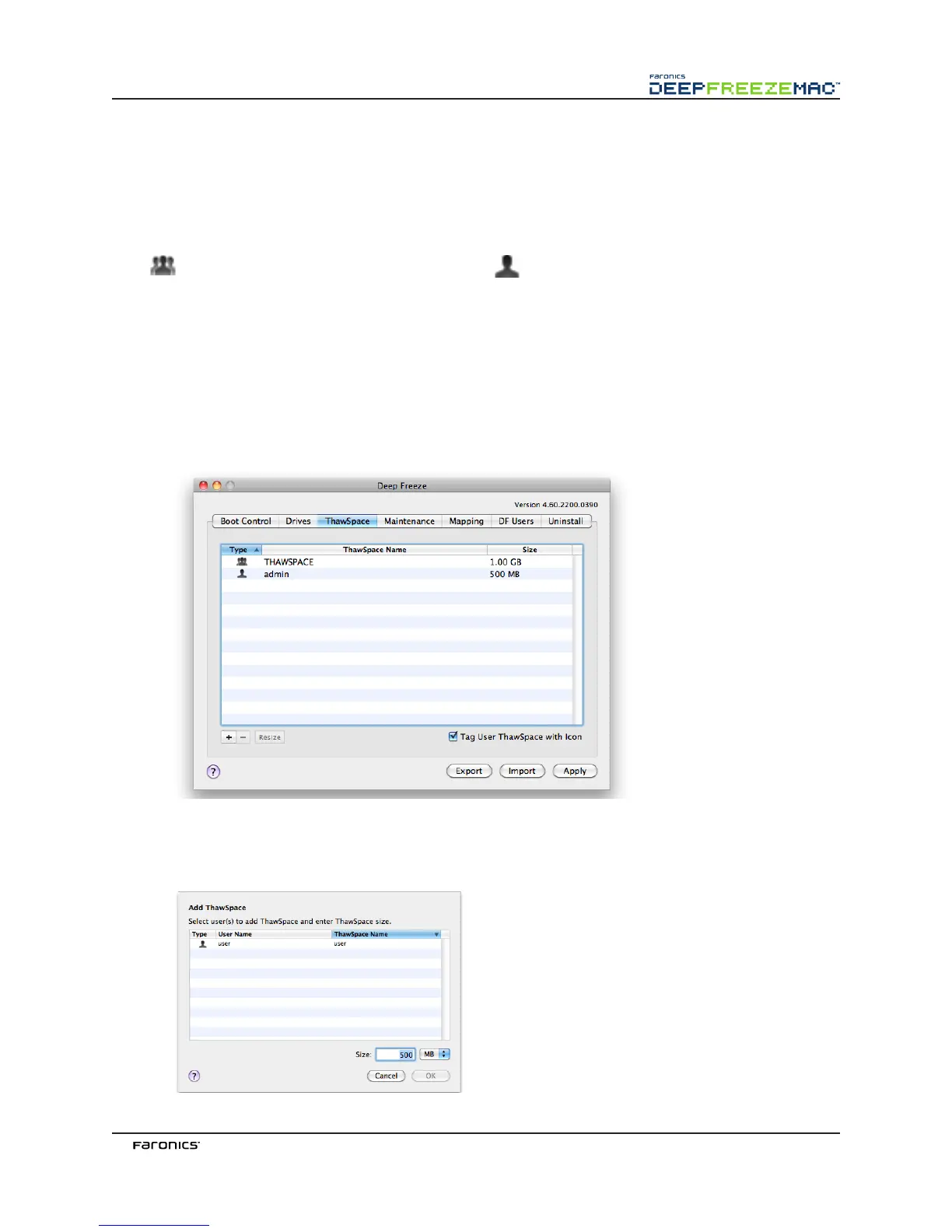
e awSpace tab is used to create virtual awed partitions where documents and changes are
retained persistently on Frozen computers. Administrators can create a User awSpace for each User,
or a Global awSpace that all users can share. e awSpace tab displays only the users that have
awSpace.
Global and User awSpaces are easily distinguishable by the icons displayed in the Type column. e
icon represents the Global awSpace, and the icon represents a User awSpace.
awSpaces can be added or deleted from within the tab using the Add and Delete buttons. awSpaces
are sized in MB or GB and can range from 1 MB to 120 GB.
e computer must be in a awed state to create or modify a awSpace. If a awSpace was set up
using the Deep Freeze Assistant, a dialog (with a progress bar) appears stating that awSpaces are
being created. e Global awSpace and user awSpace are displayed as removable media on the
desktop. Other users’ awSpaces are displayed as a folder with restricted access.
A maximum of one Global and 32 User awSpaces can be created on each computer. e User awSpaces
are visible for mapping purposes. awSpaces appear as removable media on the Desktop. To have User
awSpaces tagged with the users’ chosen icons, select the Tag User awSpace with icon checkbox.
AddingaGlobalThawSpace
To create a Global awSpace, complete the following steps:
1. Click Add. e following dialog appears listing users without a awSpace:



 To Next Page