16
LimitationsofResizingaThawSpace
e minimum awSpace size is the actual data space being used or 1 MB (whichever is higher) and
the maximum awSpace size is the actual partition size or 120 GB (whichever is lower). Increasing
the size of a awSpace does not have any limitations. However, reducing the size of a awSpace may
not be possible in some circumstances.
For example, a 10 MB awSpace is successfully resized when increased to 20 MB even if data is
stored on the entire awSpace. However, if a 10 MB awSpace is reduced to anything less than 10
MB, it may not be possible to resize a awSpace depending on where the data is written. If the data is
distributed over the 10 MB space, the awSpace cannot be resized. However, if the data is written only
at the start of the awSpace, it can be resized to the limit where there is continuous free space till the
end of the awSpace.
MaintenanceTab
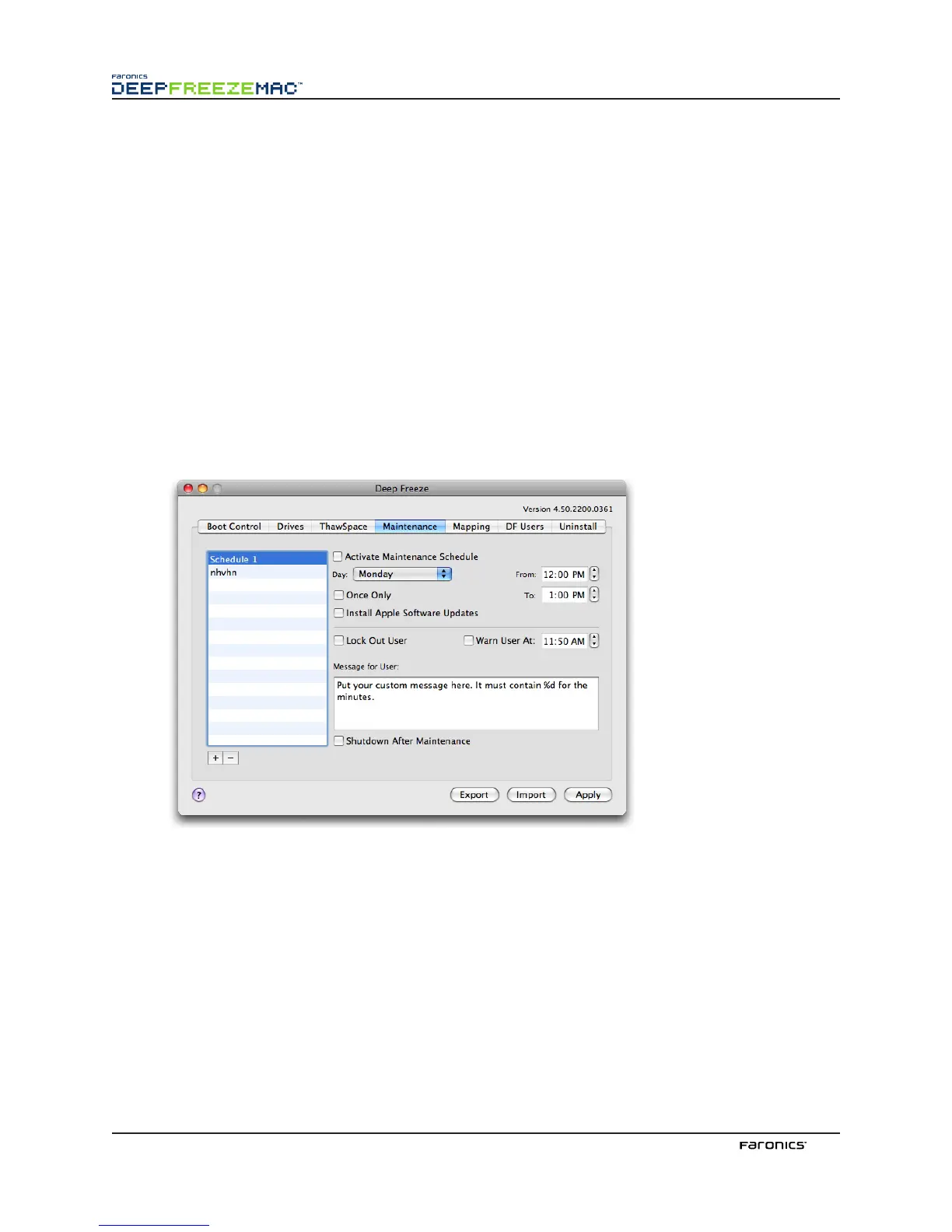
e Maintenance tab is used to schedule a Maintenance Period when the computer will be automatically
awed to allow Apple Soware Updates to be permanently applied. e computer must be Frozen for
the Maintenance schedule to start.
CreatingandNamingMultipleMaintenanceSchedules
To create multiple individually named Maintenance Schedules, complete the following steps:
1.
On the Maintenance Tab, click Add.
e default Schedule 1 tag appears in the list on the le side of the tab. Each additional schedule
added will have that default tag, but can be renamed.
2.
To rename a schedule, double-click the tag to be renamed.
e field becomes editable.
3.
Enter the new schedule name. Up to 10 individually named Maintenance Schedules can be
created.



 To Next Page