33
• e target computer(s) for the task must be specified.
• e target computer(s) must have Deep Freeze installed.
• A user on the target computer must be specified to run the command.
e following figure shows the sample output from the Status function.
NOTE: e Display all output checkbox must be selected in the Apple Remote Desktop Edit Task window in
order to show the target’s status.
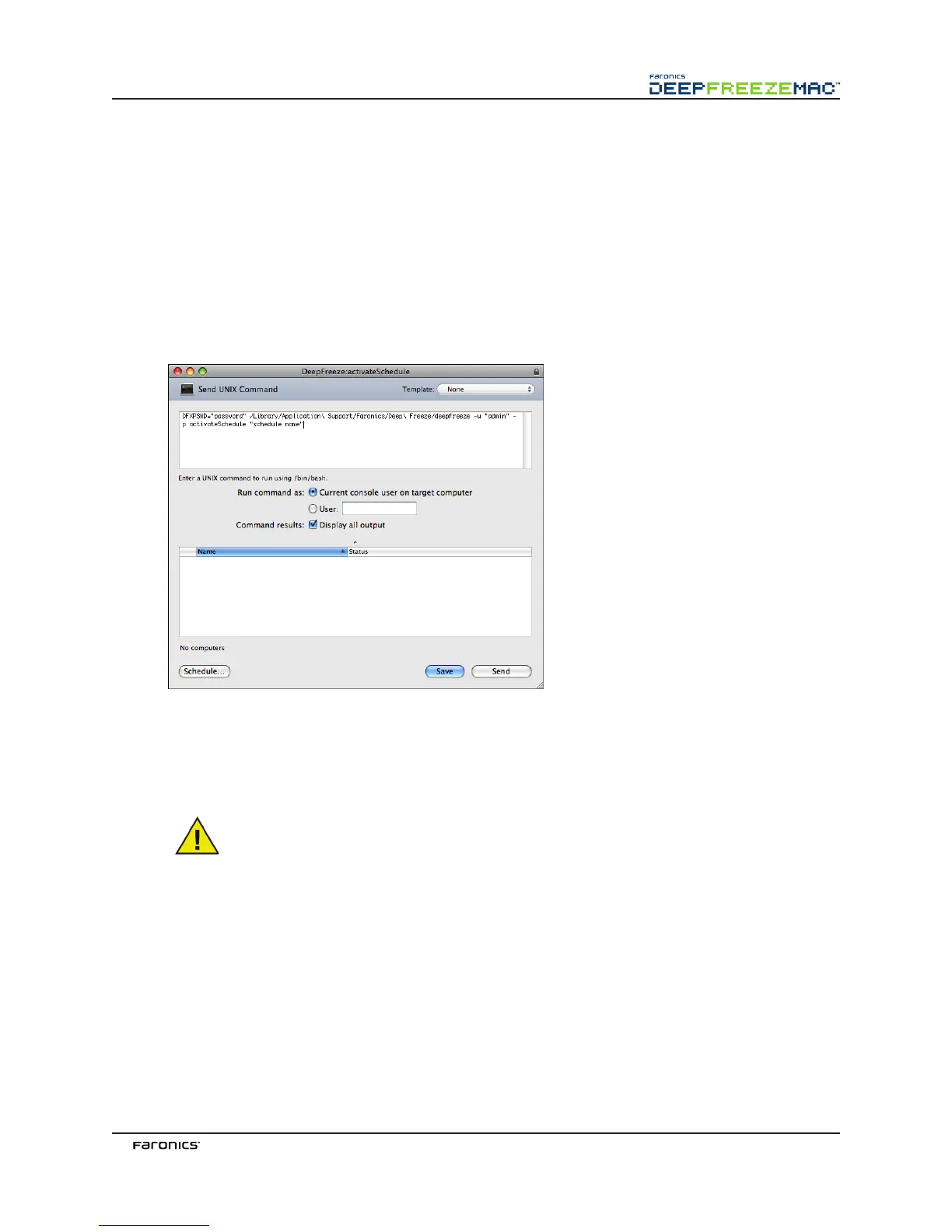
e following figure shows the activateSchedule task set to run as the current console user on the target
computer:
Each task must be edited to use a Deep Freeze user name and password for the target computer(s). In
the above example, admin is the Deep Freeze user name and admin is the Deep Freeze password. e
name and password may already be present in the task, depending on the settings that were specified
in Deep Freeze Assistant.
e following tasks must run as root on the target computer. Otherwise, insufficient
permissions will cause the task to fail.
• createThawSpace • resizeThawSpace
• mapAllUsers • status
• removeThawSpace • uninstall keepThawSpace
• removeAllThawSpace • uninstall
SampleCommandLineScripts
e Deep Freeze Mac tasks give network administrators increased flexibility when managing
Deep Freeze Mac workstations. ese tasks can be run with several different third-party enterprise
management tools and/or central management solutions; this includes executing commands in



 To Next Page