13.2.2
SUPPLEMENTARY BEAMS
GR3_4_5 - EVOLUTION
13.2.2 Functions of control levers for stabilization with
radio-remote control
The controls to stabilize the vehicle with radio-remote control are activated
only from the push-button panel of the transmitting-console.
(!) ATTENTION (!)
Before starting manoeuvring of the stabilisers with the radio remote control, the
operator shall make sure that their movements are fully visible.
- RCH PUSH-BUTTON PANEL
You can select whether to control the outrigger functions using the buttons pla-
ced on the remote control as follows:
- Position the rotating selector on the icon . "?outriggers?" appears on
the display.
- Confirm the operation pressing contemporarily the left buttons "CLACSON"
and "INDEX". "outriggers" appears on the display.
You can select whether to control the crane functions using the buttons placed
on the remote control as follows:
- Position the rotating selector on the icon . "?crane?" appears on the
display.
- Confirm the operation pressing contemporarily the left buttons "CLACSON"
and "INDEX". The indications of the crane load appear on the display.
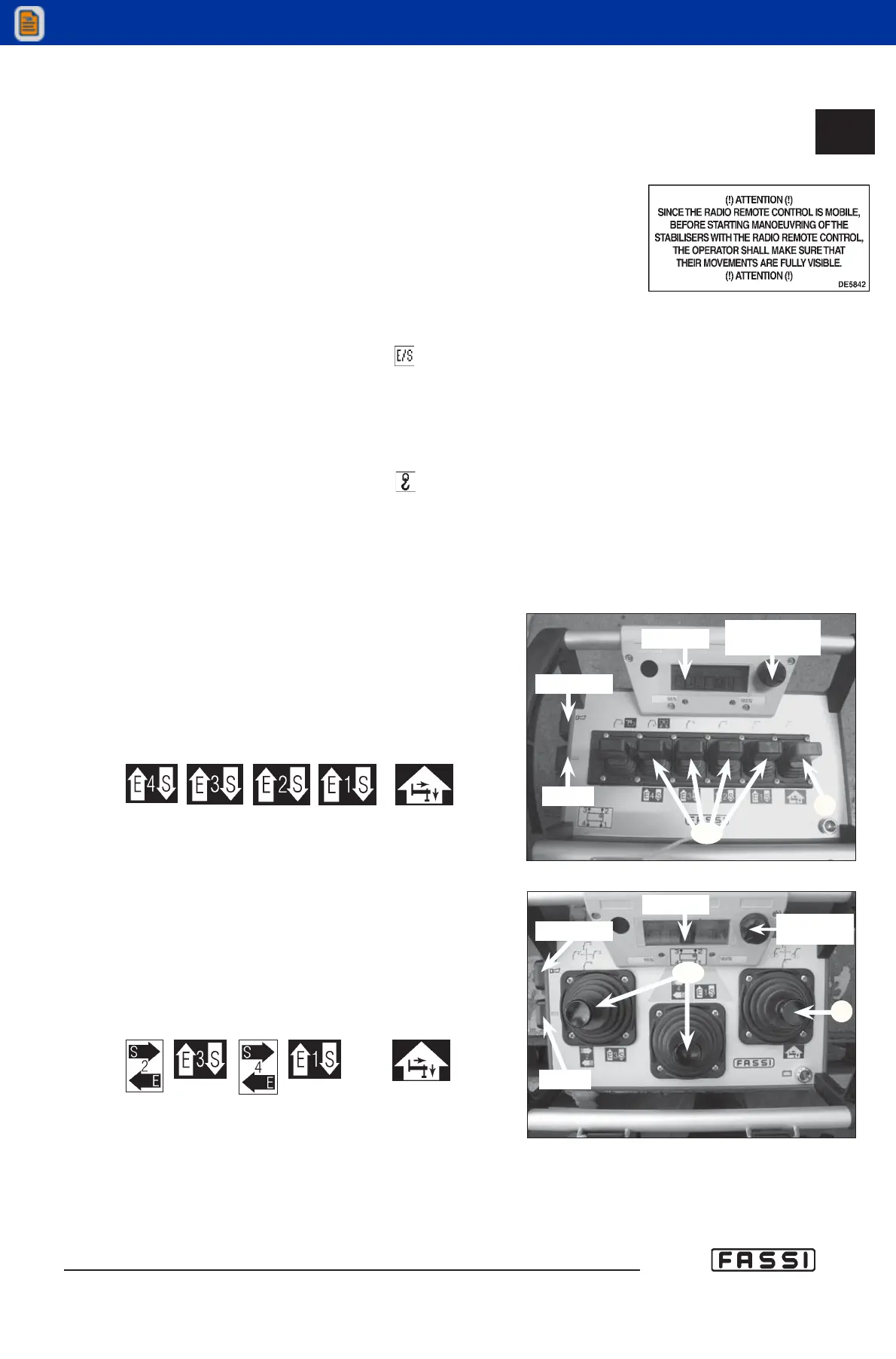
LINEAR PUSH-BUTTON PANEL (fig.2)
The first 5 control levers on the push-button panel (beginning on the
right) have two plates because they can control 5 functions of the
crane or the functions for stabilization.
Hereunder are reported the plates
indicating the stabilization fun-
ctions for every lever.
PUSH-BUTTON PANEL WITH JOYSTICK (fig.2a)
The three control joy-sticks on the push-button panel have two
plates because they can control the functions of the crane or
the functions for stabilization.
Hereunder are reported the plates
indicating the stabilization
functions for the joystick.
Rotating selector Selector of the icons on the display.
Leve CD Controls for the selection of the outrigger supports and
of the outrigger rams.
Leva C Control of the selected outrigger support or ram.
LEVERS CD
LEVER C
LINEAR PUSH-BUTTON PANEL
CD
C
DISPLAY
ROTATING
SELECTOR
CLACSON
INDEX
fig. 2
PUSH-BUTTON PANEL WITH JOY-STICK
CD
C
ROTATING
SELECTOR
CLACSON
INDEX
fig. 2a
DISPLAY
LEVERS CD
LEVER C



 To Next Page