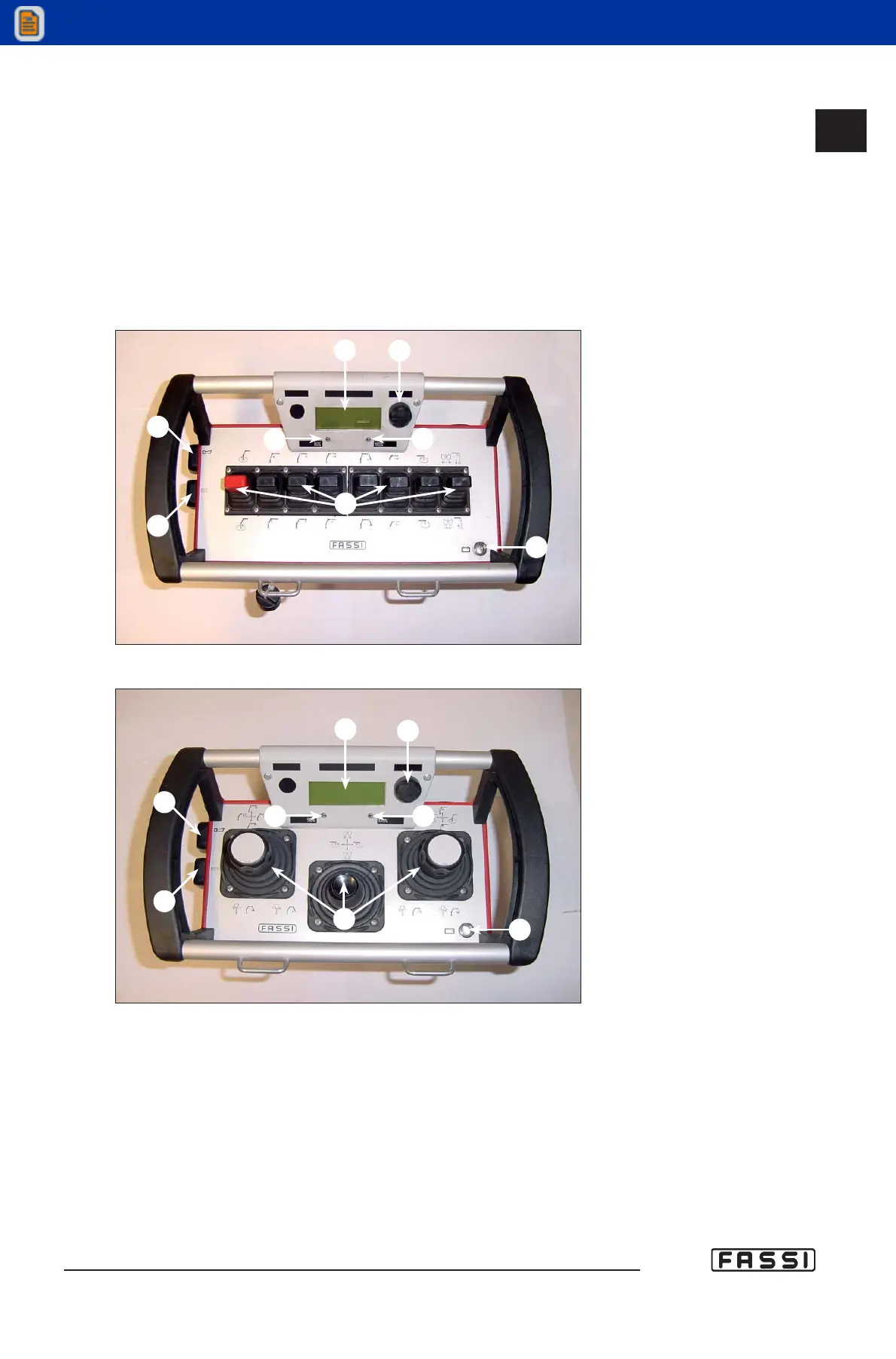
14.2.2 Push-button panel of the radio-remote control "RCH"
The push-button panel of the radio remote control "RCH" in its standard configu-
ration, features 6 linear levers (but it can allocate up to 8) and a display where it is
possible to visualize information about the use of the crane.
Optionally, the push-button panel can be supplied with joystick controls with 6 or
8 functions. The 8-function version features two side joysticks with 3 functions; the
third function is available through the rotation of the joystick head.
- LINEAR PUSH-BUTTON PANEL
- PUSH-BUTTON PANEL WITH JOYSTICK
Each push-button panel element is identified with letters of the alphabet as shown
in figures 3,4,5,6,7: check the list down below to get the meaning of each element.
A) Graphic Display visualizing the pressure on the lifting rams, alarms, various
information and icons for the selection of the different menus (For transla-
tions see graphic panel).
B) Function selector with rotary movement "RX" to select the icons of the
program menus (see the icon legend, par. 14.2.4). Press on the selector to
confirm the choice.
C) Yellow light indicating that the crane exceeds 90% of its capacity.
D) Red light indicating that the crane exceeds 100% of its capacity, and the
activation of the lifting moment limiting device. It can signal too alarms,
warnings or particular conditions of the crane.
CONTROLS TO
OPERATE THE CRANE
GR4_5-EVOLUTION
G
F
C
D
B
A
E
H
fig. 3
G
F
C
D
B
A
E
H
fig. 4
14.2.2



 To Next Page