14.3
CONTROLS TO
OPERATE THE CRANE
GR5 - EVOLUTION
14.3 Emergency station from the column (if accessible) or
Control station (version with load limiting device) (not available)
(!) ATTENTION (!)
The sequence of the plates placed on the crane controls may be diffe-
rent. Make sure that the lever you are going to operate correspond to the
control you selected.
(!) ATTENTION (!)
Operate the levers smoothly and gradually.
When carrying out simultaneous movements of two or more functions,
also related to pump flow and lever travel, it is possible that on reaching
the stroke end of a particular function, an increase in speed of the other
functions will occur.
(!) ATTENTION (!)
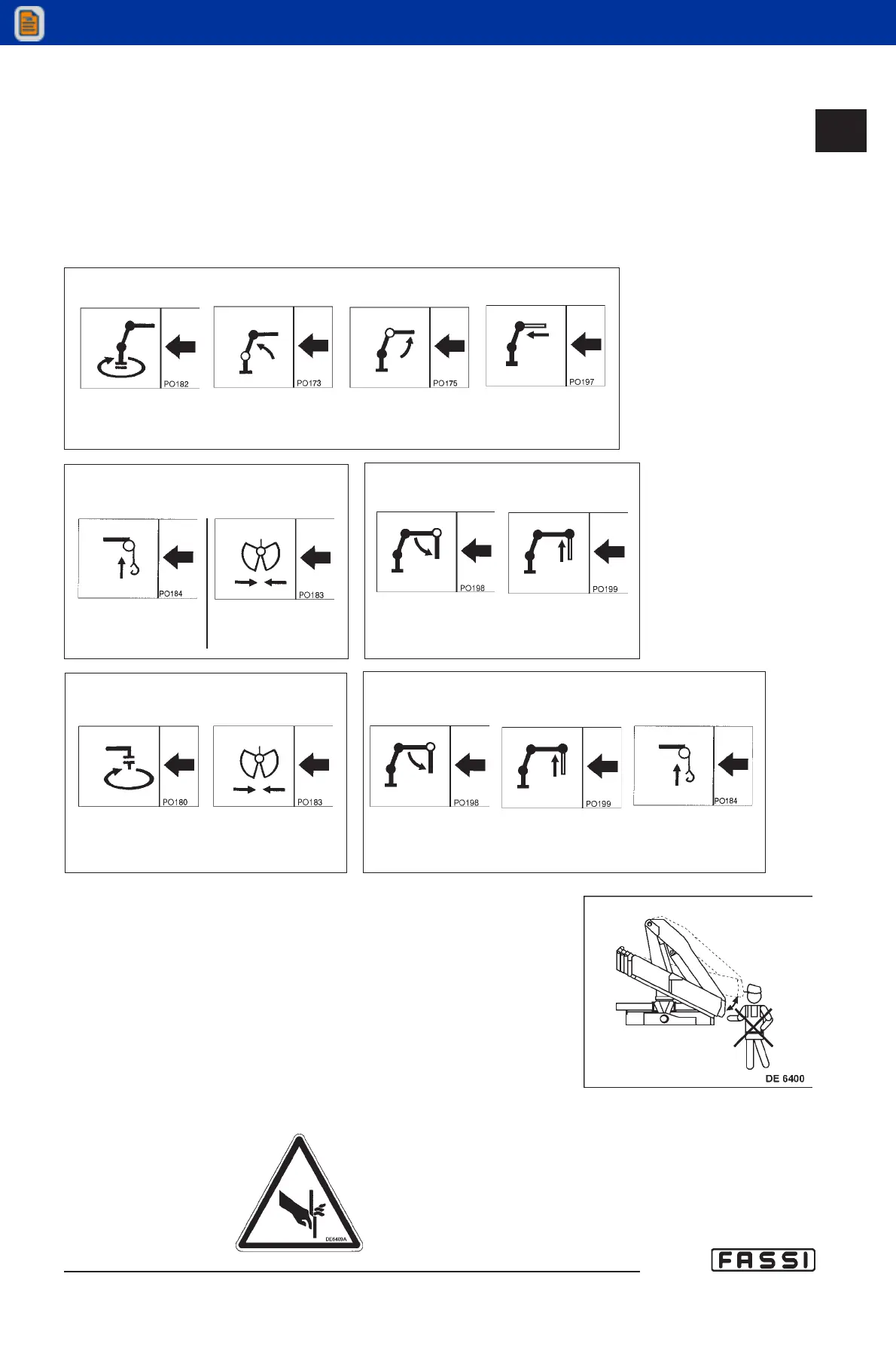
While exiting and folding the crane, you must operate from the
distributor side; it is forbidden to operate from the double control
side because of the overall dimensions of the booms. (DE6400 fig.
14)
fig. 14
CRANE CONTROLS
Rotation Inner Outer Extension
boom boom booms
IMPLEMENTS CONTROLS
2 Additional functions
Jib Jib
outer extension
boom booms
IMPLEMENTS CONTROLS
3 Additional functions
Jib Jib Winch
outer extension
boom booms
IMPLEMENTS CONTROLS
2 Additional functions
Rotator Bucket
IMPLEMENTS CONTROLS
1 Additional function
Winch Bucket
DE 6409A



 To Next Page