02-17-2021 4812325897EN 33
User settings
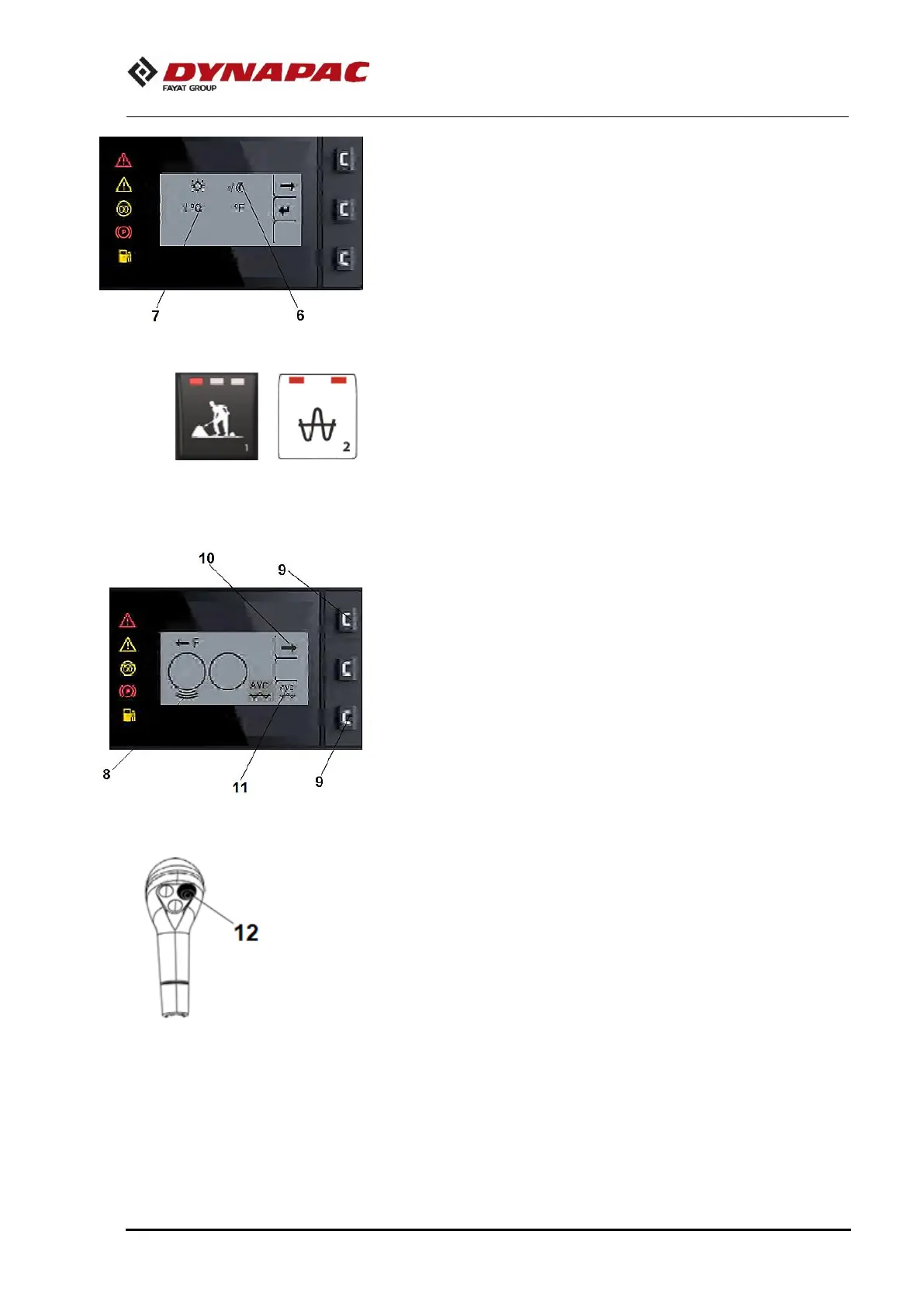
Users can change the light settings (6), choose between
the Metric or Imperial system (7).
Work mode - Vibration
The selection of the different work modes takes place by
pressing the respective button (2) on the Control Panel.
Compaction mode
Compacting status active on the roller (8).
Automatic Vibration Control (AVC)
Press one of the buttons (9) on the end of the panel. An
arrow will appear to the right (10).
Press the upper button (9) to display the submenu.
Pressing the lower button (9) activates the AVC (11) to
which after activated its icon will appear in the lower right
corner of the display. To activate the vibration, click on
button (12).




 To Next Page