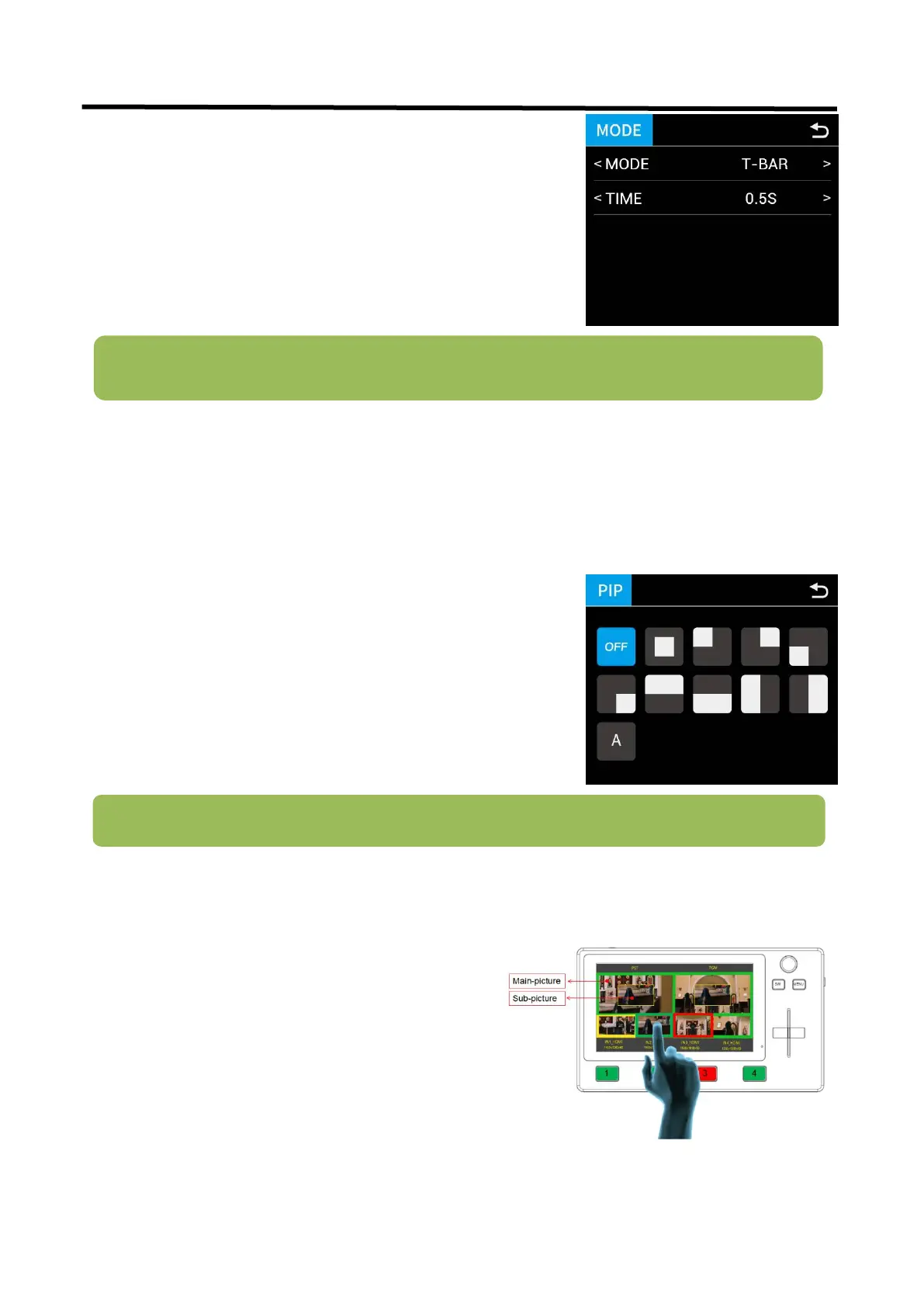
3.3.3 PIP
Push【SW】button to enter <PIP> menu and select PIP mode(9 PIP modes). The steps are as follows:
How to Switch Main/Sub Picture Quickly
Note: In T-Bar mode, you can directly control the progress of the T-Bar manually and customize the
switching.
1. Select the signal (input 1/2/3/4) you want for main picture.
(A)
2. Select the PIP layout you need.
3. Press the input signal button(1/2/3/4) to select the
sub-picture(B)
4. Push the T-Bar and the content you’ve set will be taken to
PGM.
There are 2 transition modes: FAST or T-BAR
Switching time: 0.5s ~ 5.0s
Note: T-bar has to be totally left or right side to make sure the content has been taken
Switch main-picture:
1. Touch Main-picture on PST screen
2. Directly touch one of the four inputs, which will
replace as main-picture.
Switch sub-picture:
1. Touch Sub-picture on PST screen
2. Directly touch one of the four inputs, which will
replace as sub-picture.


 To Next Page