Chapter 4 Streaming
4.1 OBS Streaming
Video Capture
Audio Setting
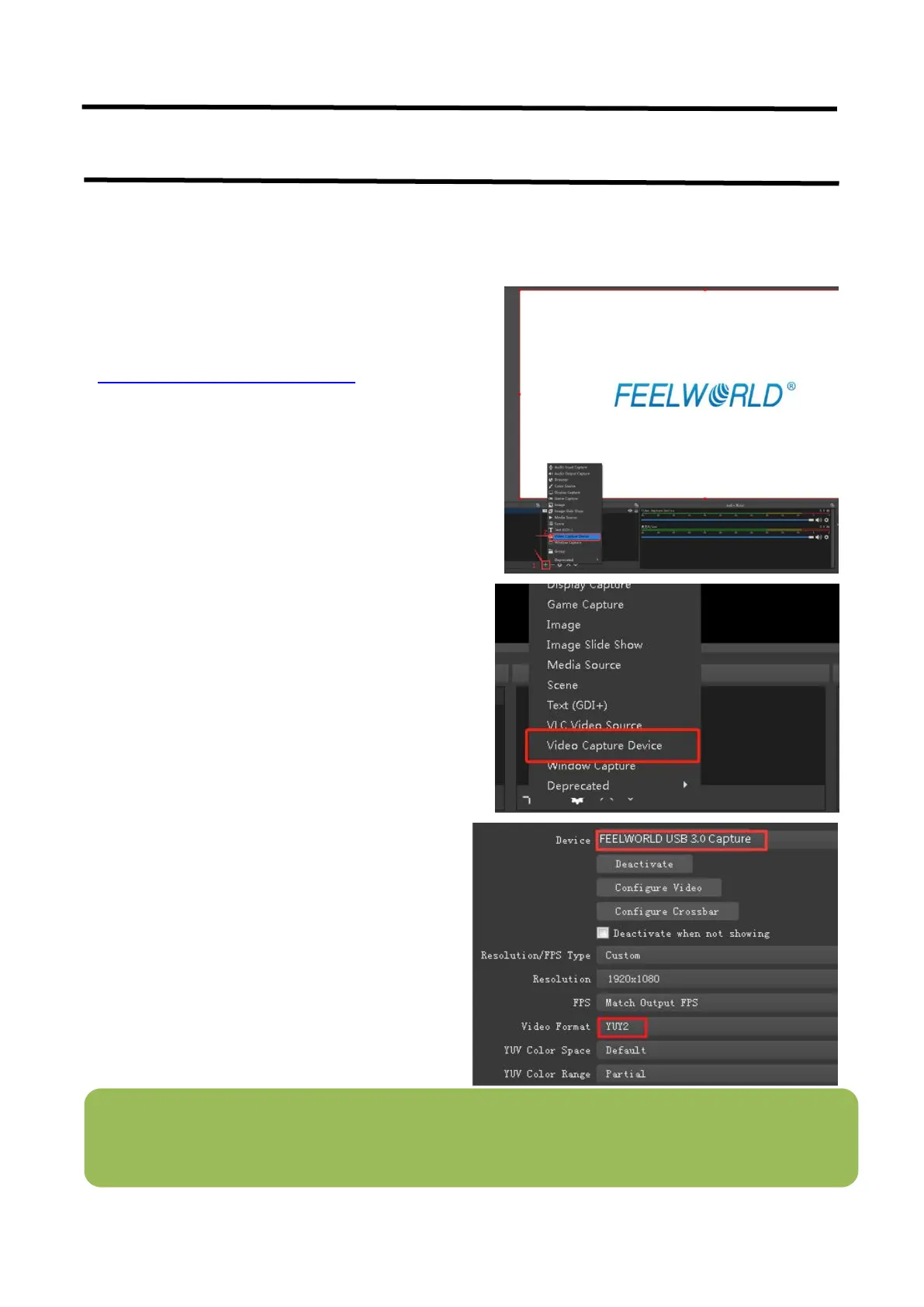
1. Click”+”icon
2. Choose video capture device
3. Click video capture device to open up setting
page
4. Choose: FEELWORLD USB 3.0 Capture
5. Choose Video Format YUY2
Note
:
If there is no video format YUY 2 after setting above, check the USB 3.0 port connection. Make sure it is
linked to USB 3.0port on PC by USB 3.0 cable. (USB 3.0 cable or port is standard in blue while USB 2.0 is in
black). If the captured , change the video format to YUY2.
L2 PLUS is compatible with many third party
steaming software, we recommend OBS, which
is available to download on
https://obsproject.com/download. Download
the software and update to the latest version.


 To Next Page