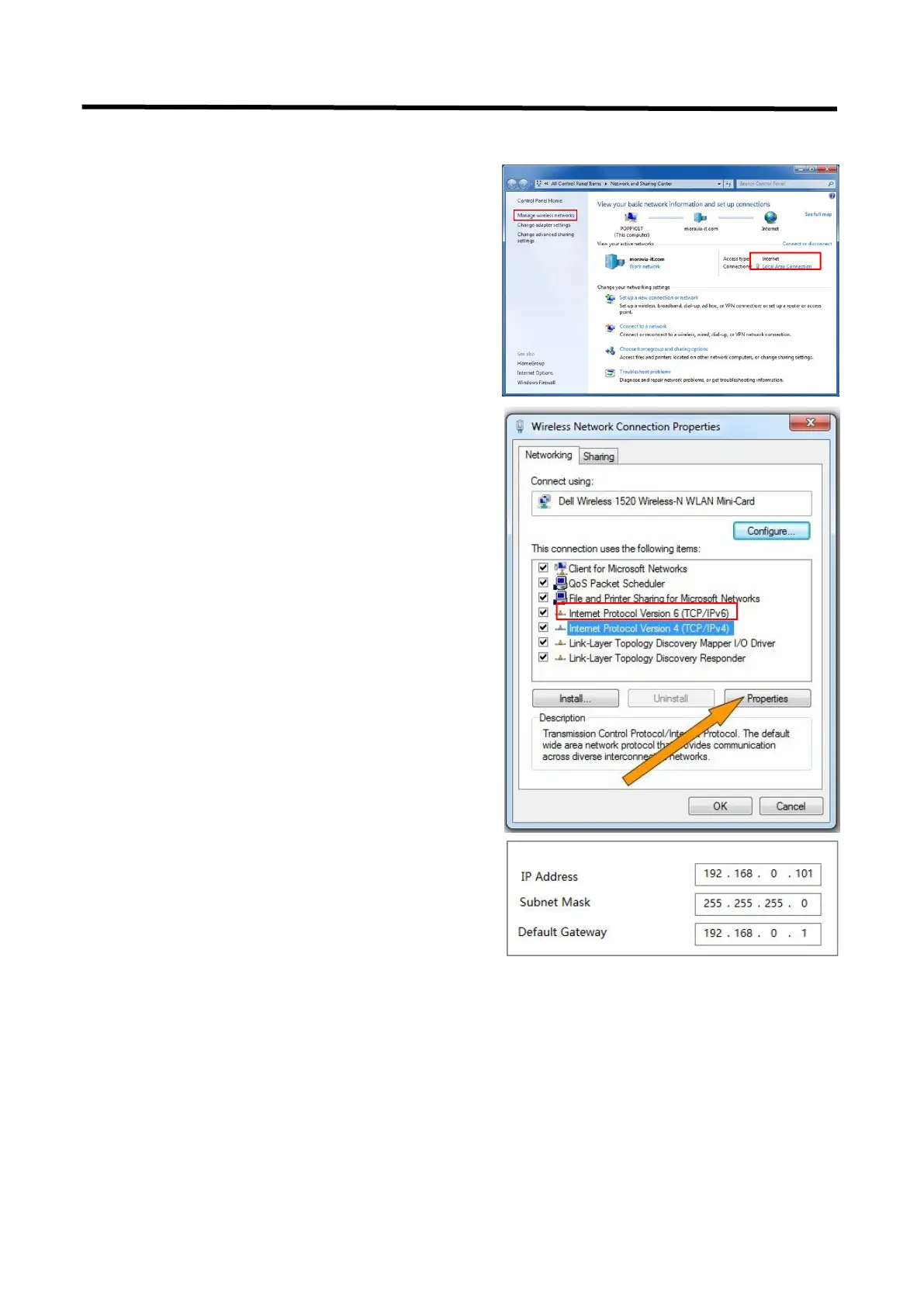
1. Open the “Network and Sharing Center”;
2. Click on "Internet";
3. Access to Properties may require administrator
privileges;
4. Under "This connection uses the following
items", find "Internet Protocol version 4
(TCP/IPv4)";
5. Select "Use the following IP address" and
change the IP address to the same network
segment as L2 PLUS, eg: L2 PLUS's IP address is
192.168.0.99, then the computer's IP address can
be set to 192.168.0.1-255. Please make sure that
the IP addresses do not conflict.
6. Click "Subnet Mask" and the computer will
automatically calculate the subnet mask of the
address;
7. Click OK.



 To Next Page