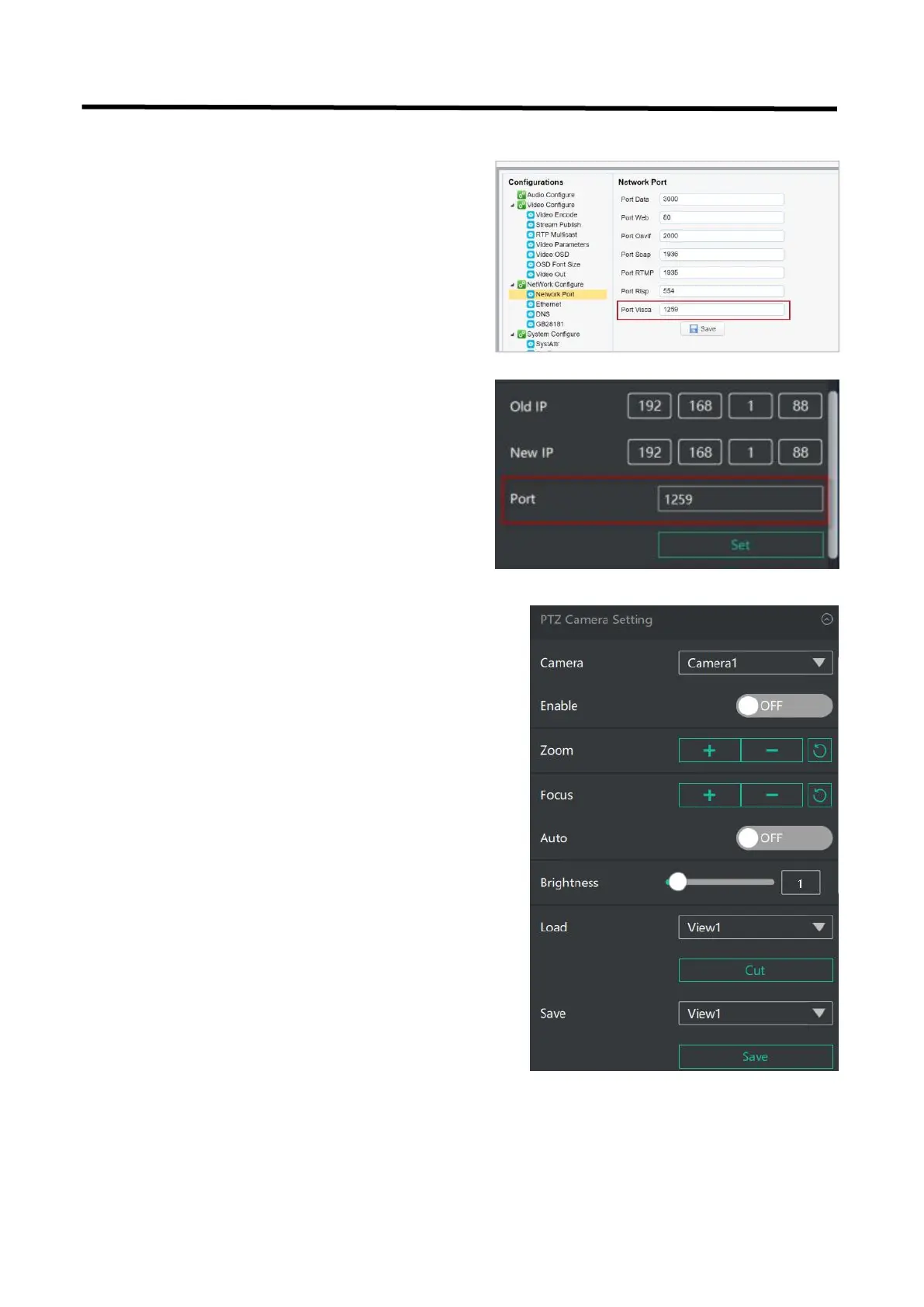
5.2.16 PTZ Camera Setting
When controlling the PTZ camera, the computer,
L2 PLUS and PTZ camera should be in the same
network segment.
1. Set the corresponding communication port on
the PTZ camera, such as VISCA or UDP port 1259.
2. Set both old IP and new IP to the camera IP
address you want to control,the corresponding
communication port to 1259 on L2 PLUS,
configuration path: SW→ FX → PTZ Camera
Setting Port on the control software of L2 PLUS.
3. After IP address setting,turn on【Enable】and you can
control PTZ camera.
You can click and set camera to zoom and focus.Turn on
【Auto】, the camera will zoom and focus automatically.
You can slide the bar to adjust brightness.
You can also slide to set Pan/Tilt speed of camera.
Click to set camera’s rotation position.


 To Next Page