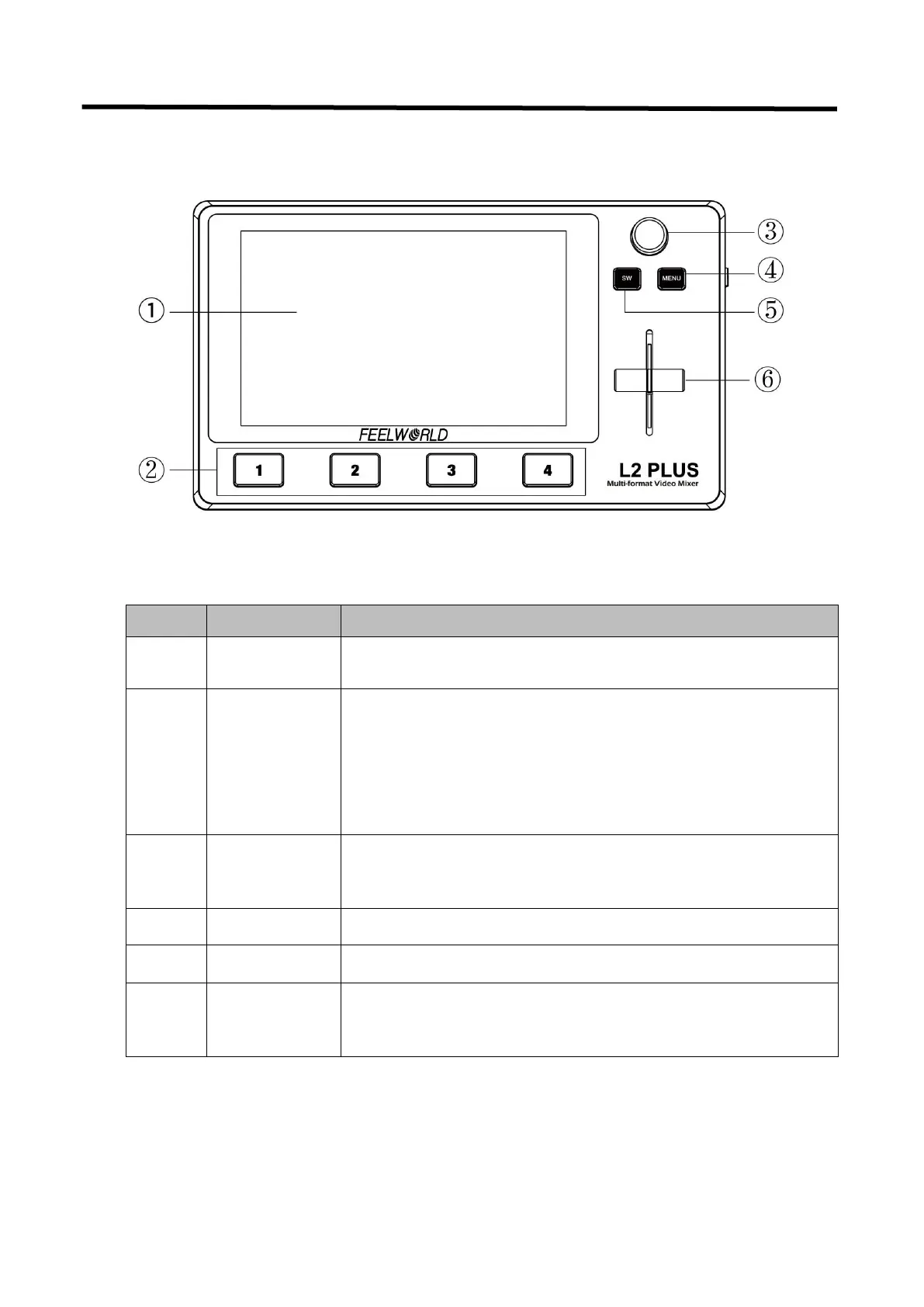
1.3 Front Panel
5.5-inch touch screen for menu operation
The lights on the signal source buttons will appear in four
states:
1. red: is on air (PGM),
2. static green: signal is standing by,
3. flashing green: ready to be switched,
4. No light: input source is not supported
Turn knob to select menu item or adjust parameters, push to
confirm
Main menu and back button
Manual switching, push to top end or bottom end to switch
signal to PGM (Note: when t-bar not on top or bottom end, the
signal cannot be switched)


 To Next Page