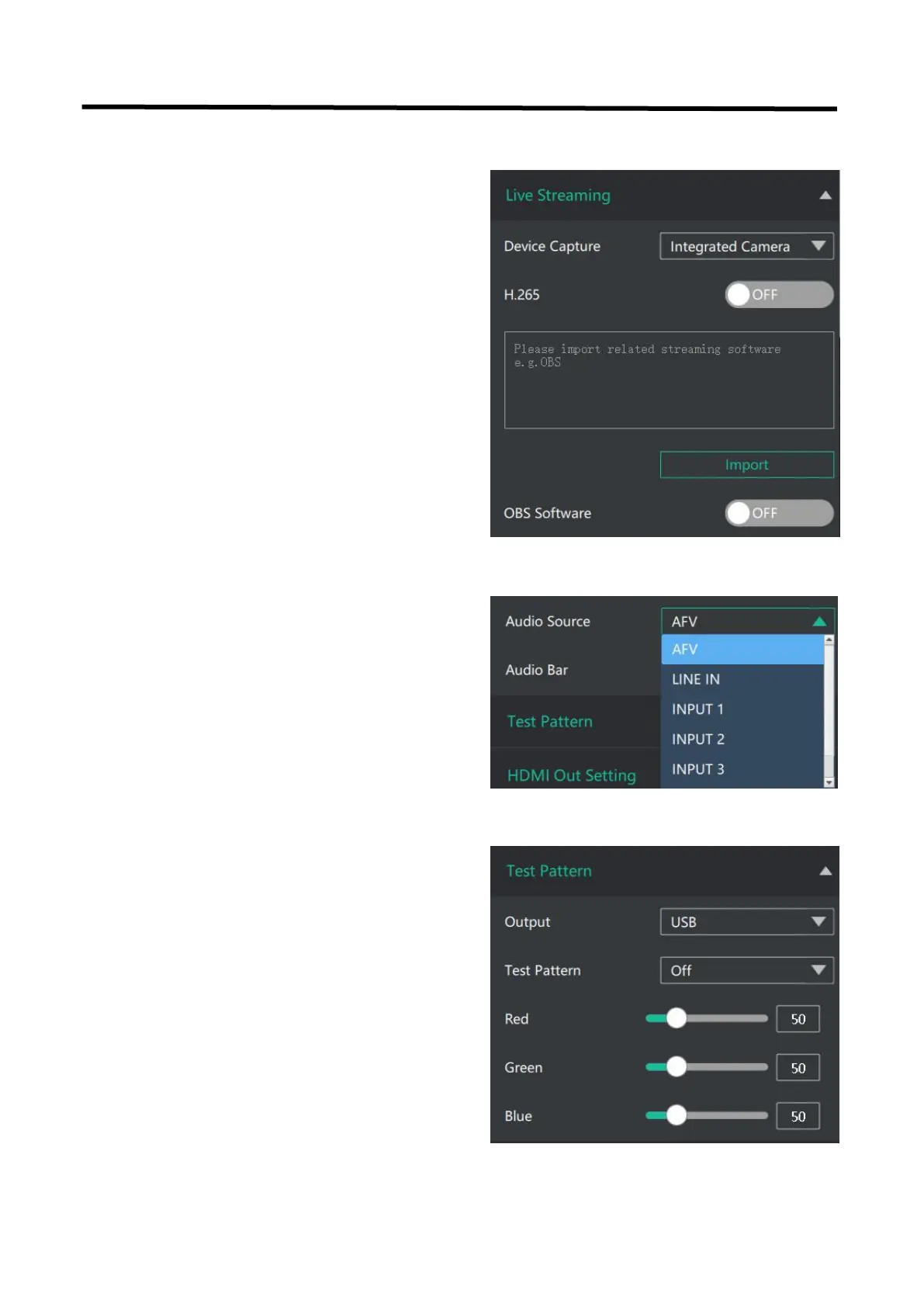
To facilitate troubleshooting, Feelworld Live provides
a test signal output, which can be used to
troubleshoot the USB or HDMI output interface
when there is no output signal from USB or HDMI.
Output: Select the USB/HDMI interface to be tested.
Test Pattern: Select the mode of the test pattern.
Color: Adjust color.
Device Capture: choose FEELWORLD USB3.0
Capture
H.265: When it is ON, users can watch 4 inputs
streaming back on XPOSE software.
Import the related OBS application if users need
to do live streaming, click Relate to confirm.
OBS: slide ON to start streaming.
Note: H.265 and OBS cannot work at the same
time. User choose either H.265 or OBS, not both.
Audio Source: AFV/Line in/input1,2,3,4
Audio Bar: ON/OFF


 To Next Page