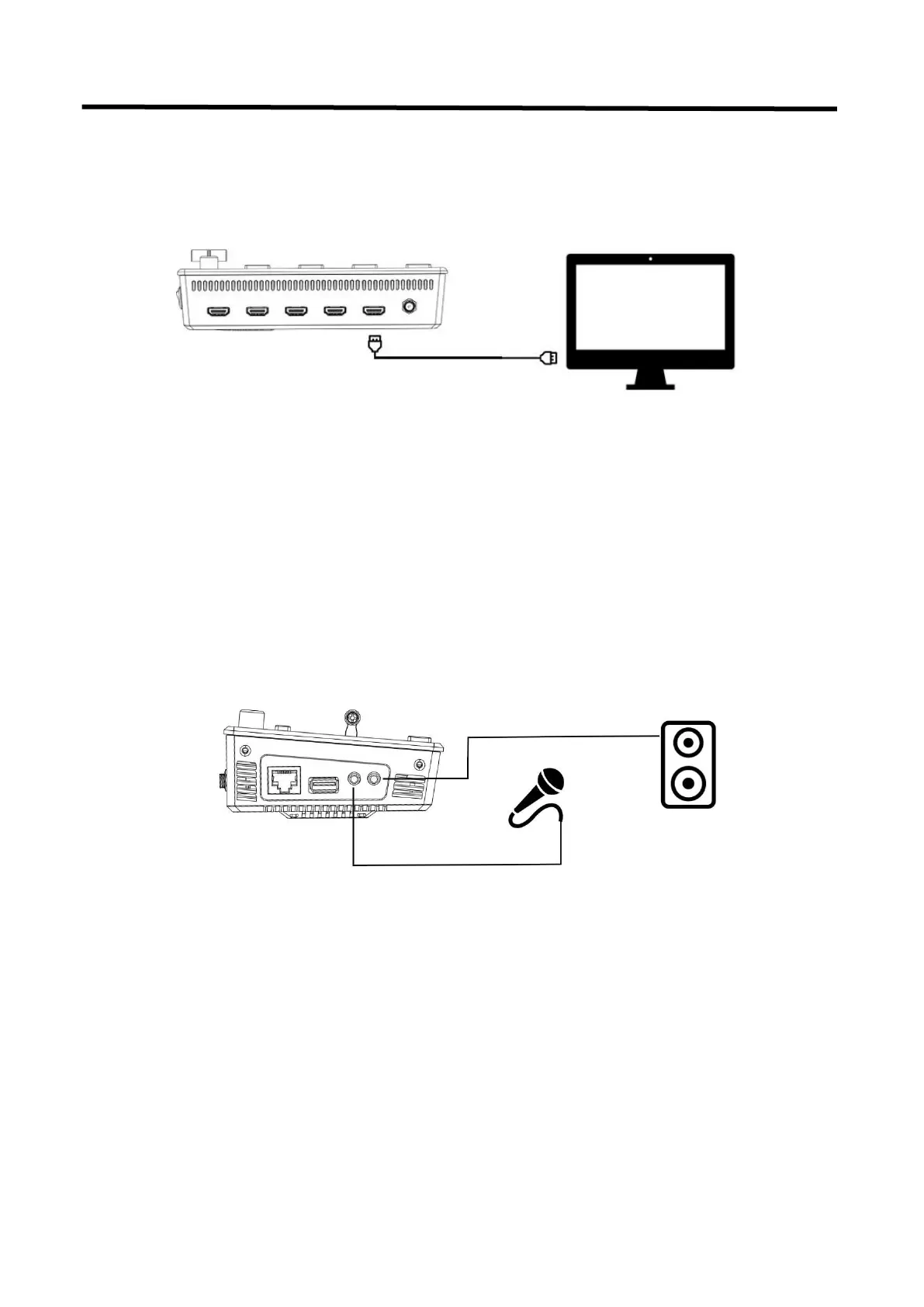
2.3 Connect HDMI Output
In the L2 PLUS, you can choose to use HDMI output as the pre-monitoring interface to achieve 16:9
6-picture split pre-monitoring, and we also provide a preset function.
Connect LCD screen to L2 PLUS by HDMI cable to display 6-picture PVW.
2.4 Connect Microphone and External Monitoring
Devices
On the left side of the L2 PLUS, a standard 3.5mm microphone jack is provided. The L2 PLUS
supports the independent input of an active (self-powered) microphone device, allowing the L2
PLUS to collect sound information more clearly when it is used for interview programs. You can also
use an external sound console to mix multiple external sound inputs.
The L2 PLUS also provides a standard 3.5mm audio output, so you can use external speakers or
headphones to monitor the L2 PLUS's main output audio signal in real time.
Connect microphone to Audio In and Loudspeaker to Audio Out
2.5 Connect USB as a Network Signal Source
You can use the L2 PLUS's USB port to use the L2 PLUS as a webcam source, and you can recognize
the webcam signal from the L2 PLUS on live streaming platforms like Zoom, YouTube, Facebook,
Twitch, OBS, etc.


 To Next Page