Audio Setting
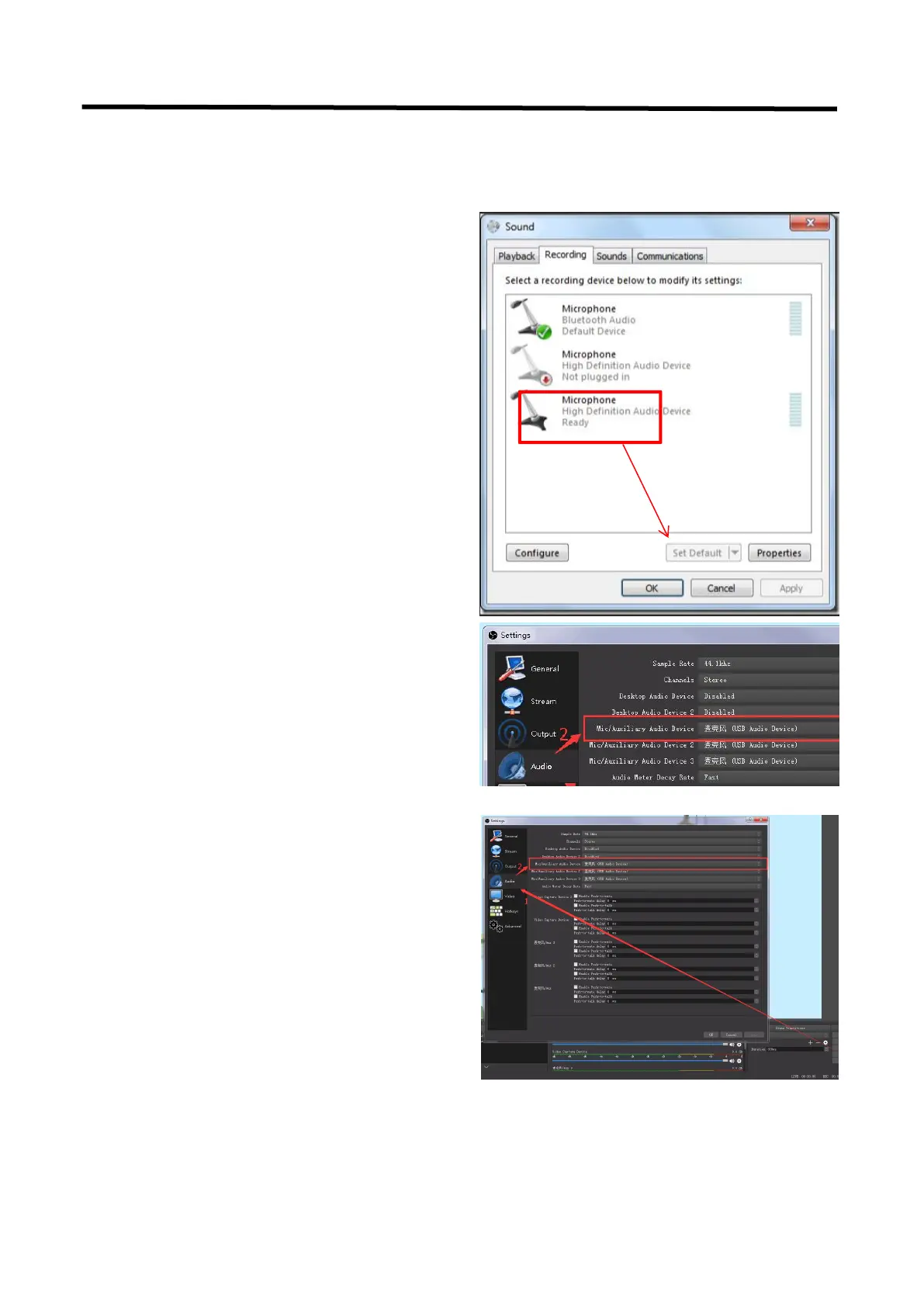
When there is no audio playing first check the video source see if the it is set in default value and
then check the audio setting on OBS.
1. Set Default for the audio source.
2. Audio setting on OBS.
Choose Audio, click Setting and choose audio
device (Mic/Auxiliary Audio Device)
Synchronize Video with External Audio
When the video itself doesn’t have embedded
audio and need insert external audio.Here are
the steps.
1. Set the audio source
Setting→Audio→Mic/Auxiliary Audio Devices


 To Next Page