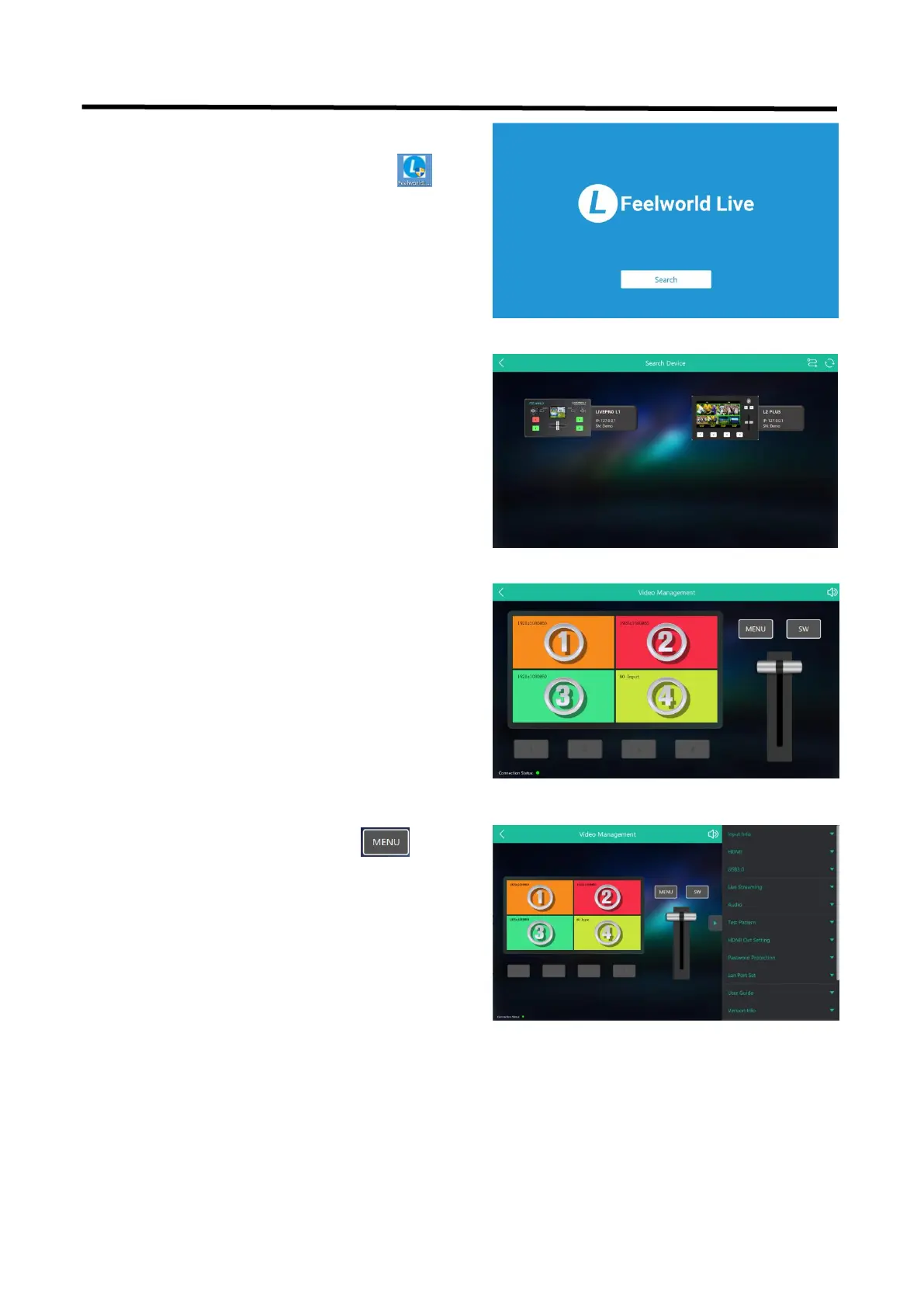
After software is installed, click the icon
and click Search to search L2 PLUS device.
After searching, all available L2 PLUS devices in
the sub-net can be found, up to 128 devices can
found if there are.
Select the desired device by SN and IP and enter
the management interface. The software interface
is a simulation of operation panel on real L2 PLUS
device.
For example, clicking Button MENU can
open up menu as on the device. If it is the first
time for you to use Feelworld Live, we suggest
you watch our User Guide video.


 To Next Page