Page. 32
8. Maintenance and Checking
■ 8-6. Checkup and replacement timing of desiccant (silica gel)
CAUTION
● Be sure to close the case cover and lock the snap latch before operation the oil concentration detector.
Inspect the color of desiccant (silica gel)in the indicator every month. When desiccant (silica gel) is
change in color, replace it by new one. There are two type depends on the delivered date.
■Check and replacement procedure
1. Desiccant (silica gel) is provided on the body unit for preventing dew condensation in the sensor unit.
2. The desiccant can be checked by unlocking the snap latch on the body unit
3. For desiccant (silica gel) replacement, see directions attached to desiccant (silica gel) which is an
optional parts.
■ 8-7. Replacing the clock backup battery
● The service life of the battery is about 2 years from the date on which its insulating sheet is removed for use of the battery.
Be sure to replace the battery by new one within two years and write the date of replacement on its label.
● Be sure to turn off power to the oil concentration detector before starting to replace the battery. The service life of the battery is dependent
upon the operating state of the oil concentration detector. (If power is not supplied to the oil concentration detector for a long time, the
service life of the battery may be shorter.) Be sure to replace the battery before it is exhausted completely.
● If the battery (defective battery) is left exhausted in the oil concentration detector, the clock
may be reset when power to the oil concentration detector is shut down and "Warning
[17C]" is displayed on the screen.
At the same time, Alarm1 and Alarm2 are output and the oil concentration detector will be disabled.
● The clock backup battery is a lithium manganese dioxide coin cell battery "CR2450."
● When the battery is removed, the clock is reset. Be sure to set the clock right after replacing the battery.
● Press the battery until it is firmly seated and locked in the holder.
● The battery is covered with metal. Be careful not to let the battery touch electronic parts around the battery.
● Be sure to take out the battery from inside the oil concentration detector when you drop it.
CAUTION
● Turn off power supply and make sure all lamps are off.
● Do not reverse the polarities of the battery.
● Do not use any metallic screw driver to demount the battery. If done, the battery may be damaged.
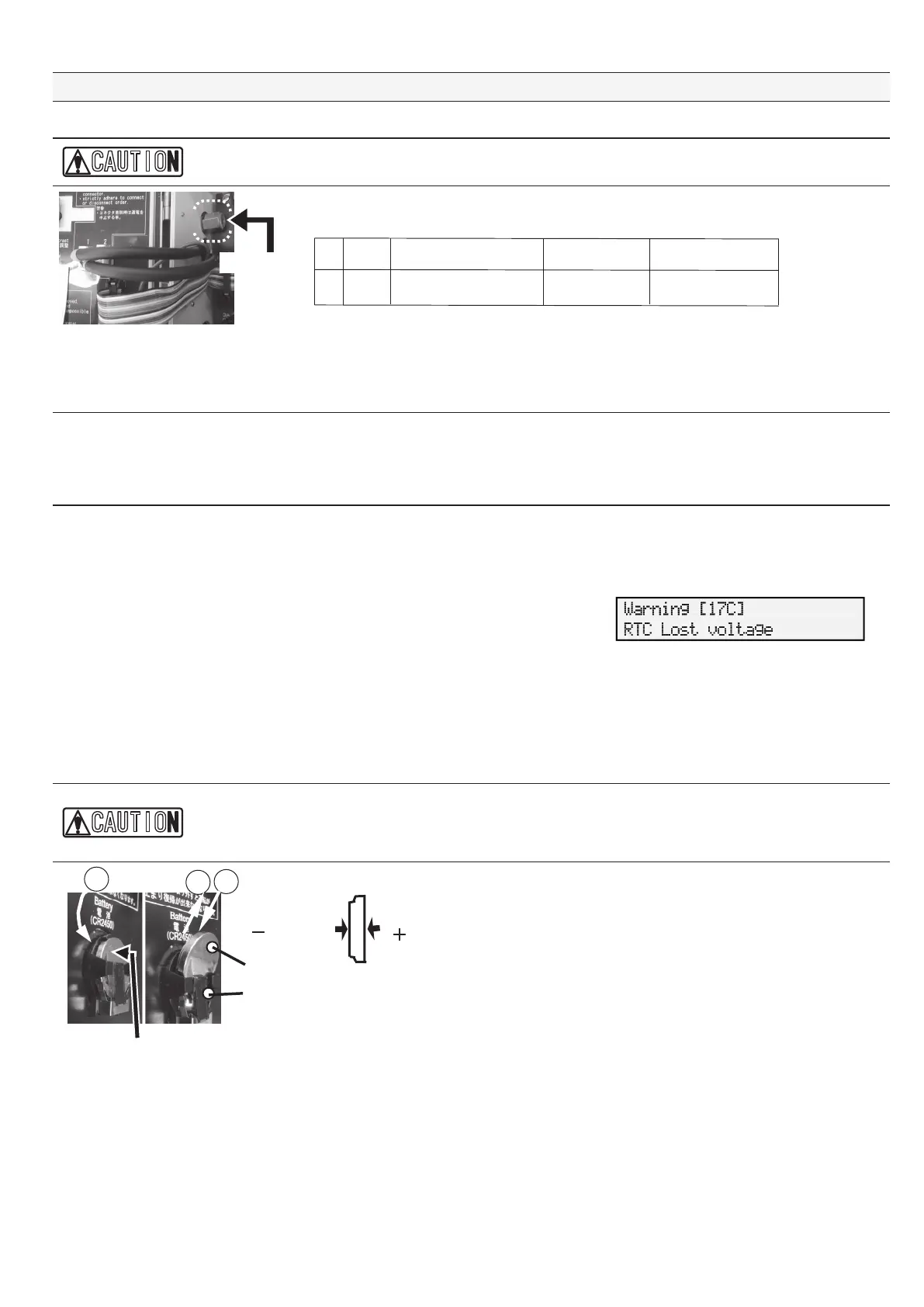
■ Replacement of the clock backup battery
● Prepare a lithium manganese dioxide coin cell battery (Model
"CR2450").
■ Demounting the battery
Lift up the battery in the direction of ① from the clearance of the
battery holder and pull it in the direction of ② direction to detach.
■ Remounting the battery
Insert the battery into the battery holder from the direction of ③ until
it is firmly seated and locked. Do not reverse the polarities.
Indicato


 To Next Page