Page. 28
8.䎃 Maintenance and Checking䎃
䦟䎃 8-3.䎃 Viewing the operational log 䎃
Ɣ This function is used to read the operational log (that has recorded bilge alarm operations, warning and error operations) on the screen.
Ɣ This function can display the contents of the operation log wholly or in groups and roughly or in detail.
Ɣ You can view the content of the operation log only while standby. (You cannot view while operate.)
Ɣ "Dump Log" as a viewing item is an optional function.
(For more information, call your local Fellow Kogyo distributor or Sales Division of Fellow Kogyo.)
Ɣ This function can also view the content of operational log memory card of FOCAS-1800
(with some limitations). (see 䚚1 of “section 6-1” )
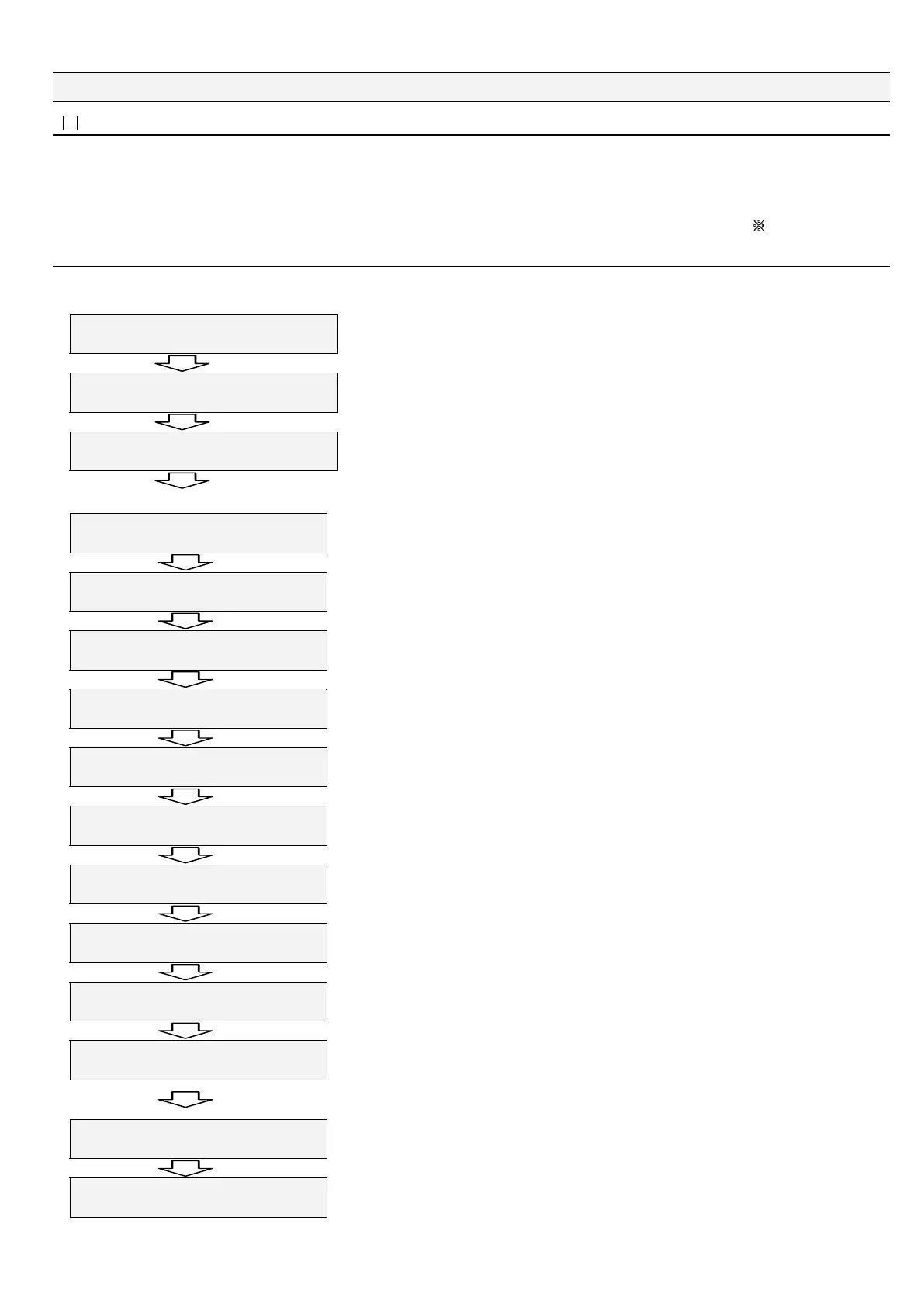
䦟䎃8-3-1. Data groups of operational log
Ɣ To facilitate viewing of the content of the operational log, the recorded data can be classified into some functional groups. The groups are
explained below.
5VCPFD[
ZZZZZZZZZZZZ
Keep on pressing "Esc" for two seconds or longer.
㧷CKP/GPW
%NQEM#FLWUVOGPV
Press "Ÿ" four times.
㧷CKP/GPW
1RGTCVKQPCN.QI
The Operational Log function is set.. Press "Enter."
Press "Ÿ.”
The total number of log items is displayed on the lower right part of the screen. (This value is displayed on every screen below.)
1RGTCVKQPCN㨉.QI
#NN5VCVWUZZZZ
Enables viewing of all contents of the operational log.
Press "Ÿ.”
1RGTCVKQPCN.QI
2QYGTZZZ
Power ON/OFF record group.
Press "Ÿ.”
1RGTCVKQPCN.QI
1RGTCVKQPZZZ
Operation-related group.
Groups related to Automatic operation, Manual opration, Washing, etc.
Press "Ÿ.”
1RGTCVKQPCN.QI
1KN#NCTOZZZ
Alarm1- and Alarm2-related group.
Group related to oil alarm points (preset oil concentration values, etc.)
Press "Ÿ.”
1RGTCVKQPCN.QI
&GHGEVZZZ
Error/alarm group.
Group related to Error / Warning occurrence, etc.
Press "Ÿ.”
1RGTCVKQPCN.QI
5[UVGOZZZ
Equipment error group.
Group related to sensor unit troubles, etc.
Press "Ÿ.”
1RGTCVKQPCN.QI
%CNKDTCVKQPZZZ
Compensation, check, and calibration record group.
Group related to performance checks, zero-point compensation, etc.
Press "Ÿ.”
1RGTCVKQPCN㨉.QI
6'56ZZZ
TEST function group.
Group related to relays, alarms, current output check, etc.䎃
Ɣ Viewing method
1. Select an item you
want to view and
press "Enter."
2. You can get the
details from Pages
(Outline) below.
(See the next page.)
3. By pressing "Esc,"
"All Status" (to
enable viewing all
contents of the
operational log) is
displayed back on
screen.
Press "Ÿ.”
1RGTCVKQPCN.QI
&WOR.QIRTGUU'PVGT
Optional function.
Outputs a simple operational log to the outside.
Press "Ÿ.”
1RGTCVKQPCN.QI
#XCKNCDNG/COQT[ZZ
Free memory space available.
The remaining free memory space is displayed on the lower right part of the screen.
When you press "Esc" here, "Main Menu" screen (see below) is displayed back.
When you press "Ÿ" here, "All Status" is displayed back to enable you to view all contents of the operational log.
㧷CKP/GPW
1RGTCVKQPCN.QI
Press "Esc."
5VCPFD[
ZZZZZZZZZZZZ
Press "Esc.”
With this, the explanation of each functional group item of the content of the operational log is completed.
Outlined and detailed displays of each group are explained below.


 To Next Page