23
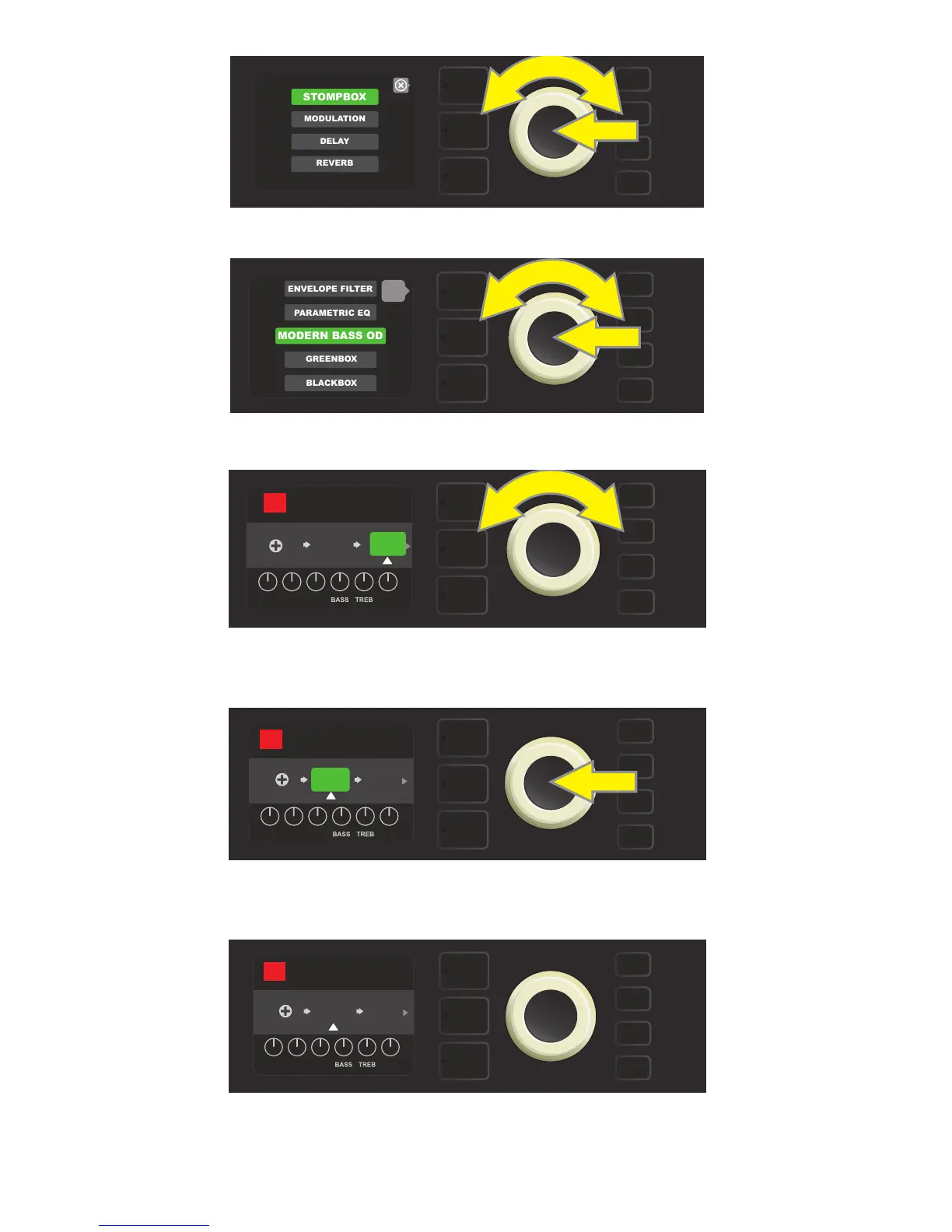
Select an eect by scrolling to it and pressing the ENCODER.
The newly added eect, highlighted with a white arrow below it and label above it, appears in a green box indi-
cating that it can be left in place or moved to a dierent position in the signal path by turning the ENCODER.
After moving the newly added eect by turning the ENCODER,
press the ENCODER to select its new position in the signal path.
With the added eect in position (as indicated here by white arrow below it and label above it), continue edit-
ing other parameters or press the illuminated SAVE utility button to keep completed edits.
Select an eects category by scrolling to it and pressing the ENCODER.
back
POST FX 1
RUMBLE
V3
AMPLIFIER
RUMBLE V3 OD
BASS
OD
PRESBLENDDRIVELEVEL
05
PRE FX 1
RUMBLE
V3
AMPLIFIER
PRESBLENDDRIVELEVEL
RUMBLE V3 OD
BASS
OD
05
SAVE
PRE FX 1
RUMBLE
V3
AMPLIFIER
PRESBLENDDRIVELEVEL
RUMBLE V3 OD
BASS
OD
05















 To Next Page