Pag 45
MDS DIRECT
MDS DIRECT
PANEL PARAMETERS SETUP
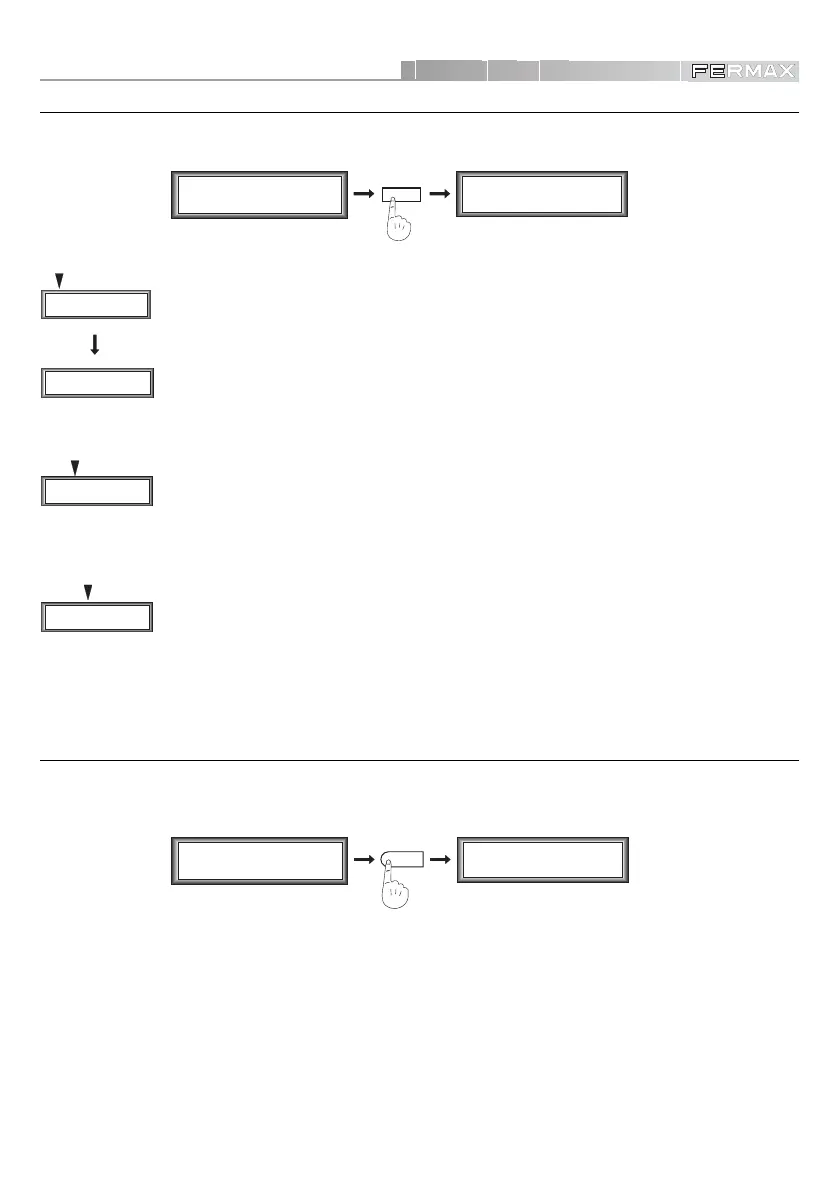
Option ‘2’ on the Main Menu accesses the Secondary Menu
Parameters.
- Minimum Time
This parameter is modifiable via option ‘1’ and defines the minimum time (between
10 and 60 seconds) of ‘safe conversation’ during which no panel may interrupt
communication. The General Entrance does not respect this timing.
- Talking Time
Option ‘2’ sets the maximum time a conversation may last (between 10 and 250
seconds). General Entrances do not respect this timing.
- Open Door Timing
Selecting ‘3’, the system lets you choose how long the open door mechanism will
remain activated (from 1 to 60 seconds).
MDS CITY PANEL SETUP
If the Inner Blocks have this type of panels, option ‘4’ from the Main Menu accesses the
MDS CITY
Panels Programming Mode.
This menu sets out the operative parameters utilised by the MDS-CITY Panel: Panel Number (1..9),
Block Number (0..99), Open Door Time (0..9), Talking Time (1..3). Consult the MDS-City PANEL
Manual for further information.
To utilise this function, select it and press the programming button of the MDS-CITY Panel to be
programmed. The system lets you modify all the ‘
’ fields directly.
M1 2 3 4
mCoPaDeCi
MAIN MENU
P1 2 3 4 5 6 7
aTmc d P B L G
SECONDARY MENU
2
M1 2 3 4
mCoPaDeCi
MAIN MENU
Press PRG button
in door panel ...
SECONDARY MENU
4
Minimum T. (10-60)
16 OK
P1 2 3 4 5 6 7
aTmc d P B L G
P1 2 3 4 5 6 7
aTmc d P B L G
P1 2 3 4 5 6 7
aTmc d P B L G













 To Next Page