Pag 54
MDS DIRECT
MDS DIRECT
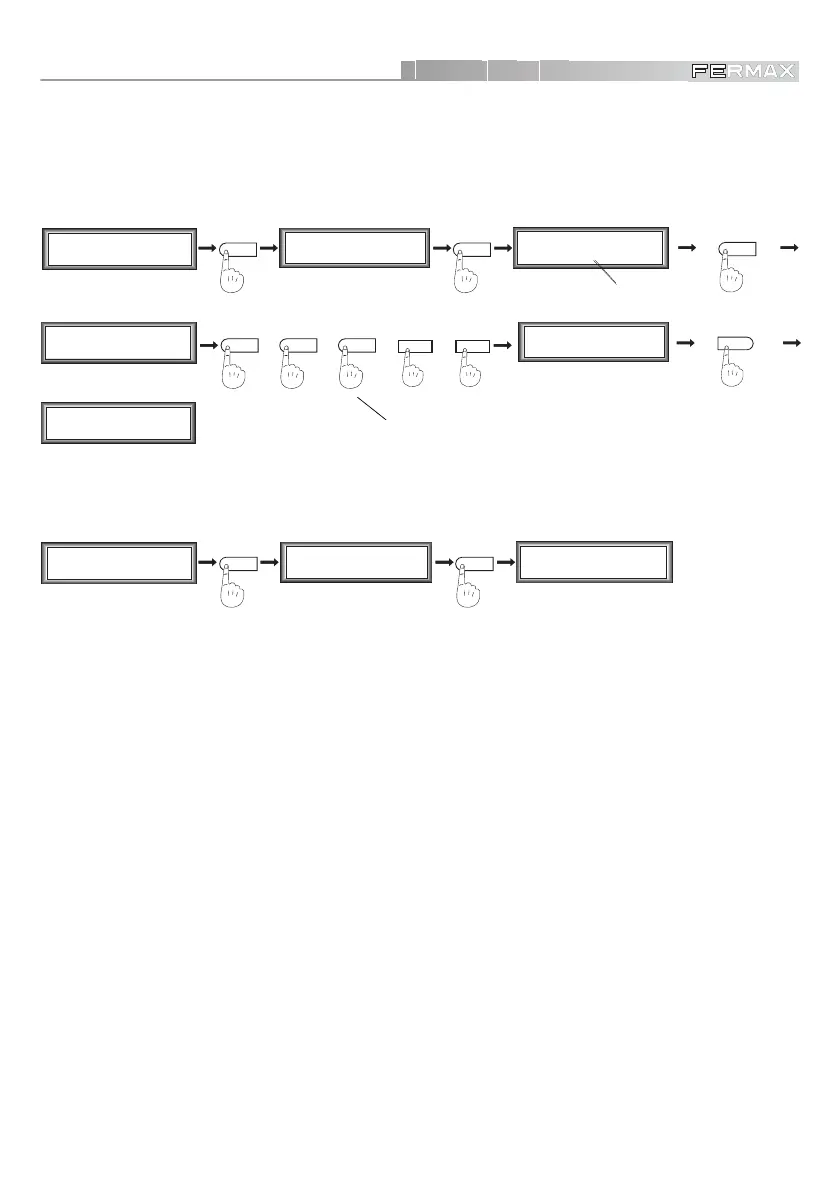
• Change the Secondary Programming Code
Lets you change the secondary Programming Code. Take the following steps to change the code.
Option ‘7’ lets you modify the programming code. When the system shows the current code, press ‘A’
to change it.
M1 2 3 4
mCoPaDeCi
MAIN MENU
SECONDARY MENU
1
C1 2 3 4 5 6 7
o+ - MT R D Pc
by default
(always 5 digits)
2
1
+
4
+
7
++
5
%
SECONDARY MENU
C1 2 3 4 5 6 7
o+ - MT R D Pc
M1 2 3 4
mCoPaDeCi
MAIN MENU
7
A
Programming Code
1 9 0 2 5
Programming Code
_ _ _ _ _
For example: 14725
If we go back to option 7, we shall see «New Code».
M1 2 3 4
mCoPaDeCi
MAIN MENU
SECONDARY MENU
1
C1 2 3 4 5 6 7
o+ - MT R D Pc
7
Programming Code
1 4 7 2 5
NEW CODE
NOTES:
9 The Primary programming Code CANNOT be changed.
Regardless of the number of digits chosen for the system, the Secondary Programming Code
(19025 by default) will always have 5 digits.
DO NOT LOSE THE NEW PROGRAMMING CODE AS IT IS NOT POSSIBLE TO ENTER
PROGRAMMING MODE IF THIS NUMBER IS NOT ENTERED CORRECTLY, UNLESS THE
PANEL IS SENT BACK TO THE FACTORY TO HAVE THE MEMORY CIRCUIT CHANGED
(Complete Display Module).













 To Next Page