Pag 51
MDS DIRECT
MDS DIRECT
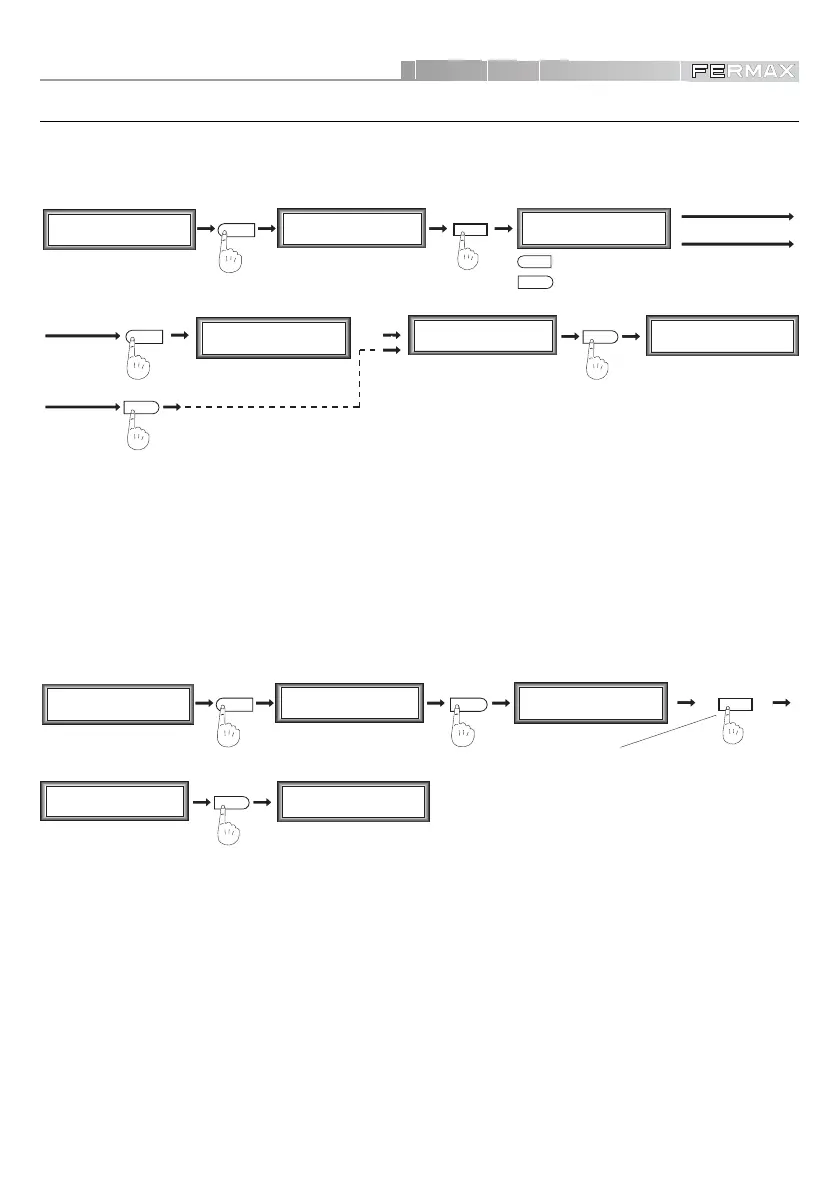
PROGRAMMING ACCESS CONTROL FUNCTIONS
You can choose the number of digits that the system will request when an access code is entered.
Select 4, 5 or 6.
M1 2 3 4
mCoPaDeCi
MAIN MENU
SECONDARY MENU
%
M1 2 3 4
mCoPaDeCi
MAIN MENU
1
6
Digits (4, 5, 6)
4
5
C1 2 3 4 5 6 7
o+ - MT R D Pc
SECONDARY MENU
C1 2 3 4 5 6 7
o+ - MT R D Pc
For example:
5 Digits
• Assigning Digit Number Length (User Codes)
NOTE :
9 The MDS Direct Panel lets you program up to 600 access codes.
The length of the primary programming code
A%21A%
may vary in line with the number of digits
chosen for the system. Depending on the digit selection the code will be as follows:
- 4 digits:
A%21
- 5 digits:
A%21A
- 6 digits:
A%21A%
Regardless of the number of digits selected for the system, the secondary programming code
19025 will always have 5 digits.
VERY IMPORTANT NOTES :
9 This option IS NOT REVERSIBLE.
It is advisable to carry out this operation before starting to input the Access Codes into the system.
This operation must be performed in all the MDS Direct Panels in the system.
M1 2 3 4
mCoPaDeCi
MAIN MENU
SECONDARY MENU
1
Reset Codes
Confirm ( A = YES )
C1 2 3 4 5 6 7
o+ - MT R D Pc
5
%
M1 2 3 4
mCoPaDeCi
MAIN MENU
SECONDARY MENU
C1 2 3 4 5 6 7
o+ - MT R D Pc
A
Reset Codes
Erasing . . .
RESET is madeA
%
RESET is NOT made
%
(RESET is NOT made)
(choosing one of them)
• Codes RESET
Lets you erase all the codes stored in memory in one single operation. Once selected, press ‘A’ to
confirm, or ‘’ to exit without carrying out the RESET.













 To Next Page